Admin Section
Visual Price Calculator for Admin
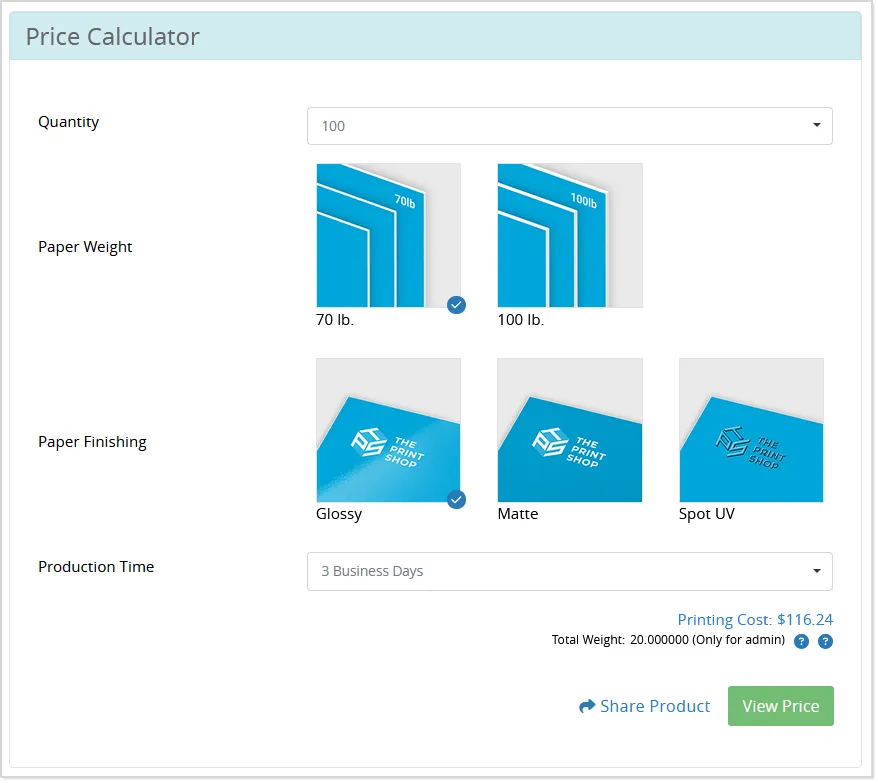
The Visual Price Calculator is now available across all pricing calculator screens in the OnPrintShop admin panel. This enhancement provides a more intuitive and interactive way for admins to view and manage product pricing based on different configurations.
To access the Visual Price Calculator, the first step is to enable it from the Site Settings. Navigate to the Admin Panel, open the Site Settings, and locate the setting named "Enable Visual Price Calculator for Admin Users." Set this option to Yes and save your changes.
Once enabled, you can use the Visual Price Calculator across various areas in the system. Simply go to any product’s Pricing Calculator screen or open a Modify Order or Offline Order screen. On these pages, you will see a Price Calculator icon.
Clicking this icon will launch the Visual Price Calculator:
Report of Unsold Products
To help admins better manage their product catalog and make informed business decisions, a new filter option called "Unsold Products" has been added to the Product Sales Report.
This enhancement allows admins to easily analyze products that have not generated any sales, offering valuable insights for inventory management, marketing strategies, or decisions about discontinuing or updating products. By identifying unsold items, businesses can plan targeted promotions, refresh their product lineup, or optimize stock levels more effectively.
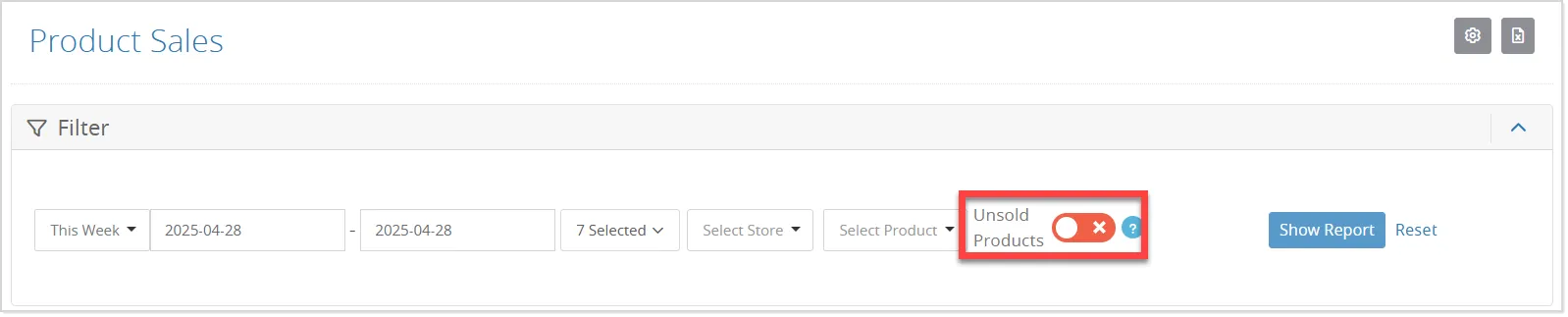
To use this feature, go to the Admin Panel and navigate to the Reports section, then select the Product Sales Report. In the filter options, you will now see a new checkbox labeled "Unsold Products":
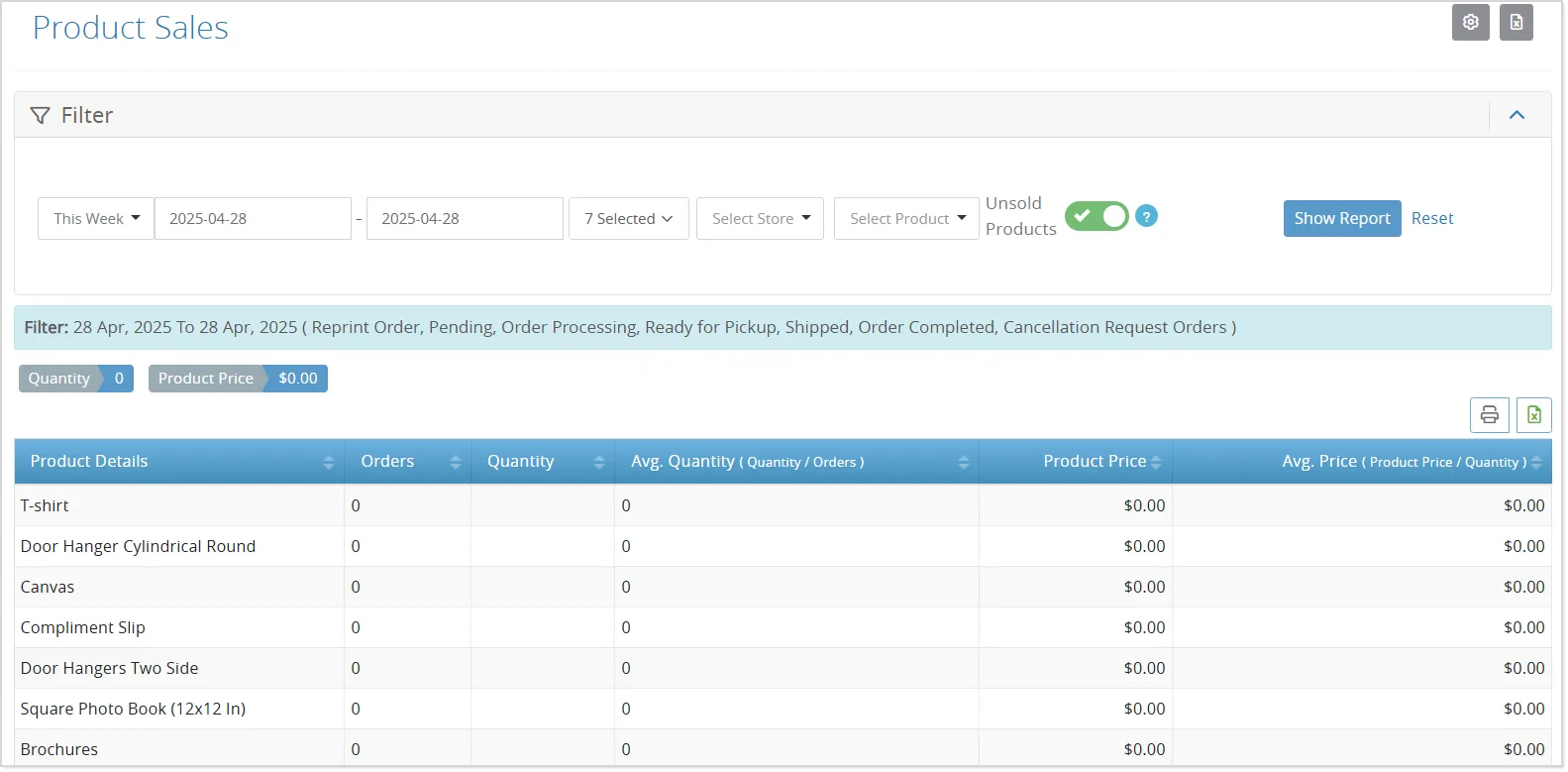
Enable this filter and run the report. Products that have not been sold will be displayed with a quantity of zero and no associated sales amount, allowing you to quickly pinpoint items that may need attention:
Extra Fields in Google Shopping Feed
Including complete and accurate fields like MPN, Brand, and GTIN is crucial for improving product visibility in Google Shopping feeds. Proper management of these fields ensures compliance with Google’s requirements and boosts search performance, helping drive better campaign results and sales.
To support this, admins of Default and Public Stores can now easily manage these additional fields directly from the admin panel:
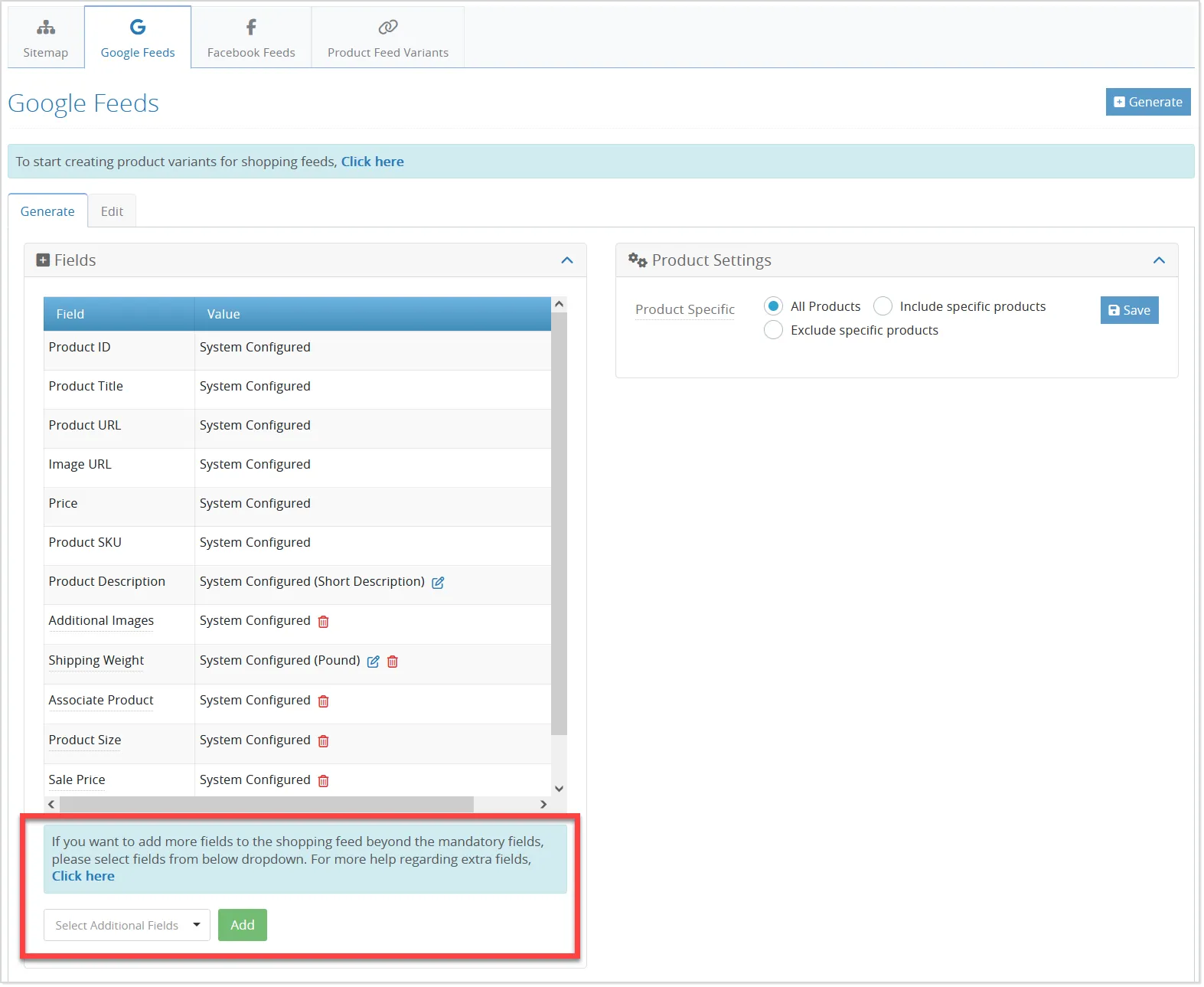
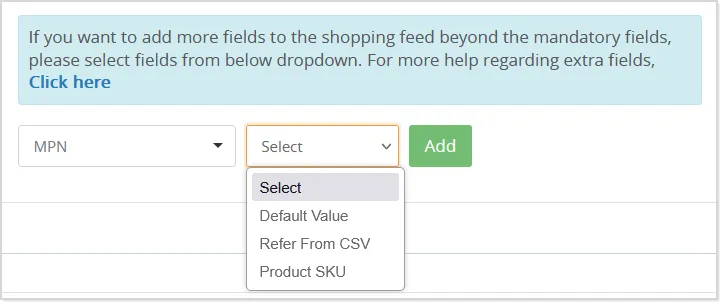
The system provides two flexible options for populating this information: admins can either auto-generate the values (based on pre-set logic) or upload a list of values using a CSV file for faster, bulk updates.
Minor Enhancements
Order Product Update Status Notification for Workflow Admin
To improve communication and ensure better tracking of order progress, workflow admins can now receive timely order updates directly via email:
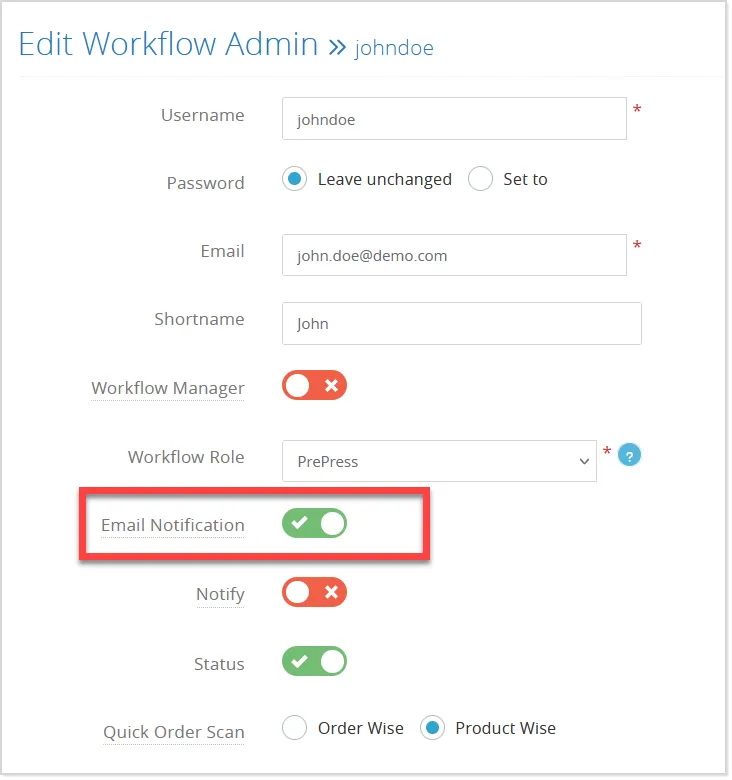
When the "Email Notifications" setting is enabled, the system will automatically send order product status updates to workflow admins, helping them stay informed and respond quickly to changes throughout the order process.
SMS Integration for Custom Form Submissions
The Custom Form module has been enhanced to support SMS alerts for both admins and customers, ensuring faster and more direct communication. Now, in addition to email notifications, users will receive instant SMS updates when a custom form is submitted.
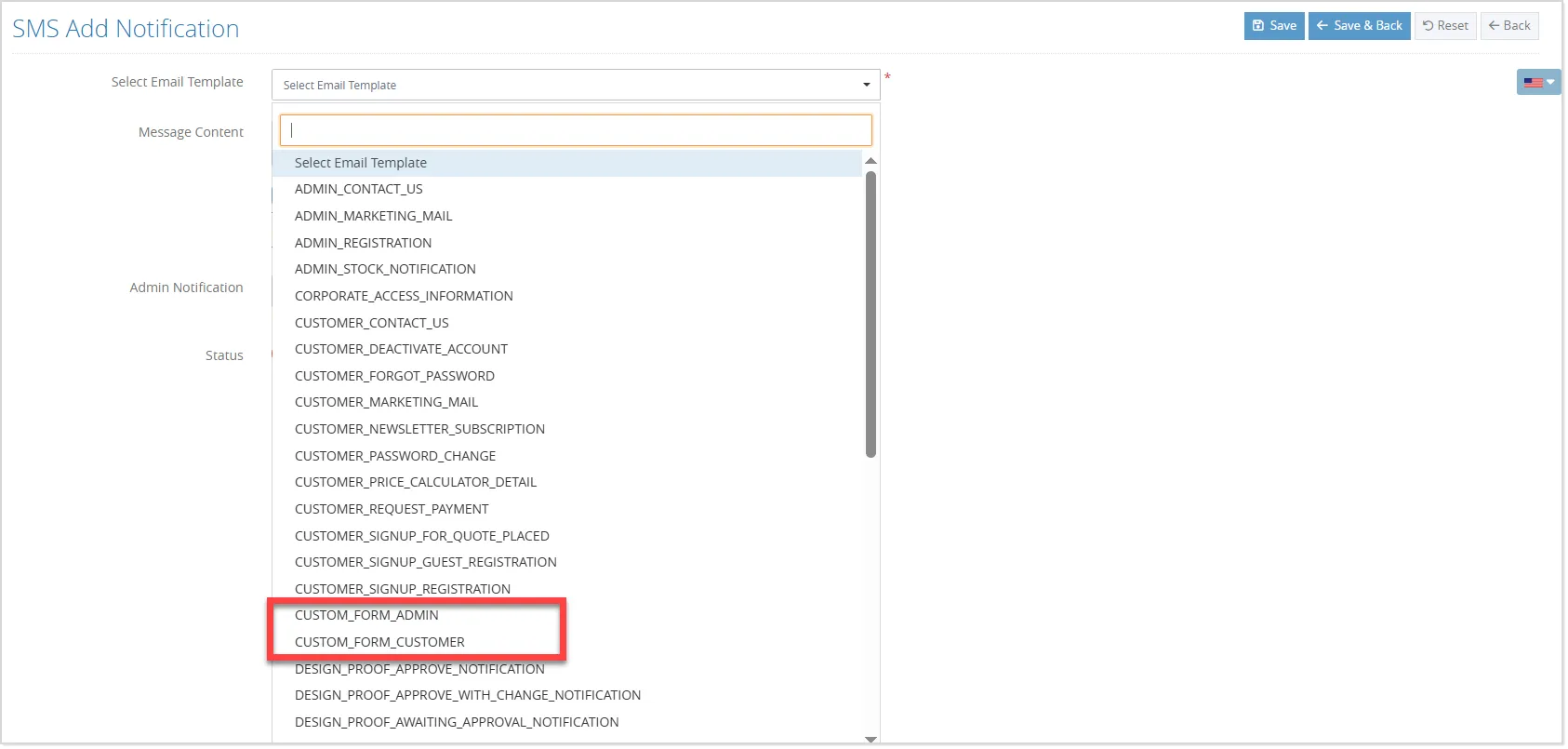
Admins can configure SMS templates to match their communication style, making it easier to manage leads, feedback, and service requests efficiently.
To enable SMS functionality for custom forms, the admin must activate the ‘Notify Admin’ option and enter their phone number in the SMS Template panel for the specific form. To notify customers, the ‘Notify Customer’ option must also be enabled—both options apply to SMS and email notifications.
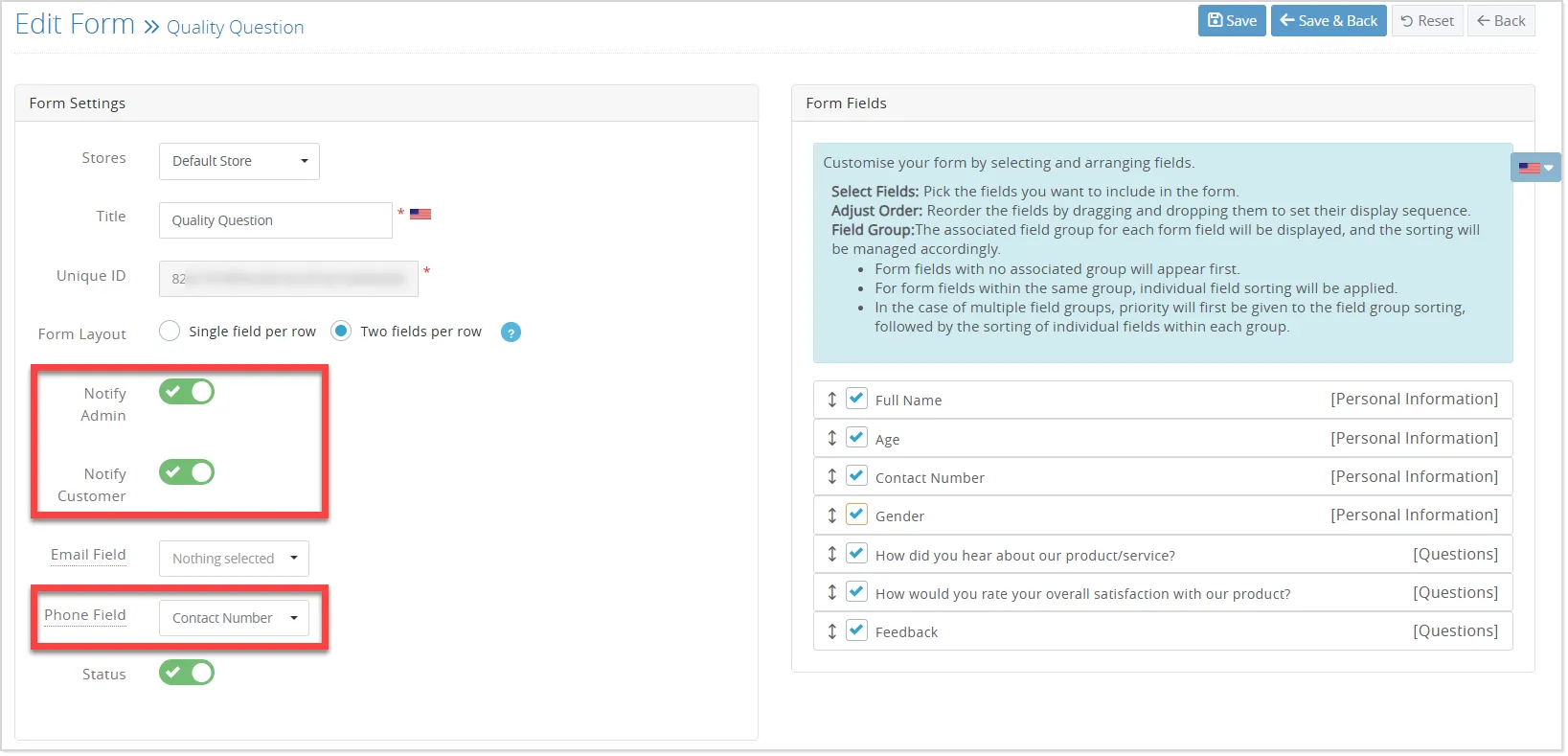
When ‘Notify Customer’ is enabled, the system needs to identify which form field contains the customer’s phone number. For this, a Phone Number Field selector is available in the Add/Edit Custom Form panel.
Once the admin selects the appropriate field, its value will be used as the recipient number, and SMS notifications will be sent to the customer accordingly.
New Image Format Support
To meet demand and stay aligned with industry trends, the system now also supports uploads of AVIF, HEIC, and HEIF image formats.
Sales Agent Assignment and Commission Management
Store Filter Issue on Sales Agent Admin
The Store Action screen now supports assigning multiple sales agents to a store using a multi-select checkbox dropdown, replacing the previous single-selection method:
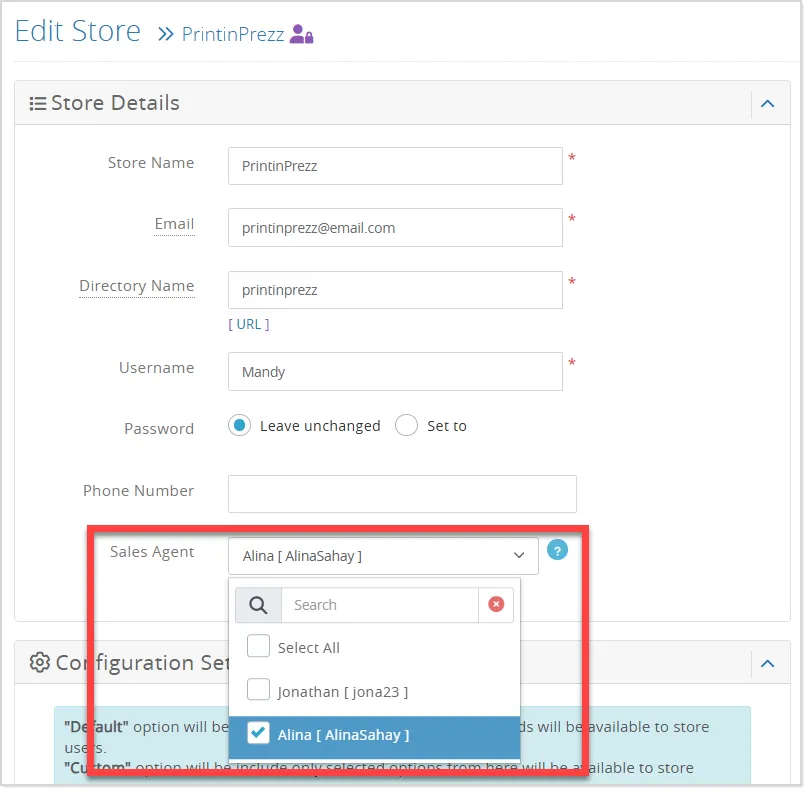
The default store selected during this setup will be used when a sales agent admin creates a new offline user:
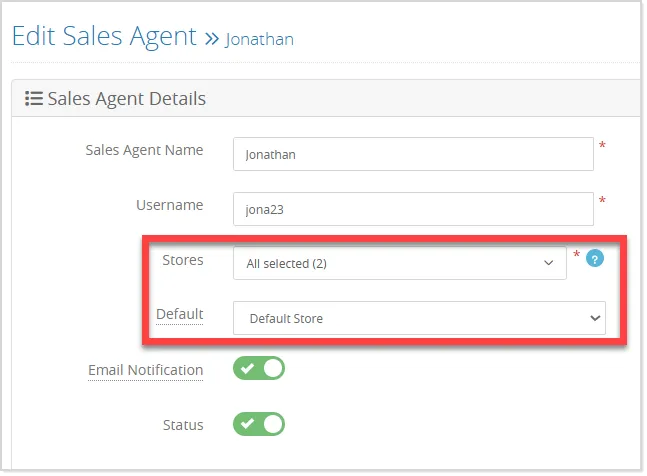
On the Sales Agent listing page, store names will be visible only to the Super Admin, keeping store assignments hidden from sales agents. Additionally, listing URLs will vary by role—Super Admins can view all, while Sales Agent Admins will see URLs only if a Default Store is assigned.
Store and Commission Filter on Commission Listing page
Sales agents can now efficiently filter products on the product commission screen using two newly added filters: Store Filter, which allows filtering products by store, and Commission Status Filter, with options like Both, Set, and Not Set to indicate commission assignment status:
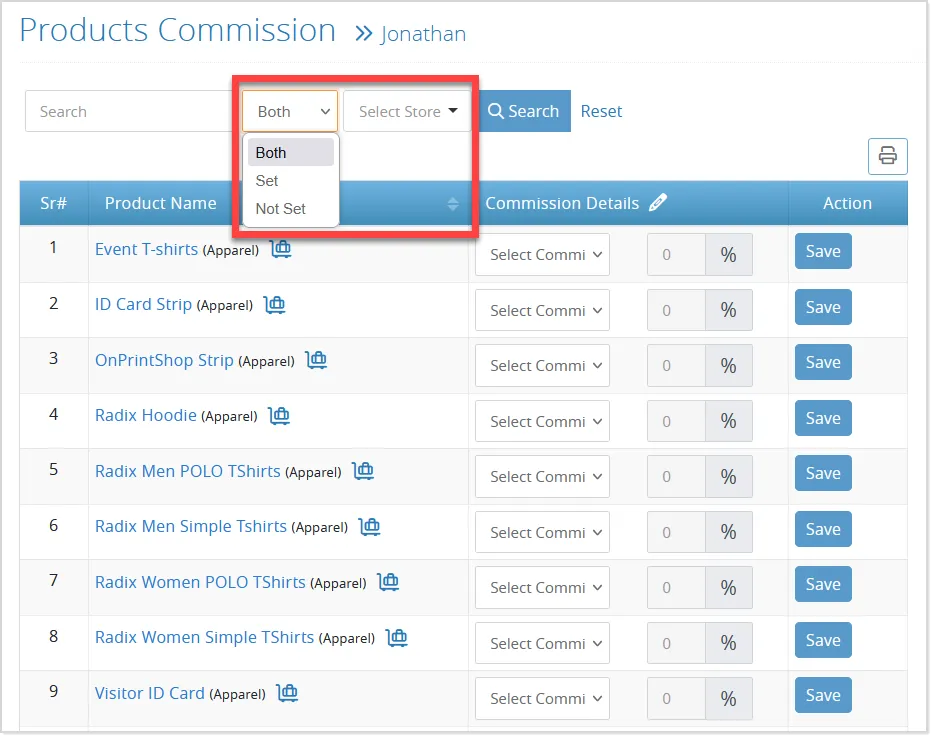
These filters provide better visibility, and all stores will be available in the filter for every sales agent.
Apply-All Feature on Product Commission Screen
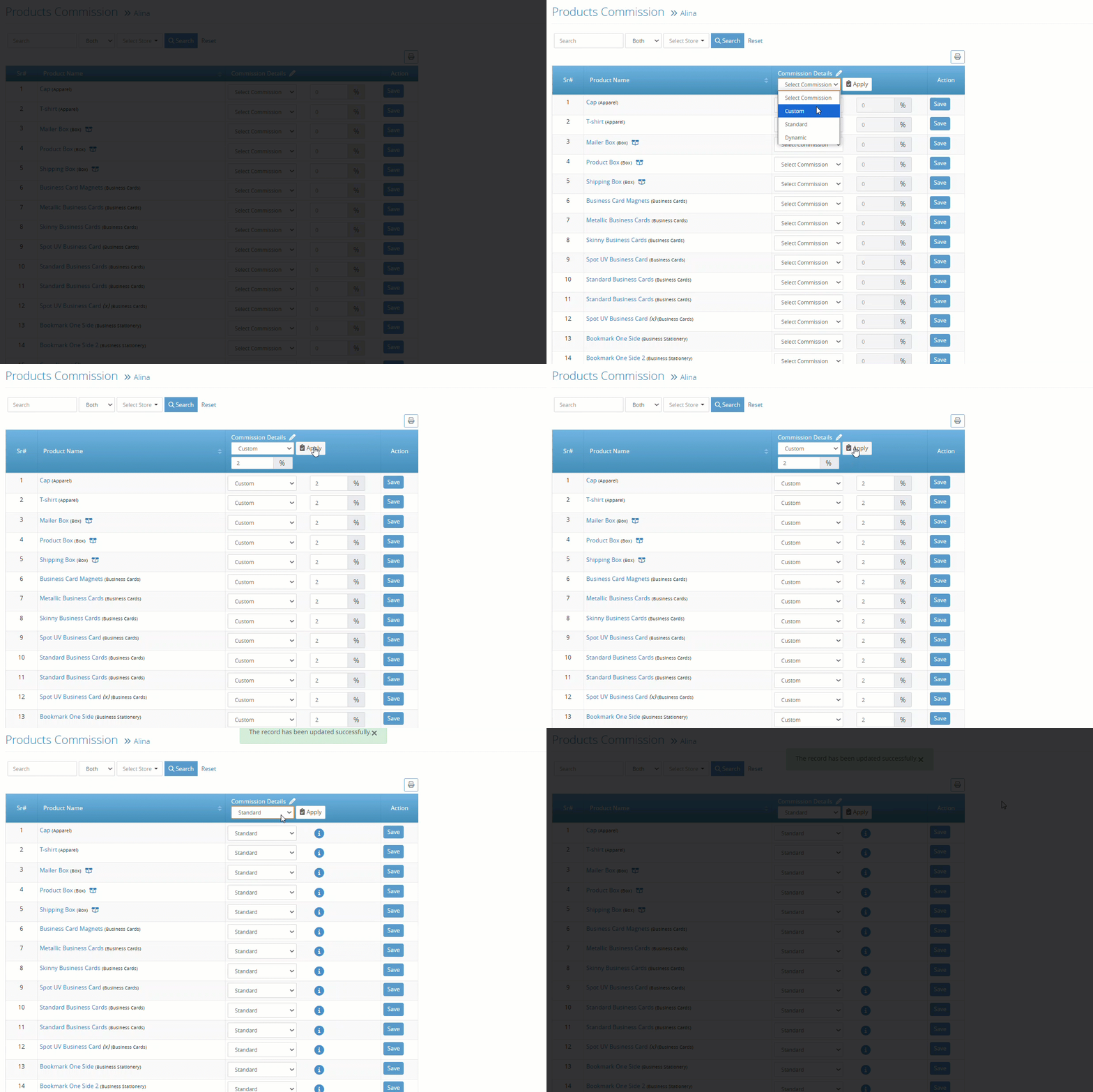
Earlier, the admin had to set commissions product by product, which was time-consuming. A new "Apply All" feature has been added to allow admins to assign commission values to all listed products in one go, streamlining the setup process: