Designer Studio
Block PDF Generator
The Block PDF Generator introduces a simpler way to convert existing PDF artwork into editable PDF templates directly from the OnPrintShop Admin Panel. Instead of manually defining editable regions or relying on external tools, admins can upload their PDF artwork and use the built-in visual editor to prepare it for personalization in Designer Studio.
The Block PDF Generation can be performed while editing a PDF Block template from the Edit Design screen:
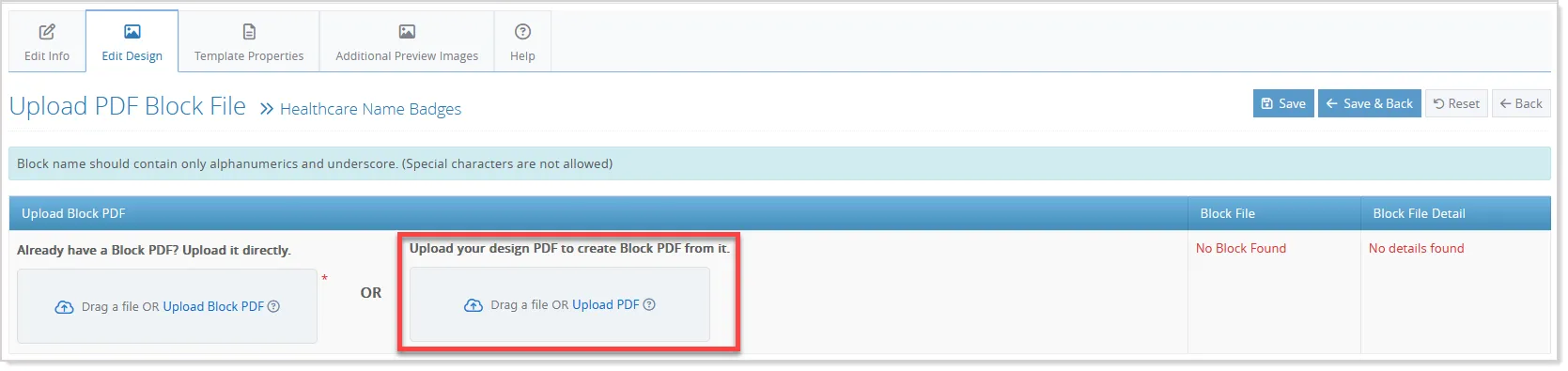
- Once a PDF is uploaded, the system automatically detects its text and image elements and displays them as editable blocks on the PDF canvas.
- Admins can review the detected blocks, move or resize them, rename them, choose the required block type, include or exclude specific elements, and draw additional blocks wherever needed. The visual editor also supports multi-page PDFs, making it easier to prepare complete templates from existing artwork.
- After the required blocks are configured, admins can generate the Block PDF directly from the tool. The generated file retains the original artwork while converting the selected regions into editable areas that can be personalized by customers in Designer Studio. This makes the process of creating Block PDF templates faster and more accessible, without requiring specialized PDFlib knowledge or additional tools.
The feature can be accessed within the existing template workflow or as a standalone Admin Panel tool, giving admins flexibility to create Block PDFs based on their workflow.
AI Template Generation in Designer Studio
Create editable design templates faster with the new AI Template Generation capability in Designer Studio. Instead of searching through existing templates, users can describe the design they need and let AI generate suitable template options that can be customized directly in the Studio.
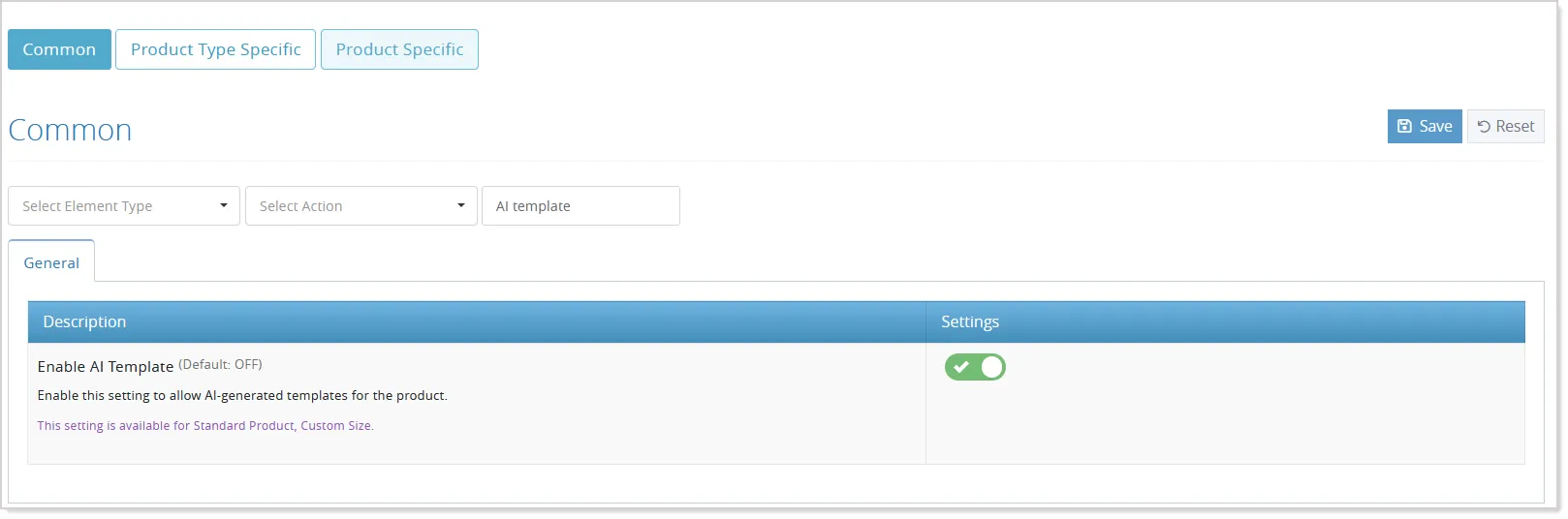
To make this capability available, enable the Enable AI Template setting from the applicable product settings for supported standard products.
Once enabled, users can access the AI Template option from the Template tab in Designer Studio and describe their design requirements using a natural-language prompt of up to 1,000 characters.
- Users can further refine their requirements through the optional More Options (+) section. They can upload a reference image or select one from the Image Gallery, and choose preferred colors and fonts configured by the administrator.
- AI uses the prompt and selected preferences to generate relevant template variations. The generated designs appear as previews in the AI Template panel, allowing users to review and select the option that best matches their requirements.
- The selected template can be applied directly to the Designer Studio canvas, where it remains fully editable.
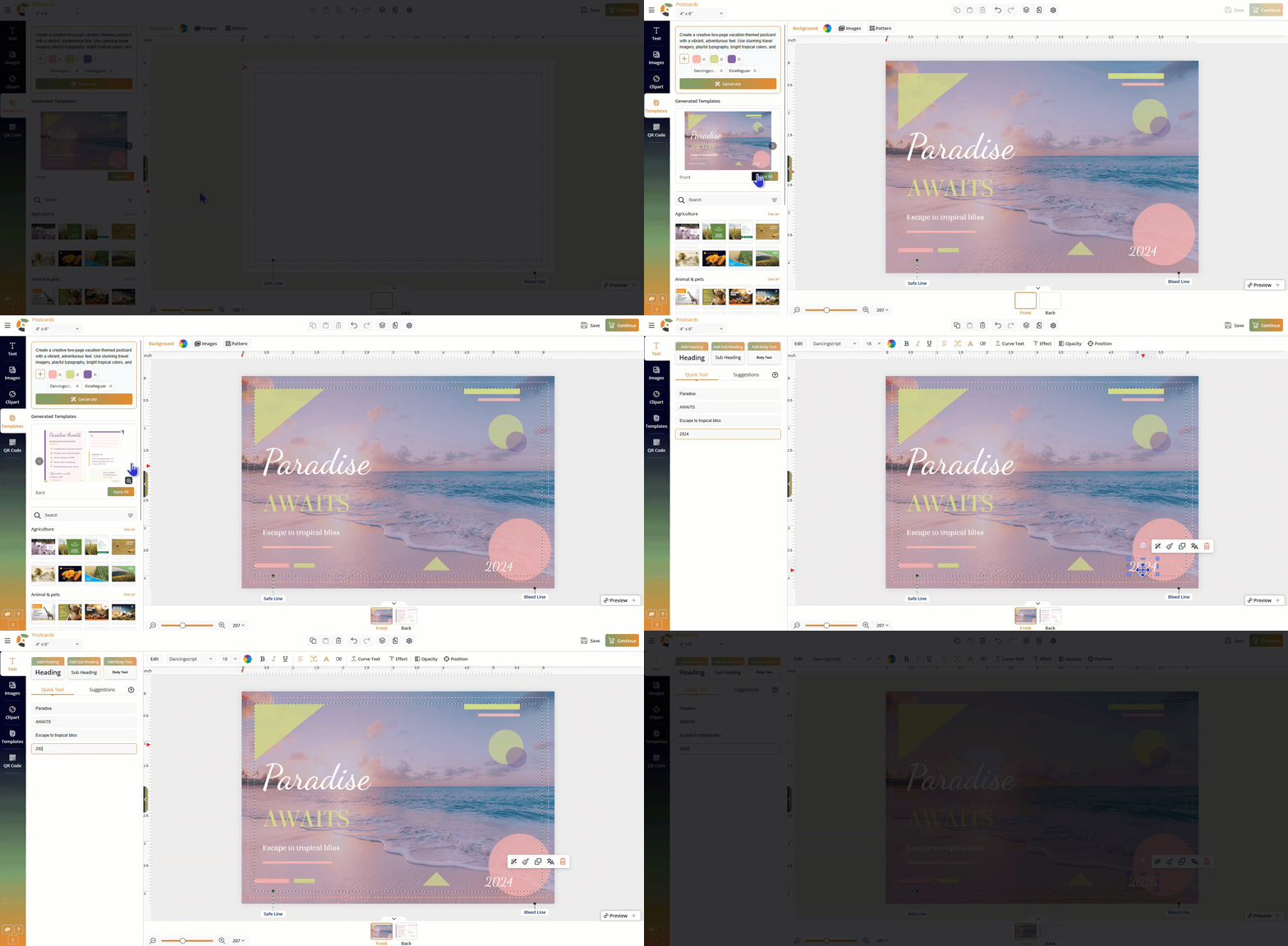
- Users can modify the content, images, colors, fonts, and other design elements just like any other Studio design.
This provides a faster way to turn design ideas into customizable templates while reducing the need to search for and manually adapt existing designs.
Minor Enhancements
Image Gallery Enhancement
Category-wise Image Display in Photo Gallery
The Designer Studio Image Gallery is enhanced with a more intuitive category-wise browsing experience. Instead of loading images from a single category, the Gallery tab now provides an overview of available categories, with up to eight image previews displayed for each category:
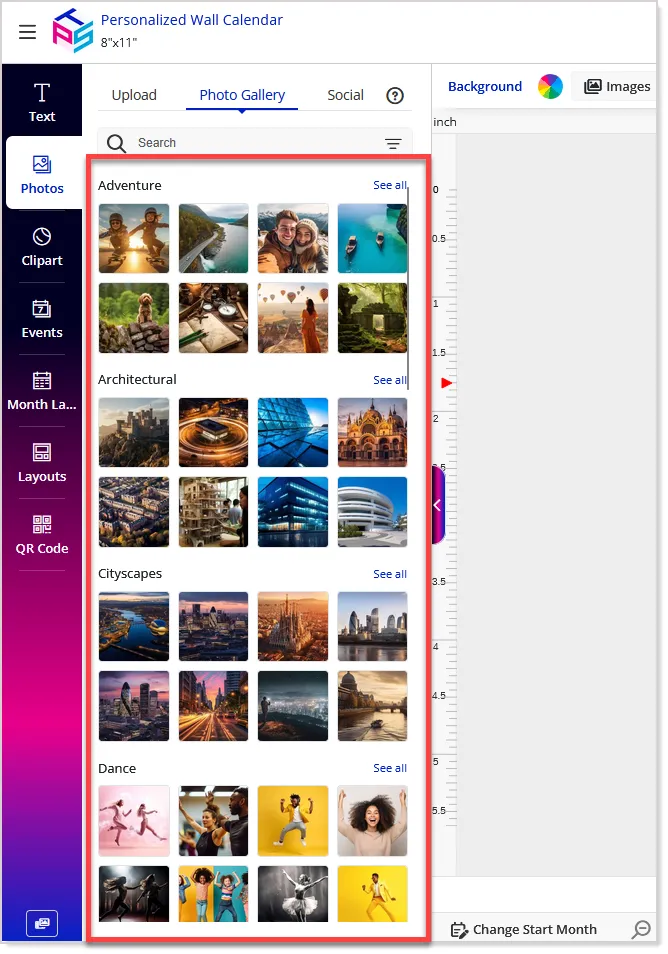
- Users can select See All to explore a category in detail using the existing masonry grid, search, category navigation, and infinite scrolling.
- The enhancement also extends keyword support to all gallery content types, including Clipart, Masks, Backgrounds, Design Art, Event Icons, and Patterns, making content easier to find through search.
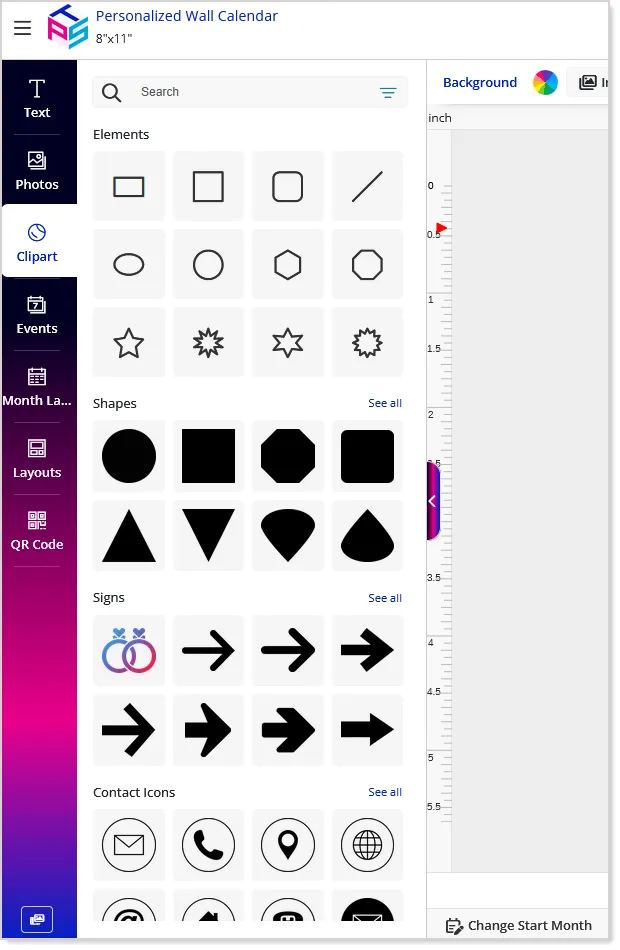
Similar category-based browsing is also introduced for Clipart, Templates, Backgrounds, and Patterns, providing a consistent and streamlined way to discover and use gallery content:
Language-specific Image Titles
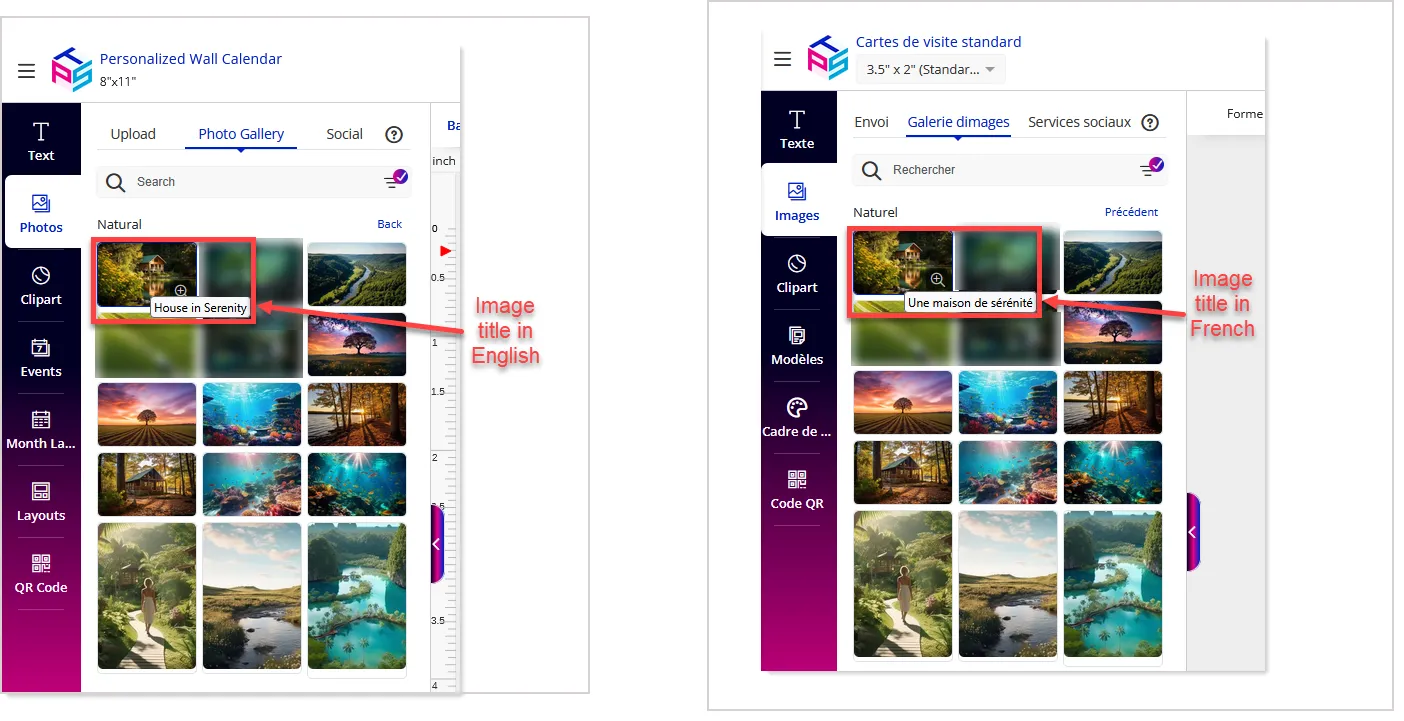
In addition, admins can now define language-specific image titles, allowing the same image to have a different title based on the selected storefront language. Admins can add or update these translated titles while adding an image, or manage them later using the single-edit or bulk-edit options.
These titles are displayed as tooltips in the Design Studio, helping customers understand the purpose or context of an image while designing.
Upload Center Proof PDF Generation Enhancement
Upload Center proof PDFs now provide a more accurate representation of the customer's uploaded artwork. With this enhancement, proof generation uses the original uploaded image and vector files, ensuring the proof more accurately reflects the artwork quality intended for printing. Existing proof watermark and keyword behavior remains unchanged and continues to follow the configured settings.
An informational message is also displayed in Designer Studio to clarify that the editor may use lower-resolution previews for better performance, while the generated proof PDF uses the original high-resolution files. This enhancement applies only to Designer Studio-enabled Upload Center proofs; standard Designer Studio proof generation remains unchanged.