Quote Section
Quote Draft Provision for Admin
Admins can now save incomplete quotations as drafts while working on pricing and other quote details, allowing them to pause their work and return to it later without sending an incomplete quotation to the customer.
From the Quote Action page, admins can use Save As Draft to store in-progress product pricing and related details:
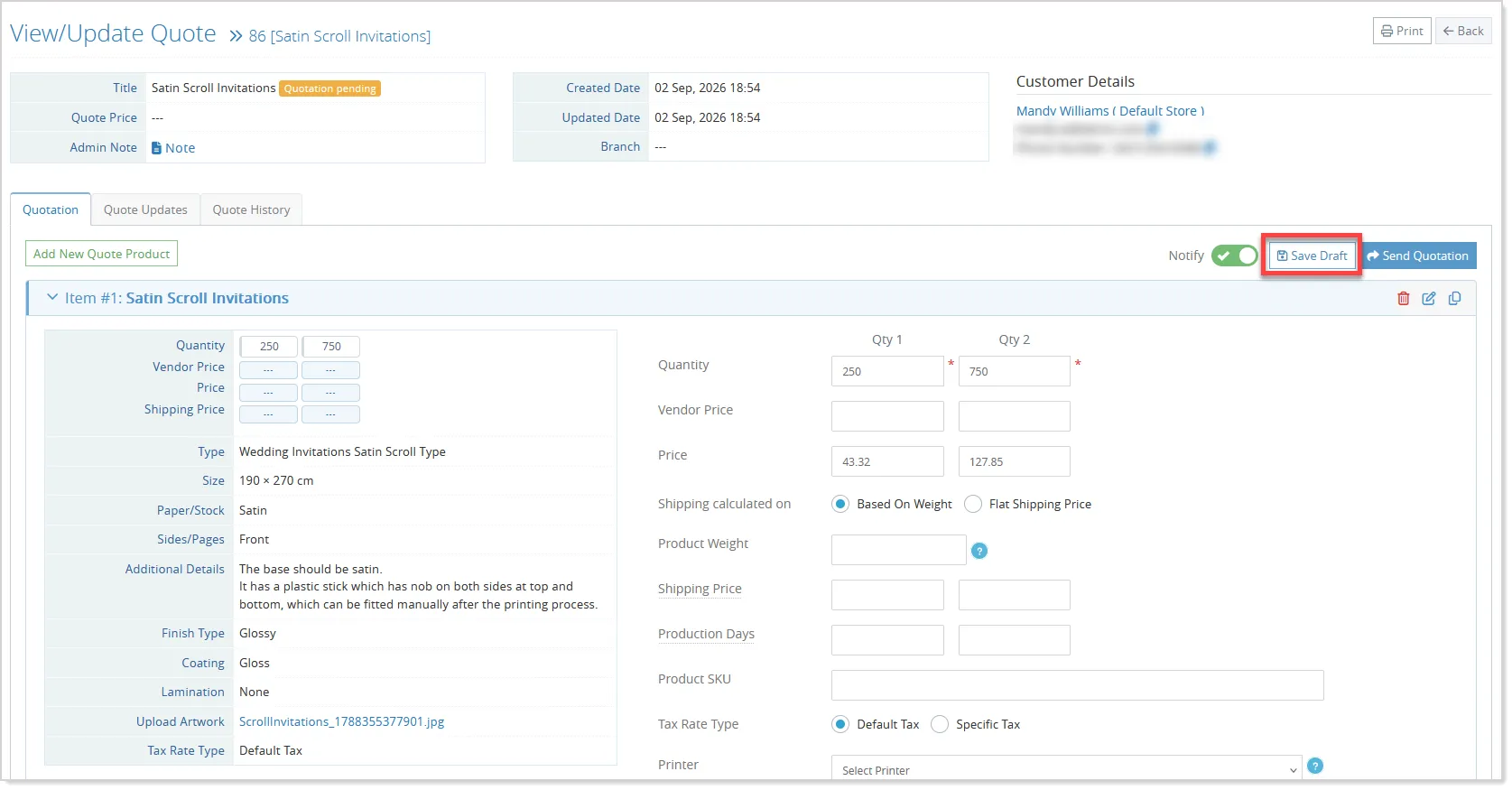
- When they return to the quote, the saved information is automatically populated, allowing them to continue from where they left off.
- A Draft indicator and the saved date help admins identify quotes with pending work, while the Quote Listing also displays a draft badge for easy identification:

- Once the quotation is ready, admins can select Send Quotation to proceed with the existing workflow. The draft data is then cleared, and the finalized quotation is sent to the customer as usual.
- Draft information is also automatically cleared if the related quote product is updated by an admin or customer, with these changes recorded in Quote History for tracking.
The draft functionality is admin-only and does not affect customer-facing views, existing customizations, or email templates.
Partial Quote Flow Enhancements
The Partial Quote workflow is enhanced to give admins and customers greater flexibility when reviewing, approving, and ordering quote products.
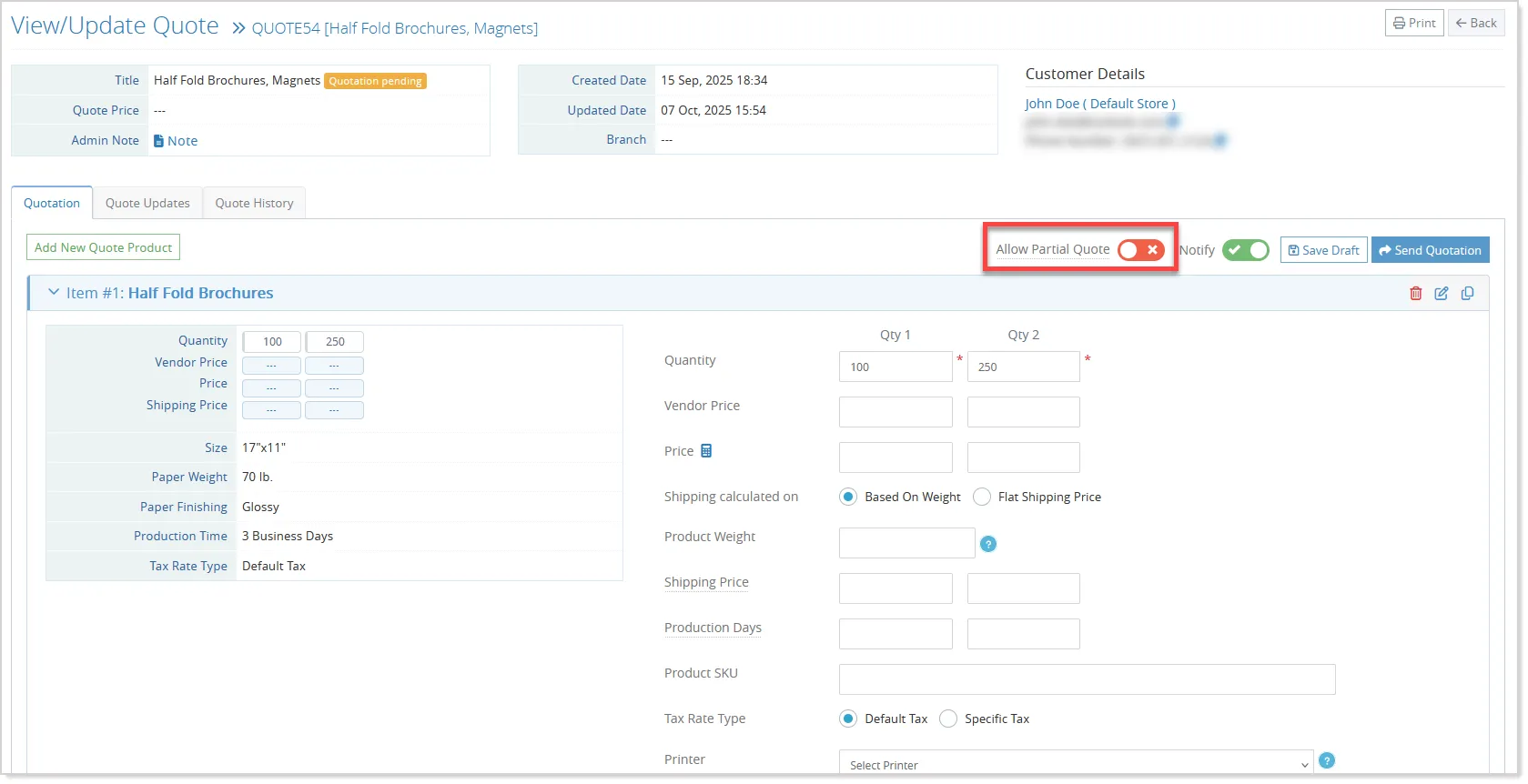
For admins, the existing Allow Partial Quote setting has been moved to the Quotation tab on the Quote Action page for easier access, while its existing behavior remains unchanged:
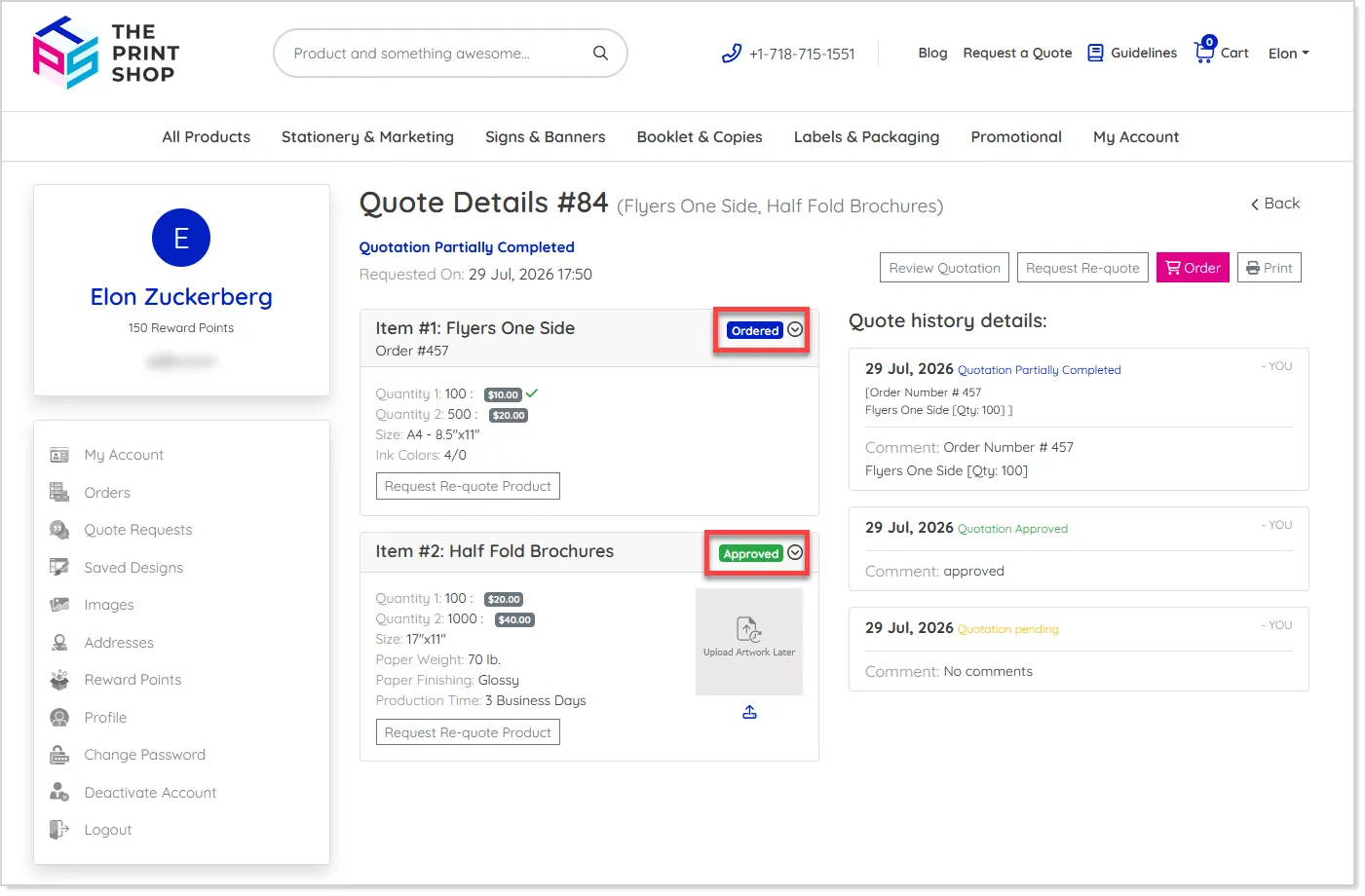
The quote details also provide clearer visibility through Approved and Ordered badges, with the corresponding order IDs shown for ordered products:
Once a quote is approved, admins can continue modifying product details as required, and the Skip to Upload Print Ready setting now works independently for each product rather than depending on partial quote approval.
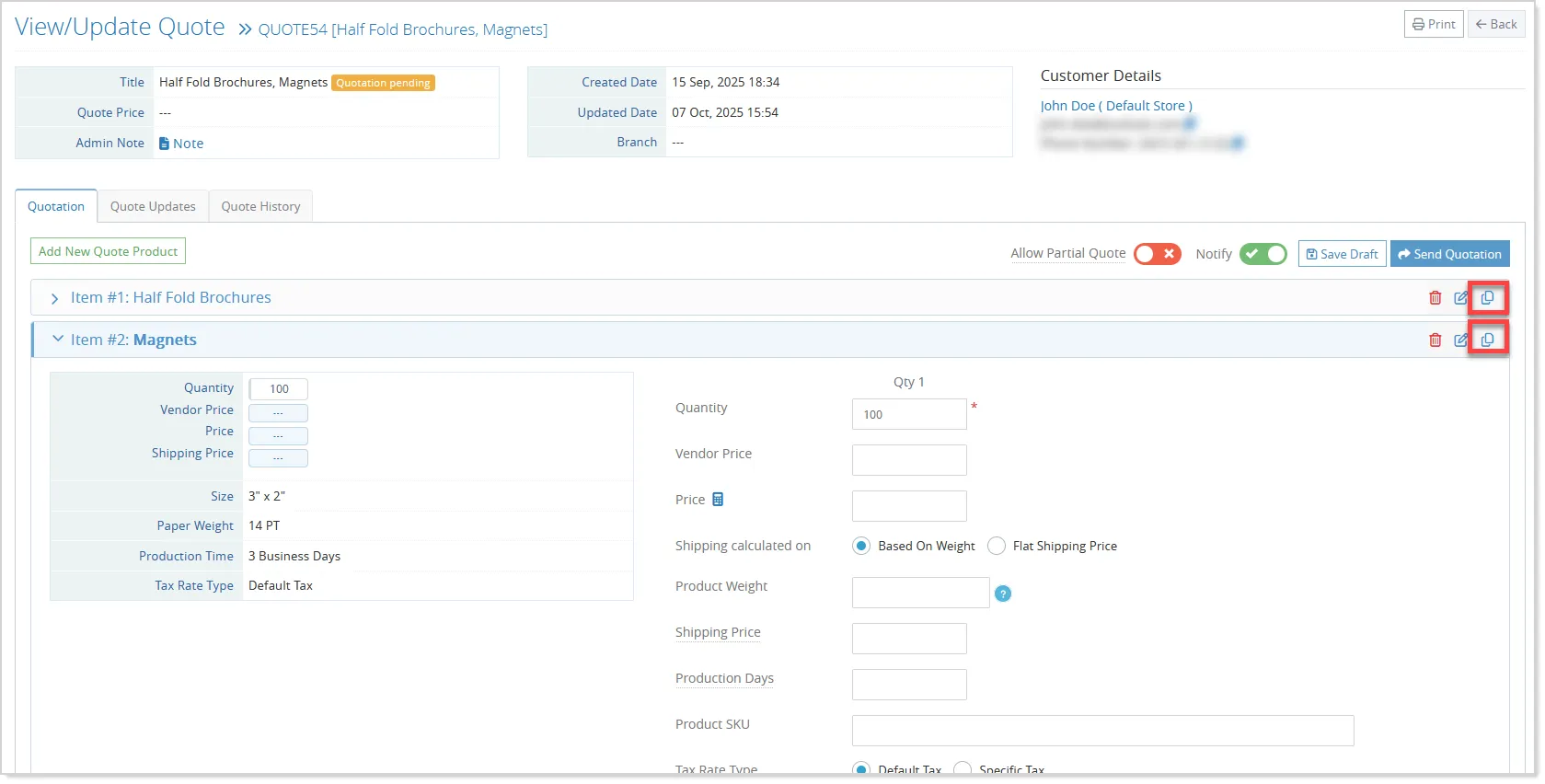
Admins can also duplicate quote products directly from the quote summary, creating a copy that can be modified independently before the quote is placed:
Quote Flow at the Storefront
On the storefront, customers can view the approval status of individual quote products and select only the approved items they want to order.
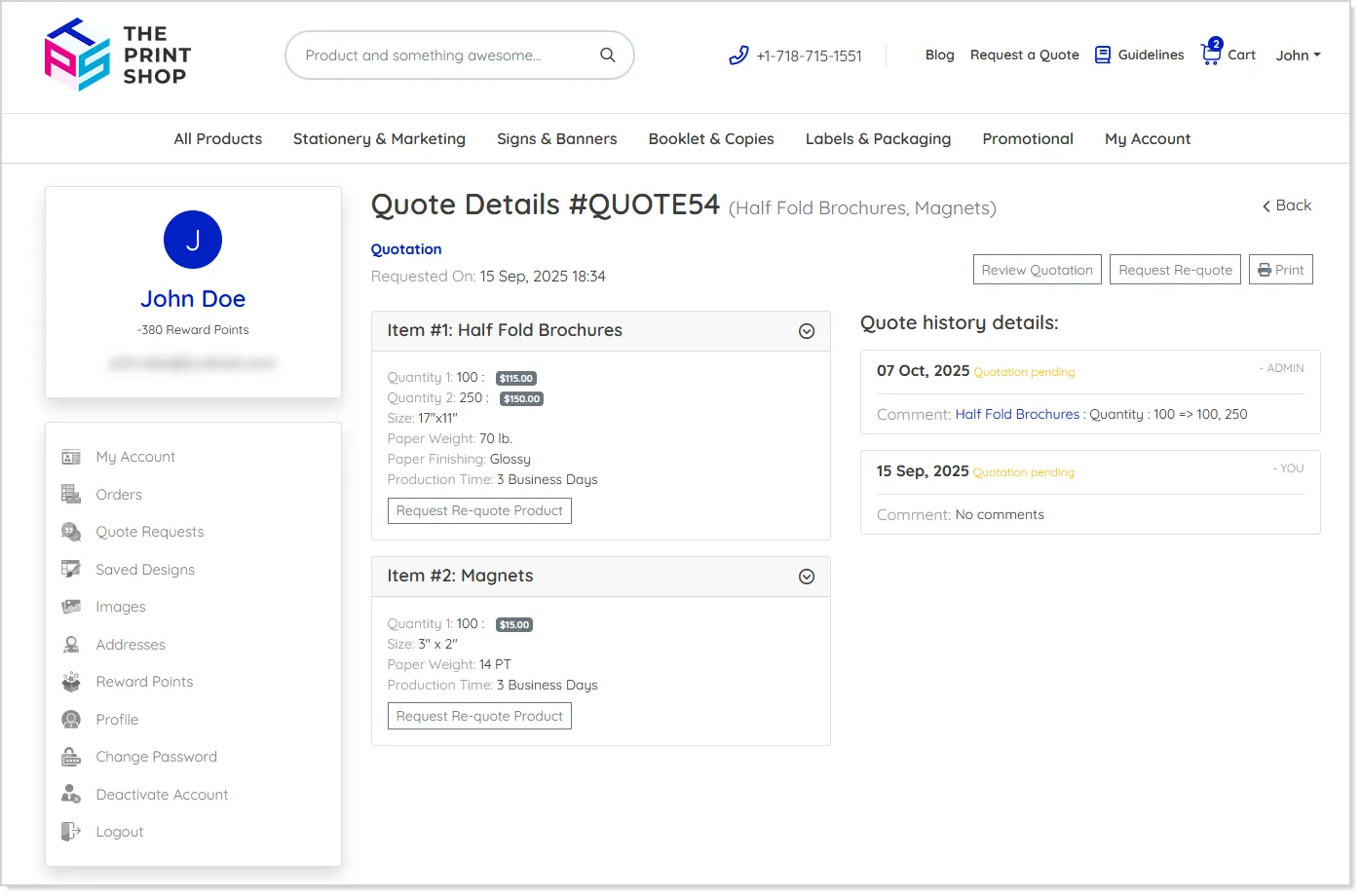
The quote details page provides product information, quote history, artwork upload, order references, and a Review Quotation option for completing the approval process:
Customers can continue updating quantity and artwork until the order is placed.
When an order is created from a partially approved quote, only the approved and selected products are converted to the order, while pending products remain in the quote for later approval.
Once all quote products have been ordered, the quote is marked as completed.
The workflow is also extended across the Quote Listing and Shopping Cart, where customers can upload or edit artwork for approved quote products and access review and comment options more easily.
Products that have already been added to the cart are clearly identified and cannot be selected again. Customers can also duplicate quote products from the quote summary before the quote is placed, allowing them to create another version with different quantities or options.
These changes provide clearer product-level status tracking and a more flexible quote-to-order journey, while maintaining the existing quote approval and ordering behavior for workflows that do not use partial approval.