Storefront Enhancements
OTP-Based Login for B2C Public Stores
Admins can now offer OTP-based login as an alternative to the traditional email and password method, providing a secure and flexible sign-in experience for customers.
This enhancement ensures a smoother login experience for customers while giving store owners full control over access and security settings.
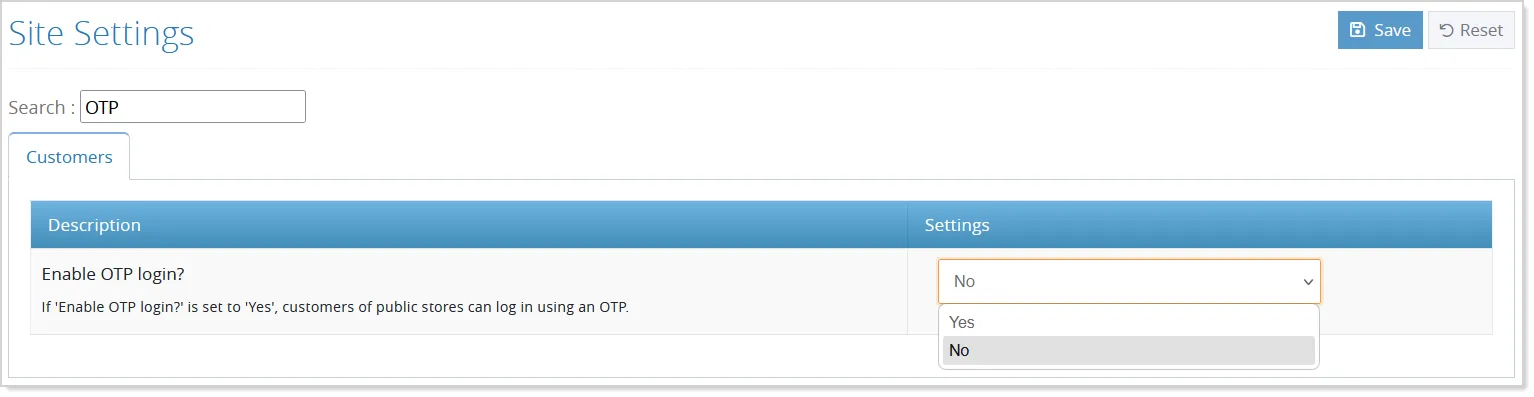
By default, this option remains disabled. To enable this feature, admins can turn on the Enable OTP Login option from Site Settings for the B2C or default store:
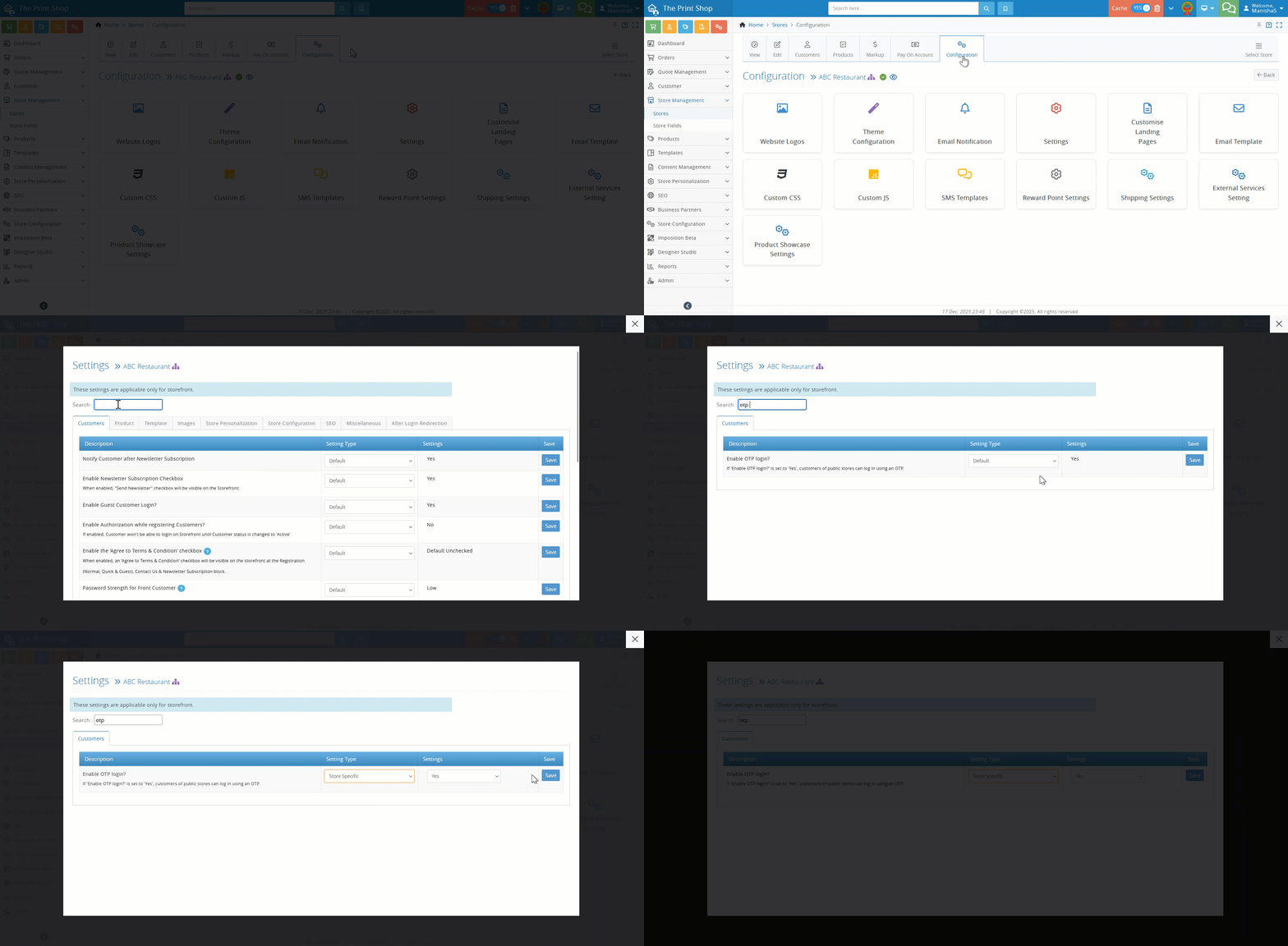
The Franchisee and Reseller store admins can manage it from their respective Configuration Settings:
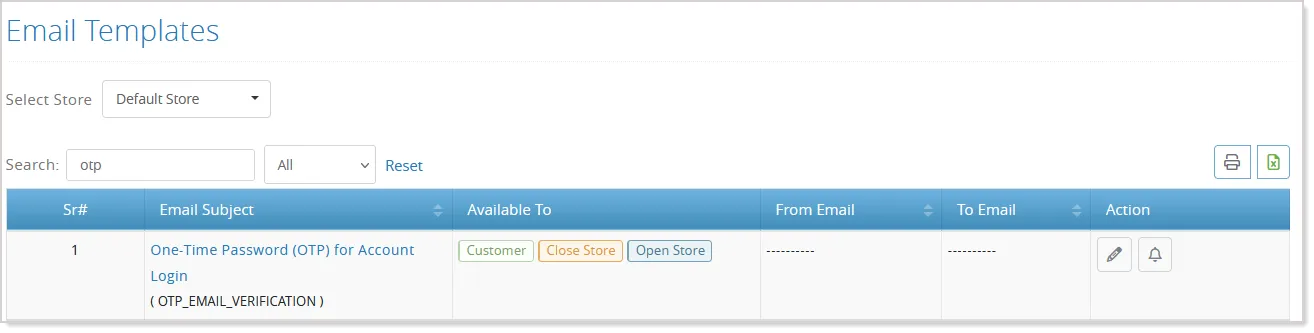
Admins can also manage related notifications from the Email Templates section, where a ready-to-use OTP email verification template is available and can be customized if required:
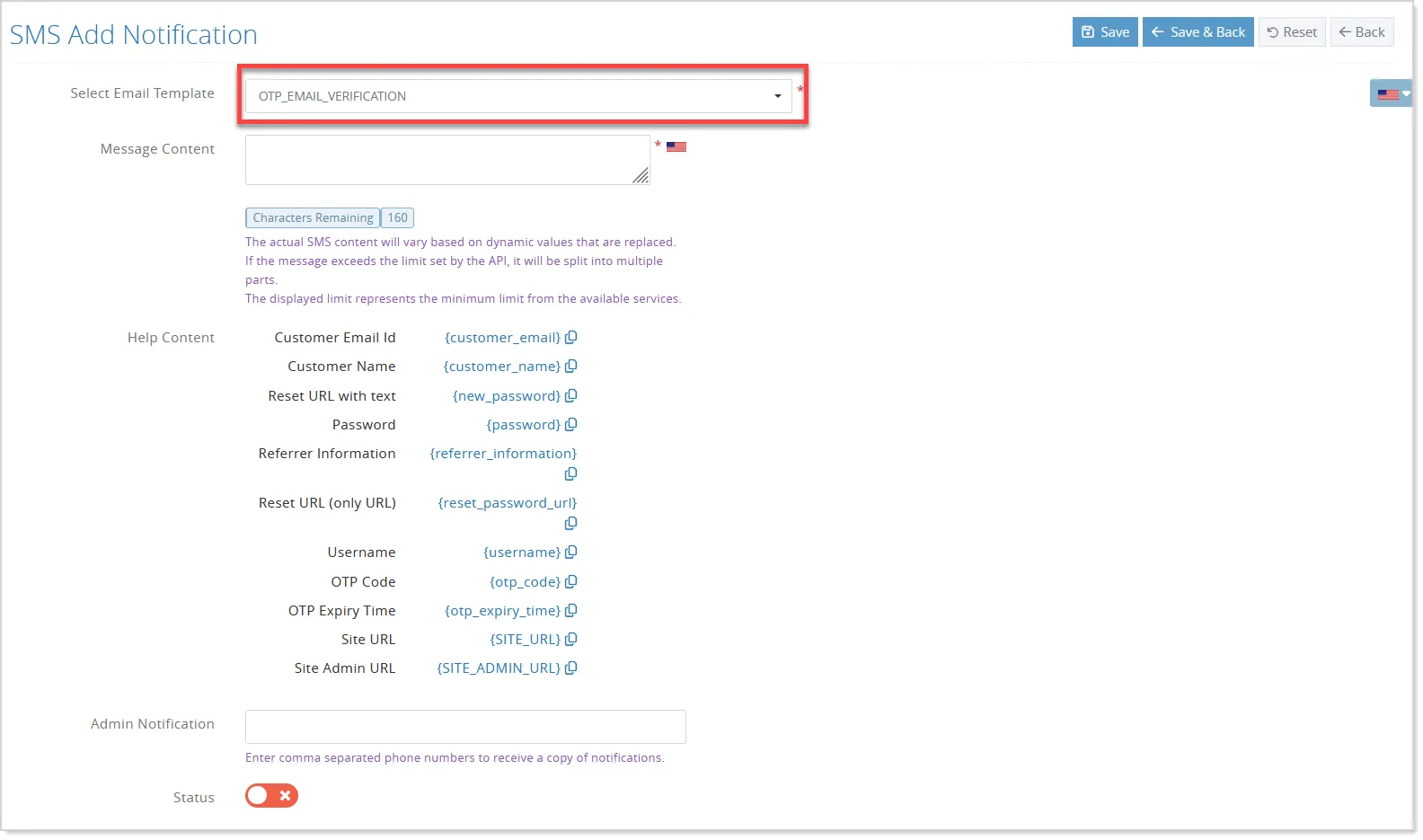
For SMS delivery, admins need to configure the SMS gateway and update the OTP template in the SMS Templates section using the supported variables:
On the storefront, customers visiting a store with OTP login enabled can choose to log in either using their existing email and password or by selecting the OTP login option:
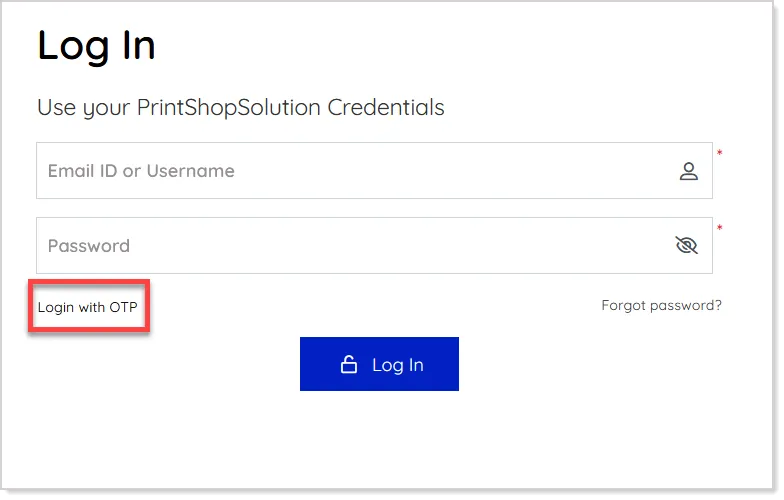
When opting for OTP, customers enter their email address and request a one-time password:
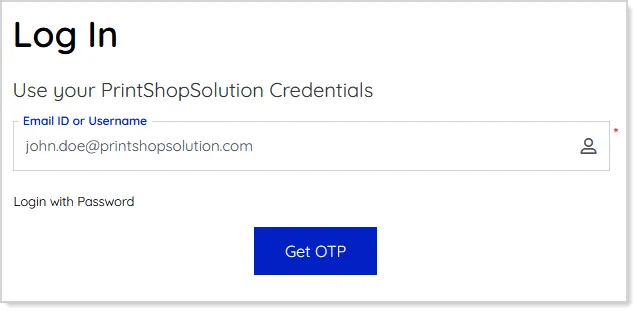
The system generates a secure six-digit OTP and sends it via email or SMS, depending on whether the customer’s phone number is available and the SMS gateway is integrated.
After entering a valid OTP within the allowed time, customers are logged in and redirected to their intended page.
If the OTP is incorrect, expired, or the maximum number of attempts is exceeded, the system displays an error and may prompt a CAPTCHA before retrying.
To maintain security, OTP resend requests follow a cooldown period, and each new request invalidates the previous OTP.
Improved Quick Design UI With New Layout Options
The Quick Design enhancement introduces a more flexible and intuitive experience by offering multiple layout options that adapt to different product configurations. It is designed to deliver a cleaner, more streamlined interface that ensures smooth interaction, regardless of the number of fields or pages a product includes.
To set this up, open the required product in the Admin Panel and navigate to the selected product's Settings --> Enable Quick Design setting:
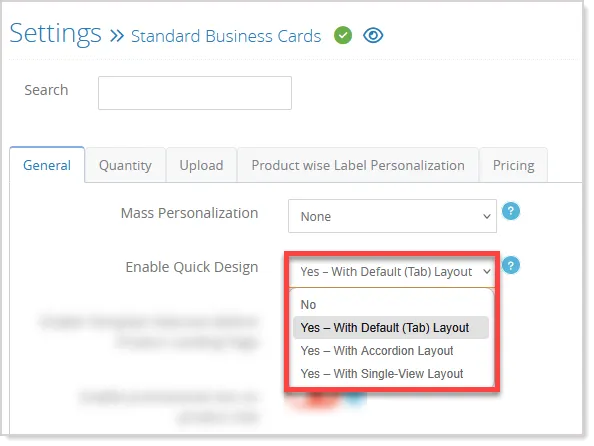
From here, select the preferred layout using the dropdown. You can choose to disable Quick Design, continue with the existing Tab Layout, switch to the new Accordion Layout, or enable the Single Page Layout for a unified view. Once selected, save the changes.
The chosen layout is immediately applied to the product—template images are automatically added to the gallery for Tab and Accordion layouts, while the Single Page layout keeps the preview focused within the Mini Studio.
On the storefront, customers experience the selected layout accordingly.
The Tab Layout retains the familiar tab-based structure, making it ideal for products with multiple option groups or multi-page templates, as it clearly separates sections and supports complex customization.
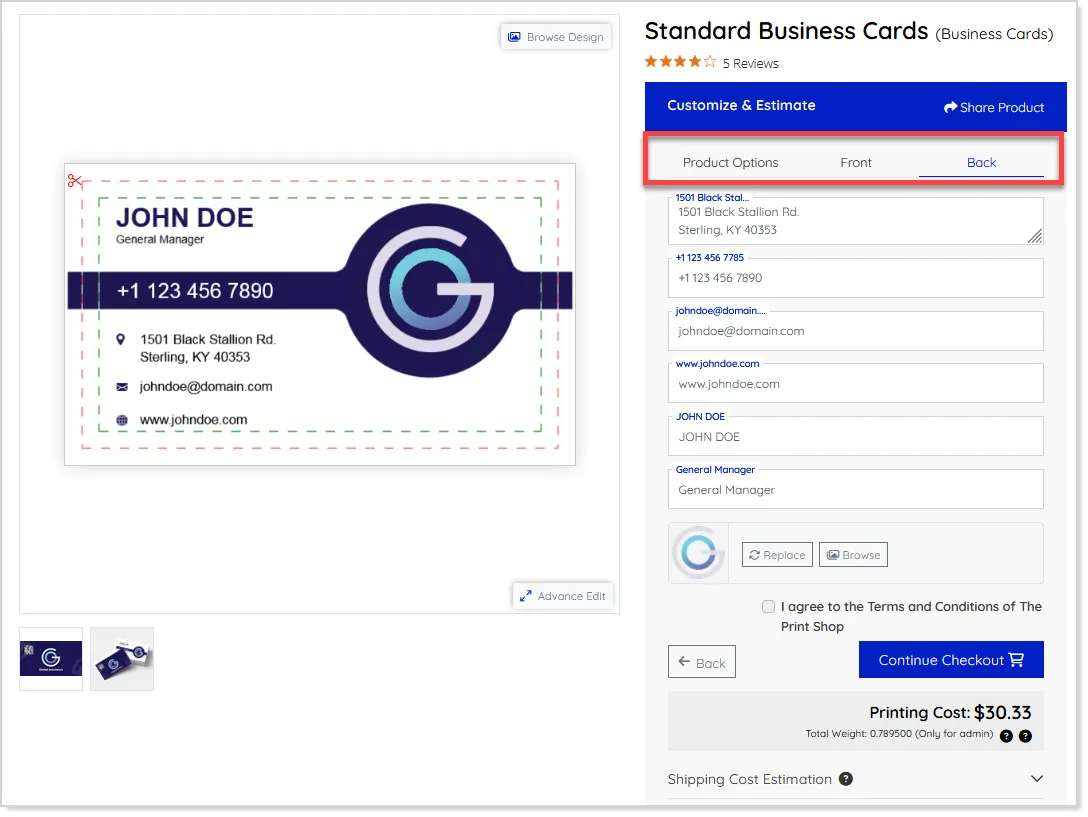
The Accordion Layout presents sections in an expandable format, featuring smooth navigation with Next and Back buttons.
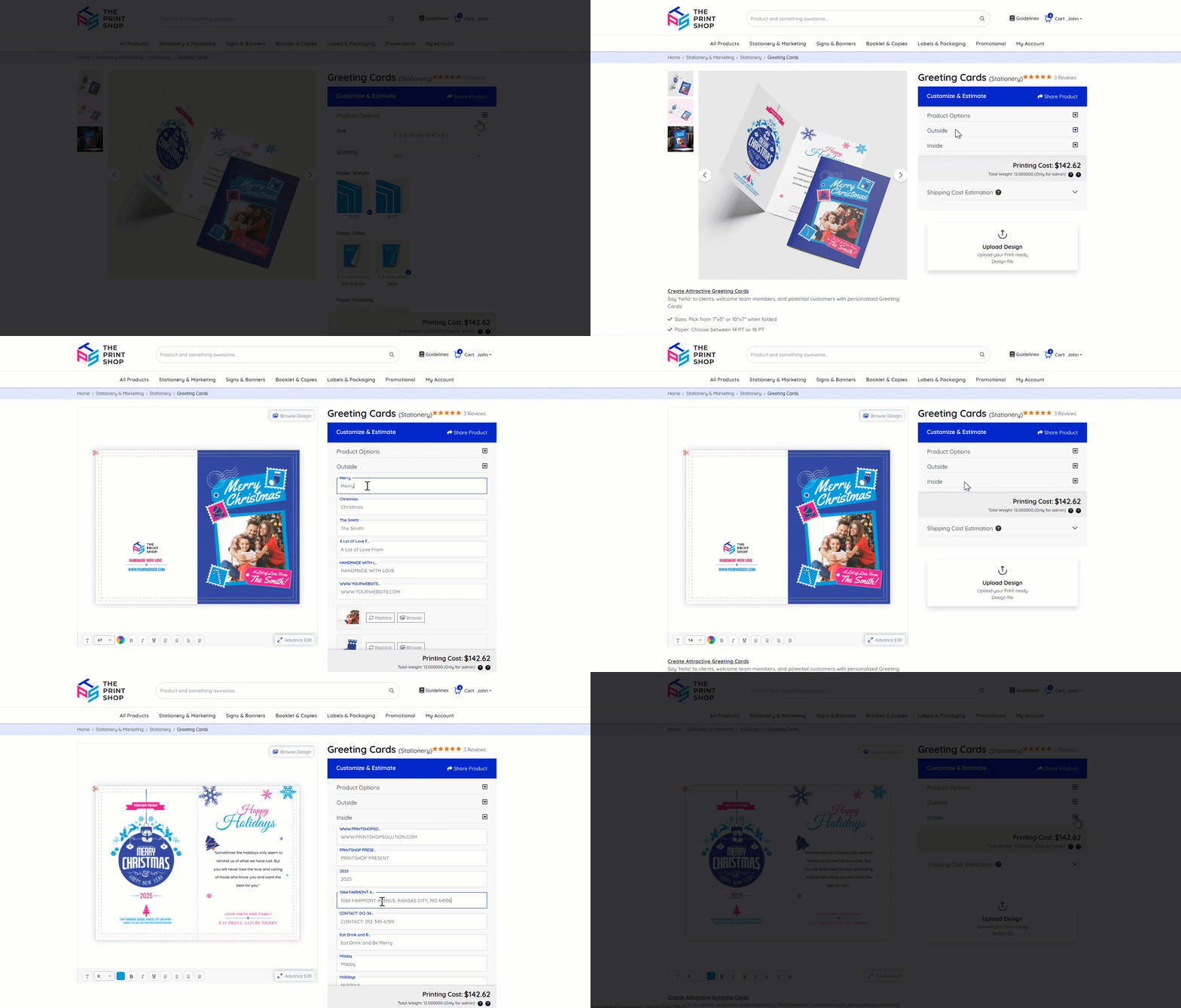
- Product Options are expanded by default, and as customers move forward, the next section opens automatically, creating a guided flow.
- In this layout, product gallery images are displayed prominently on the landing page for quick reference.
The Single View Layout displays all fields—Product Options and Pages—together on one screen.
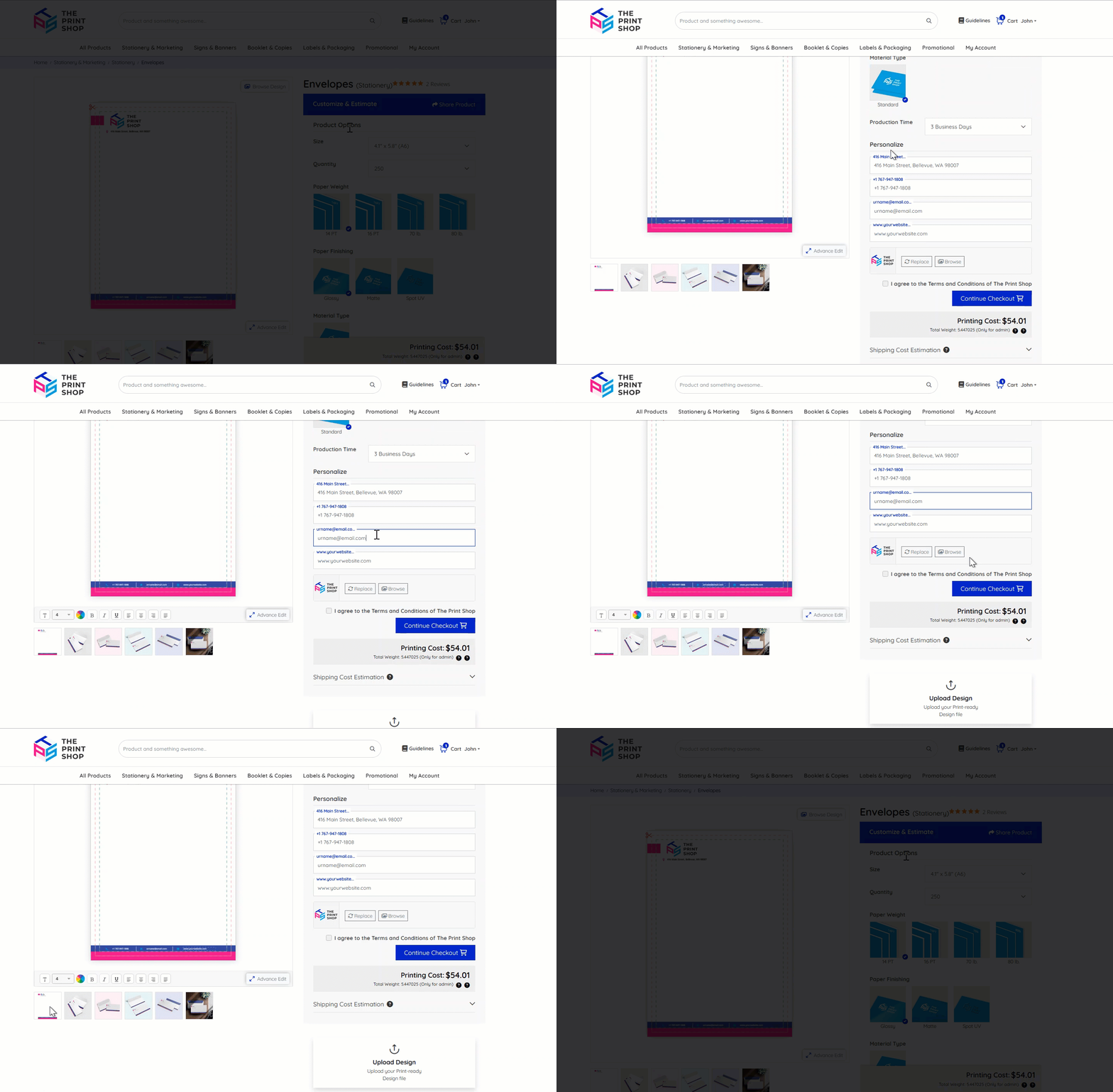
- Selecting any element instantly loads the corresponding page in the Mini Studio, which is visible on the landing page along with gallery thumbnails below, allowing customers to switch between images quickly and efficiently.
Bulk Template Personalization for Quick Design Products
Bulk Template Personalization is now available for Quick Design products, allowing customers to personalize multiple records simultaneously just as they can for standard products. This ensures a consistent personalization experience across all product types:
Customers will have the option to choose the bulk personalization option within the Price Calculator for Quick Design-enabled products:
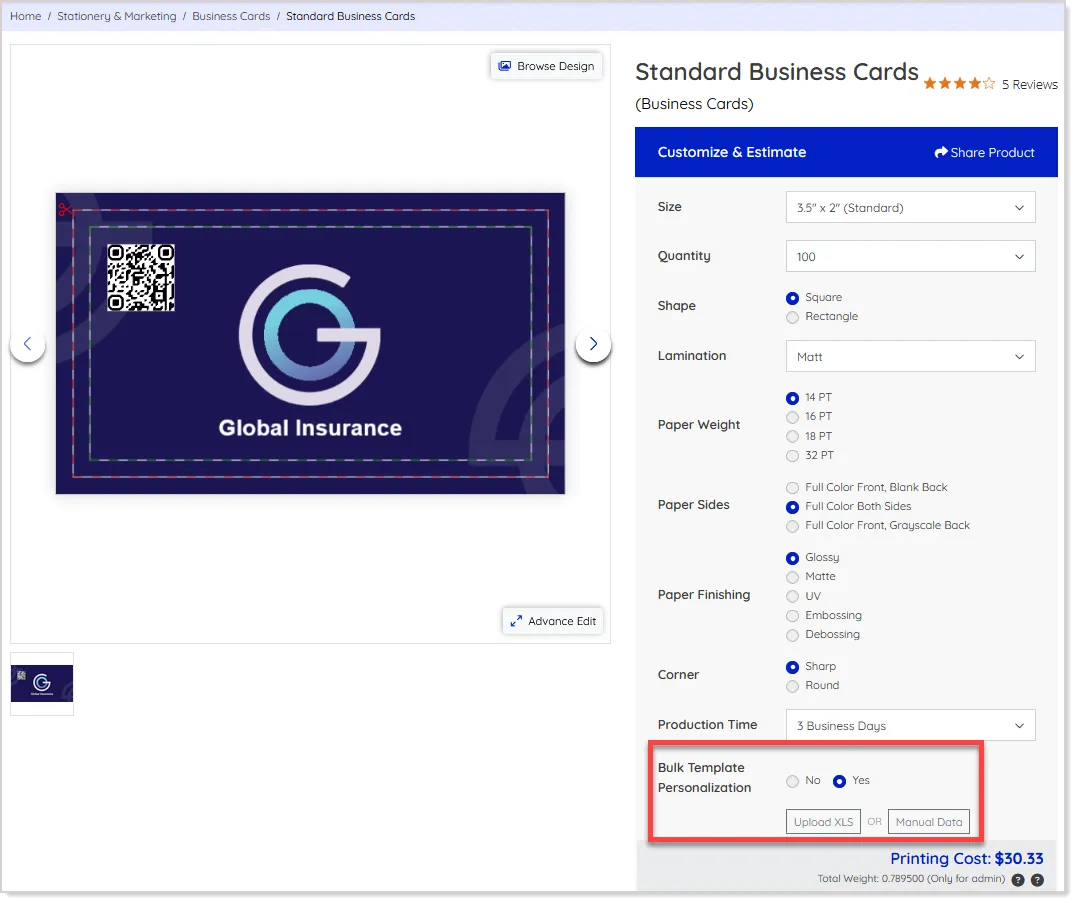
On the selection of Yes, the customers will have the personalization options available (based on the admin configuration).
During the upload process, they also have the option to exclude specific personalization fields that are not required. This exclusion can be applied directly within the file upload flow, in addition to the existing option to manage personalization data manually:
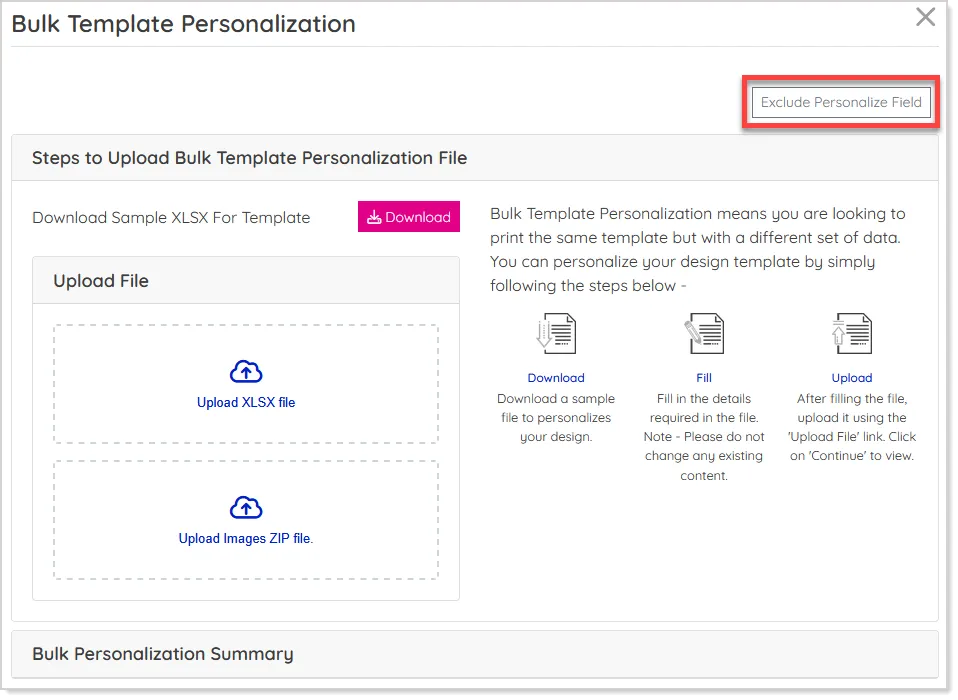
Once the file is uploaded, the system applies the personalization data across all selected records, respecting any excluded fields.
This makes it easier to manage large datasets, reduces manual adjustments, and ensures accuracy and consistency throughout the personalization process, resulting in a smoother and more user-friendly design experience.
Minor Enhancements
Redeem Rewards During Quote Conversion
When converting a quote to an order, customers can now use their reward points directly from the cart.
While converting their quotes to order, customers will get the option to redeem the reward points if reward points are available in their account. They can enter the points under the defined limit to to apply and the system will automatically adjust the order total accordingly:
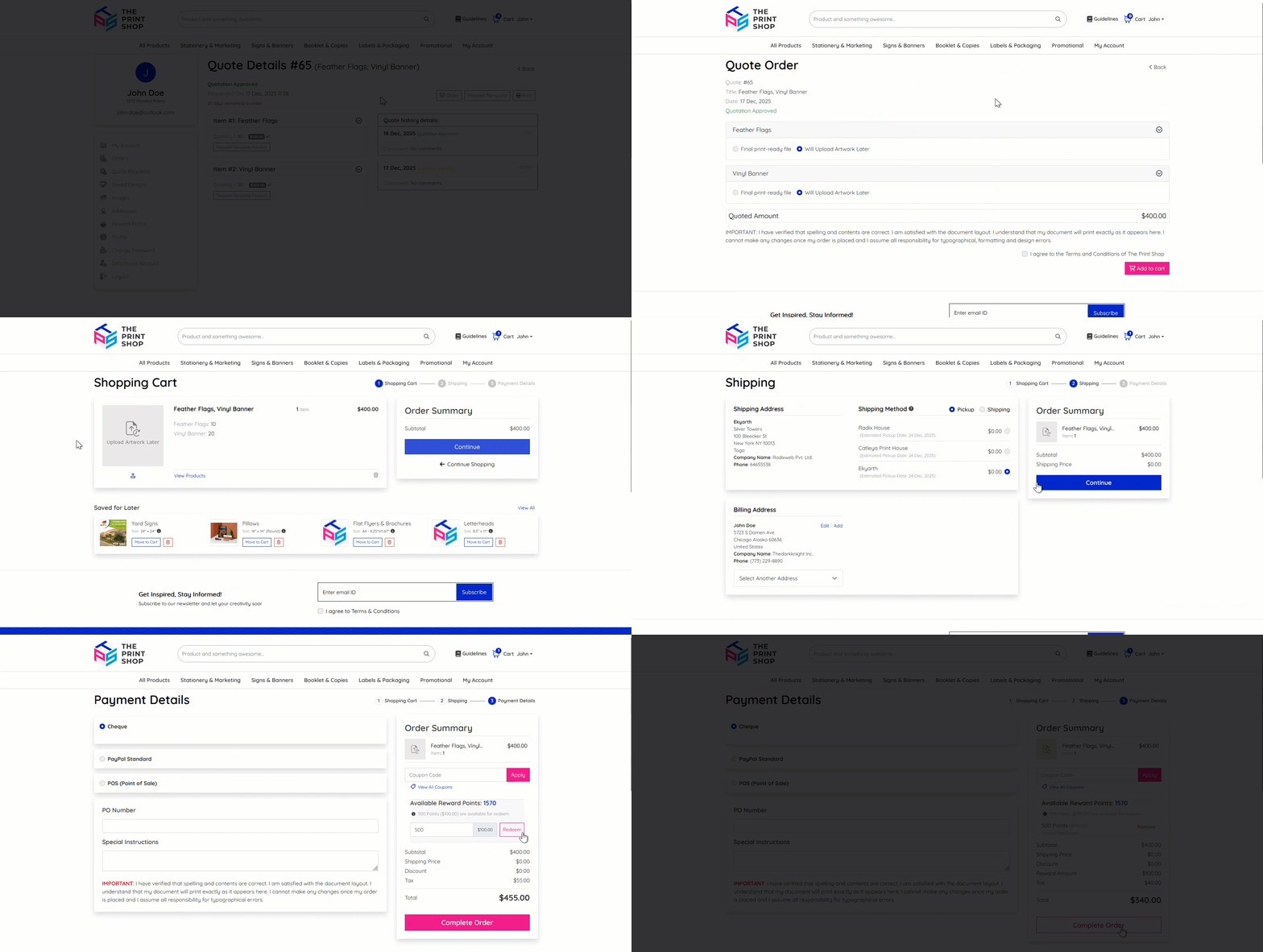
Once applied, proceed with checkout as usual. This feature allows customers to conveniently use their earned rewards at the right moment, making the checkout process more beneficial and encouraging repeat purchases.
Local Pickup Added for Free Shipping Products
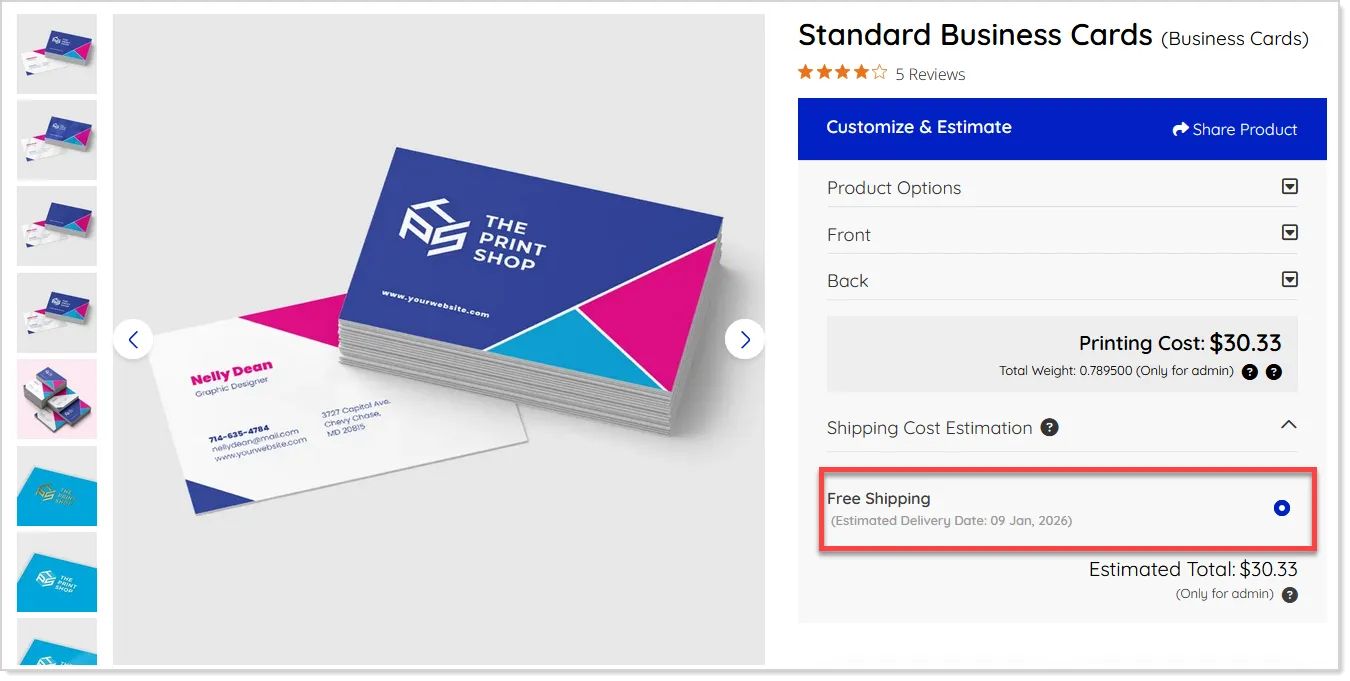
We’ve enhanced the Free Shipping workflow to give customers more flexibility at the product level. For a free shipping product, the system will now also display the Local Pickup option on the Product Info page, allowing customers to choose express pickup from an offline store if they prefer.
To offer this, the admin needs to activate the free shipping setting for the selected product from the Product Settings screen:
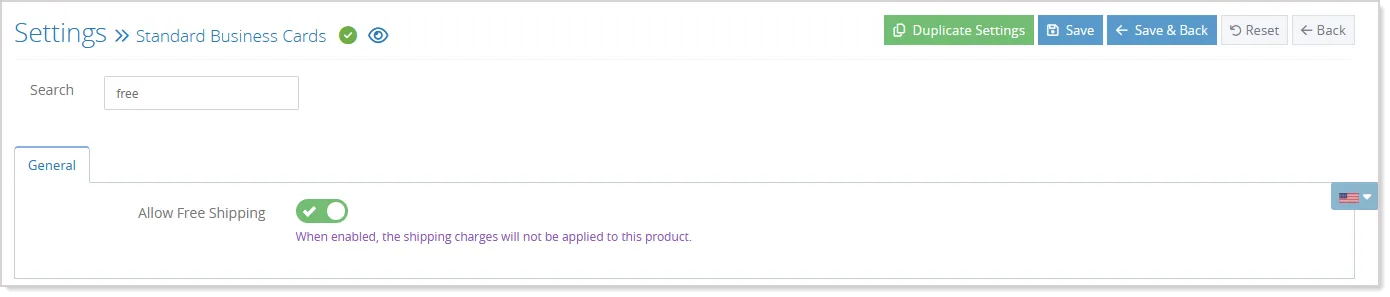
On the storefront, the Free Shipping remains selected by default when the shipping setting is not configured as Separate or Dropdown, ensuring the existing flow stays intact:
If the Local Pickup method is configured as state-based or zipcode-based, the relevant country, state, or zipcode selection controls will automatically appear on the Product Info page to guide the customer:
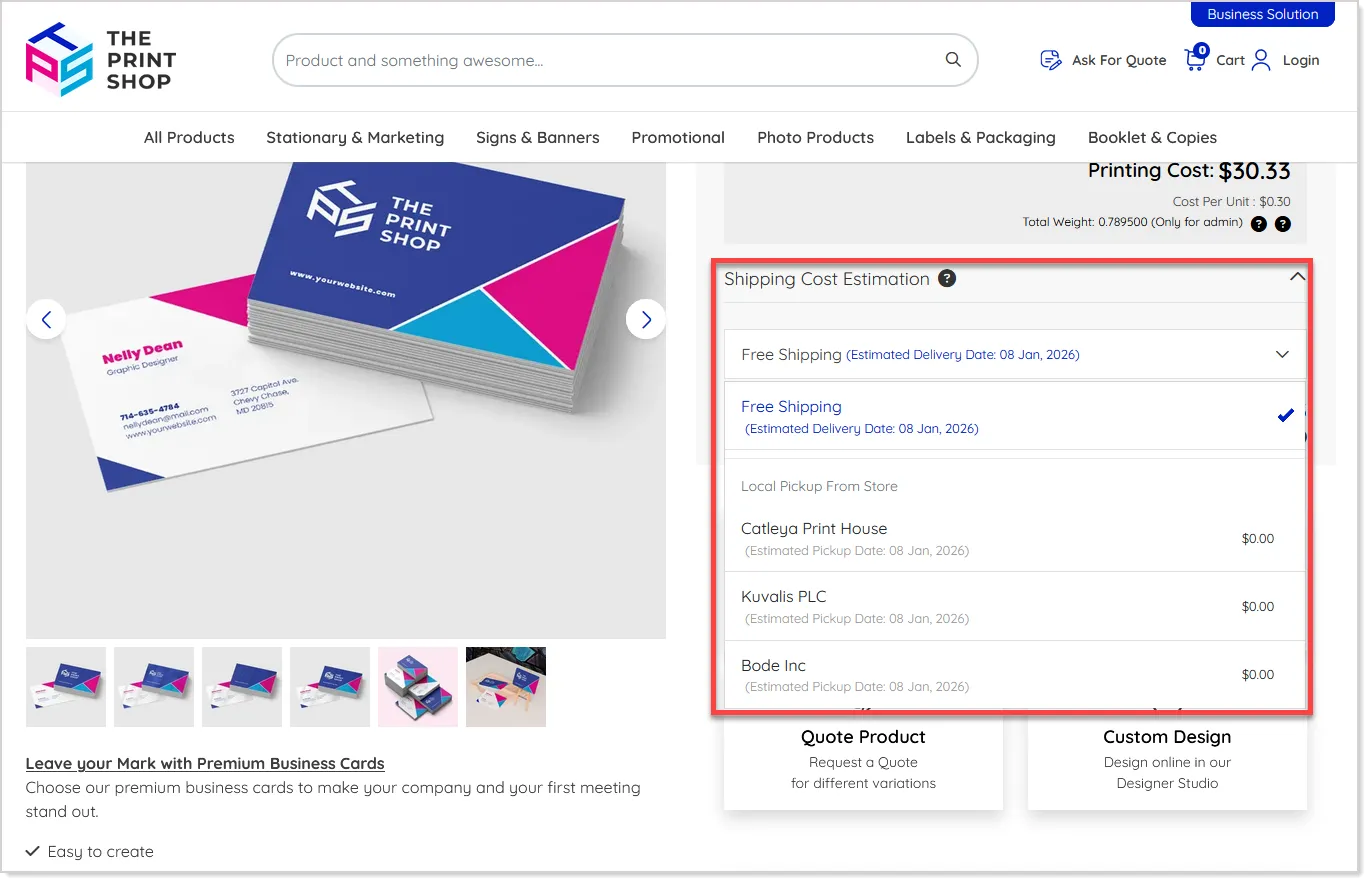
This enhancement applies only to Free Shipping products, and local pickup addresses will not be loaded from the global Free Shipping store configuration.
Improved Shipping Option Sorting
When Local Pickup is available, it will now appear first in the shipping options if it has a lower sort order than other methods on the Cart page. Additionally, if only one shipping method or pickup location is available, that option will be automatically selected. This ensures a quick and easy checkout experience for customers.
Auto-Fill Customer Info for Pickup Orders
During guest checkout for pickup orders, the system now automatically fills in missing customer details such as name, phone number, or company using the available billing or shipping information. This reduces manual entry, minimizes errors, and helps customers complete checkout faster.
Thumbnail Display for Upload Artwork Later & Hire Designer Flow
When the customer is selecting Upload Artwork Later or Hire Designer options for the order, the system now shows clear thumbnail images and labels on the Product Info page, Cart, and Order Listing pages:
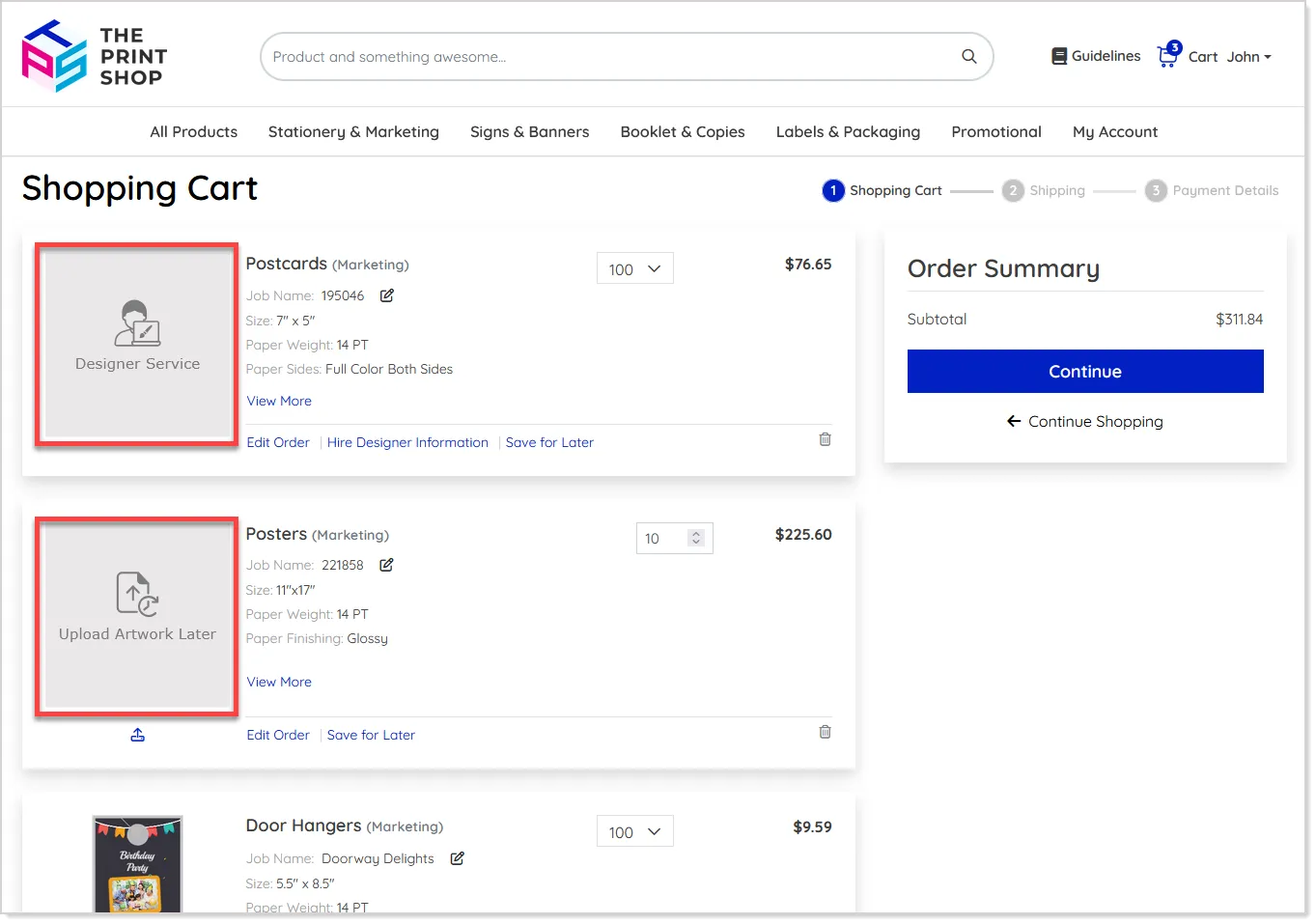
This helps you easily identify the chosen artwork workflow at every stage of the order, ensuring better clarity and avoiding confusion.