Order Section
Improved Tax Application for Offline Orders
We’ve enhanced the tax application behavior across Offline Orders to ensure taxes are applied more accurately and with greater flexibility.
While creating an offline order, admins can now choose between applying the Default Tax or a Specific Tax for configurable and custom products, giving them better control without manual recalculations:
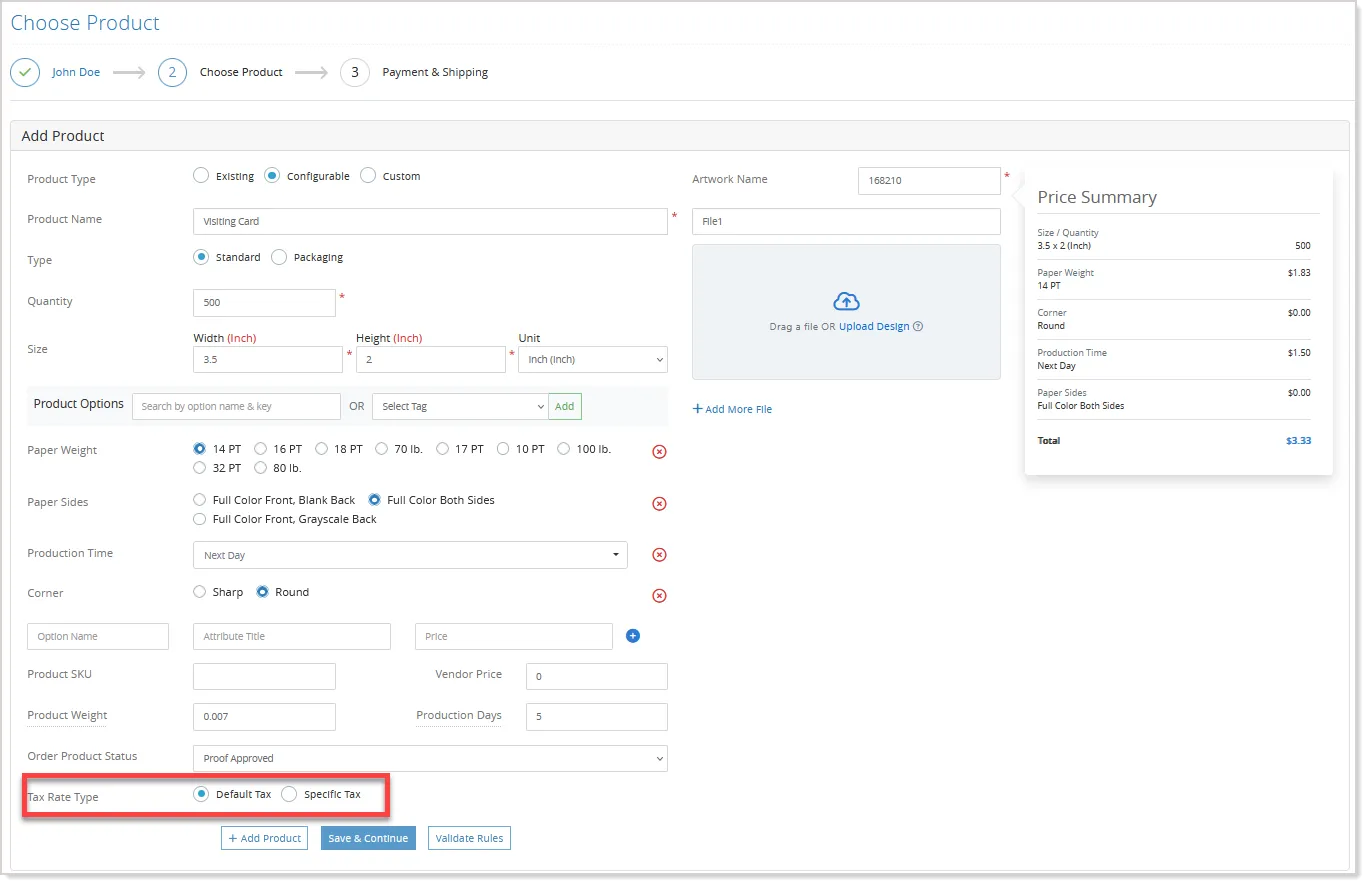
When Default Tax is selected, the system automatically applies the global tax configured in Site Configuration. If Specific Tax is chosen, admins can directly enter a custom tax amount for that order, ensuring precise tax application based on individual requirements.
Safe Deletion and Disabling of Statuses
Admins can now manage order statuses more flexibly, even when those statuses are already in use.
If an order status or order product status is assigned to existing or archived orders, order products, or payment methods, the admin can delete it by simply switching all affected records to another active status using a guided pop-up:
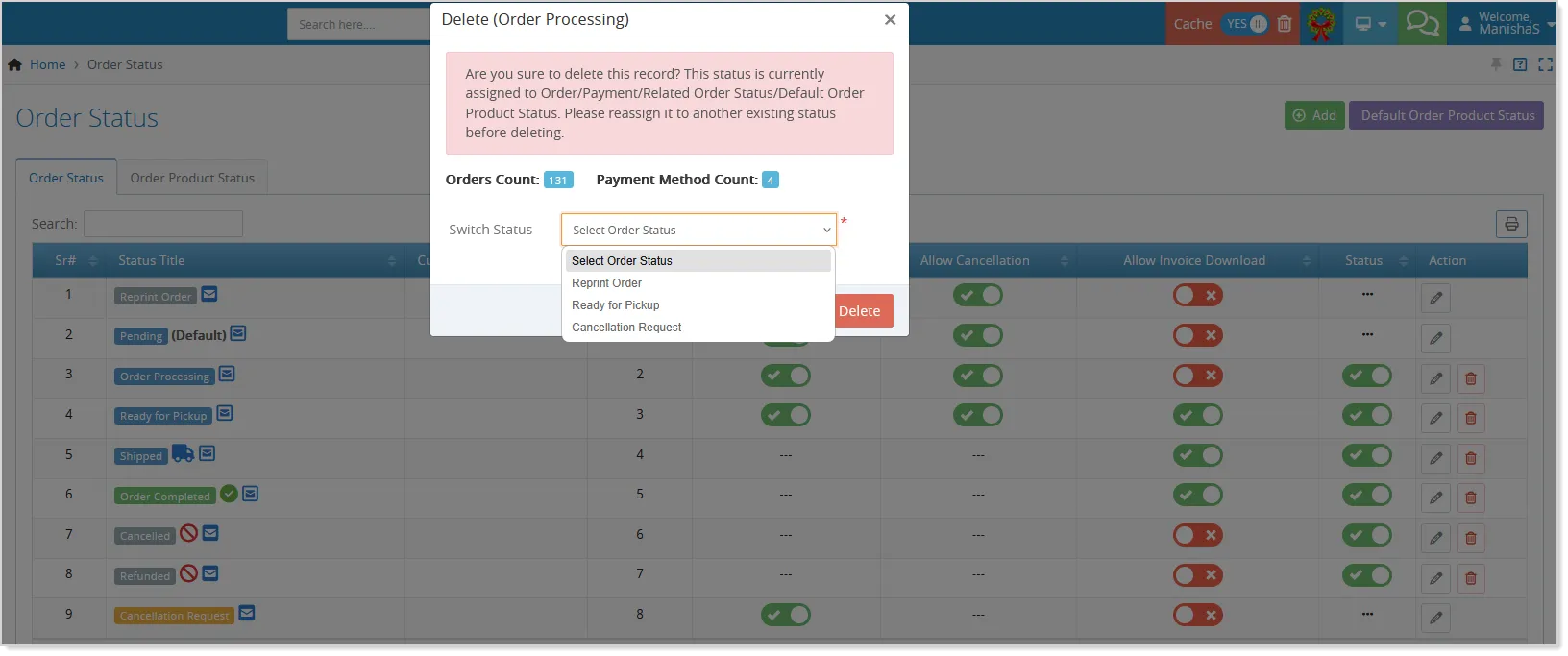
This ensures continuity without blocking cleanup.
Admins can also disable process statuses that are currently assigned, with inactive statuses clearly marked and still visible wherever they are already applied:
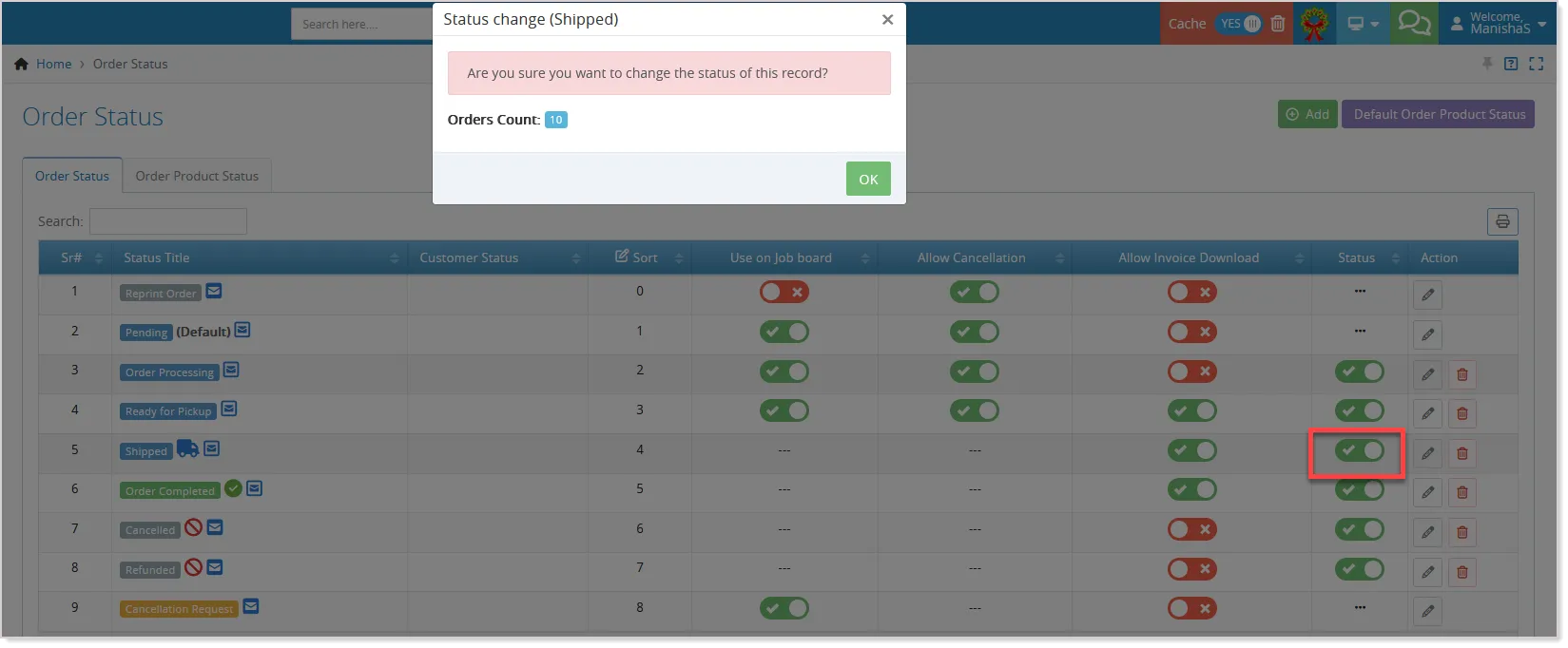
When updating an order, only active statuses and any inactive status already linked to that order are shown, keeping the workflow clear and controlled. This enhancement makes status management easier, safer, and more efficient across the system.
Automatic Tax Recalculation for Partial Refunds
Admins can now automatically recalculate taxes based on the current tax rules while refunding ordered products. This ensures that subtotal, shipping, tax, and discount amounts are accurate and consistent with updated tax settings, reducing manual effort and minimizing errors.
To process a product-wise partial refund, go to the Orders section in the Admin Panel and for the selected order, select View/Update Order from the Actions dropdown.
From the View/Update screen, click on the Refund button, and in the pop-up, set the Refund Preference as Order Product-wise.
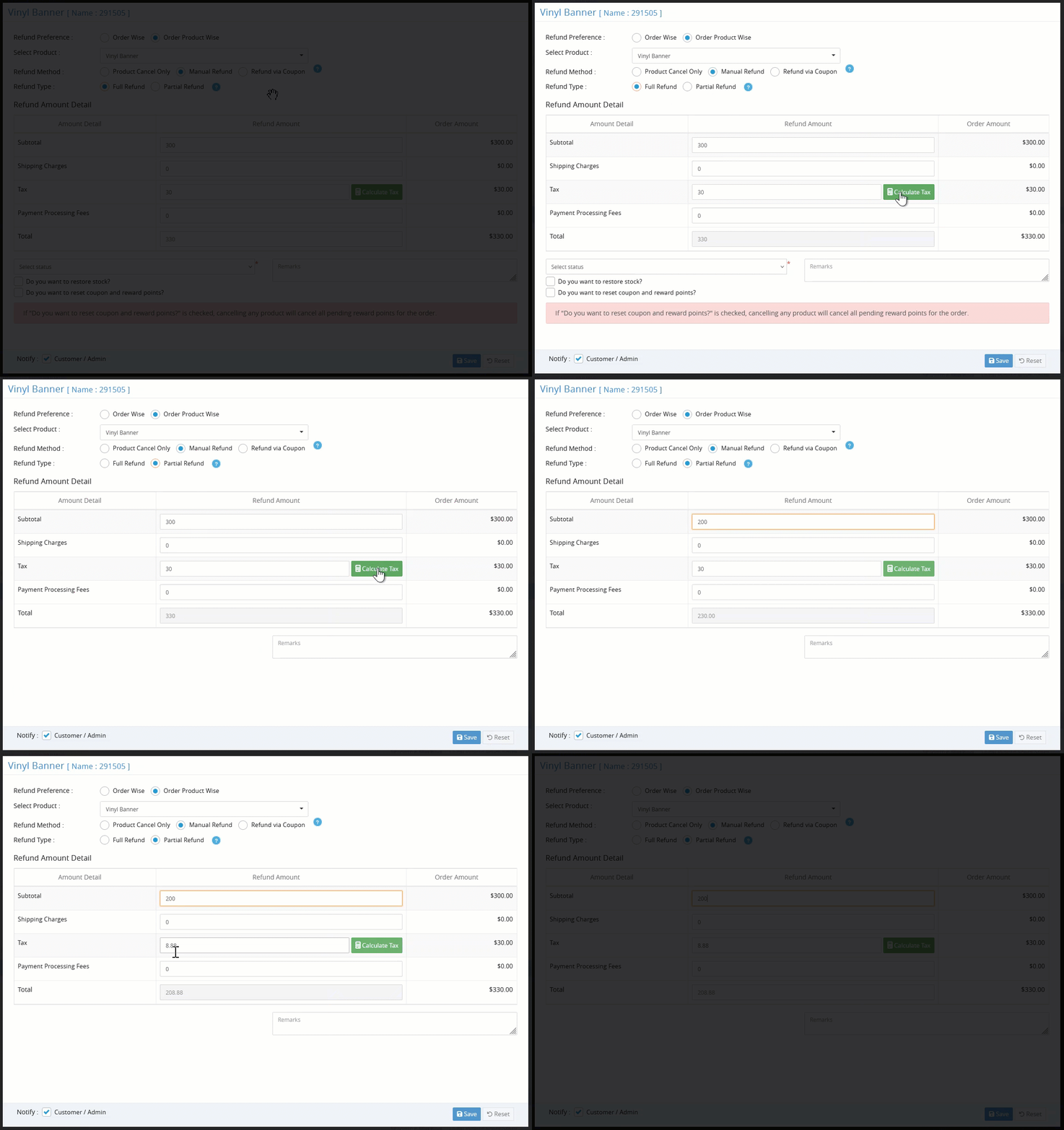
- Select the product from the dropdown, set the refund method as Manual Refund, and type as Partial Refund.
- The Calculate Tax button will be available against the Tax field. Clicking on the button will automatically recalculate taxes based on the current tax rules, updating the subtotal, tax, shipping, and discount amounts for the refunded items.
- Once the calculations are complete, review the updated totals and confirm the refund.
Streamlined Workflow with Order Filters
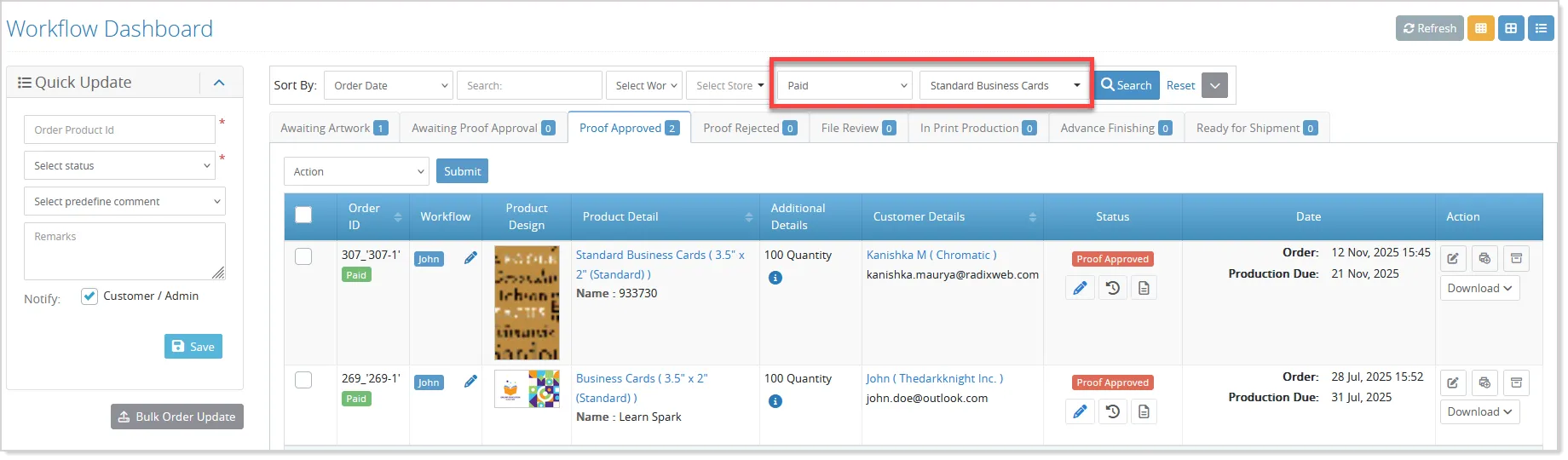
Workflow admins can now filter orders using a Payment Status dropdown and a Product filter. This allows quicker access to orders based on payment completion or specific products, improving order management efficiency:
Retain Source File Names for Print-Ready Files
The system now supports adding the original uploaded file name to the print-ready filename generated through the Upload Center. This enhancement gives admins greater flexibility and control over file naming conventions, improves traceability, and makes it easier to identify files during production and communication workflows.
Transparent PDF Previews for Offline Orders
Offline orders now support transparent PDF previews, showing accurate designs including transparent areas per page for multi-page uploads, making verification easier and more reliable.
Enhancements in the Hire Designer Form
Hire Designer Fields Layout Aligned with the Additional Info Page
We’ve enhanced the Hire Designer workflow to give admins more flexibility and control across both storefront and admin operations.
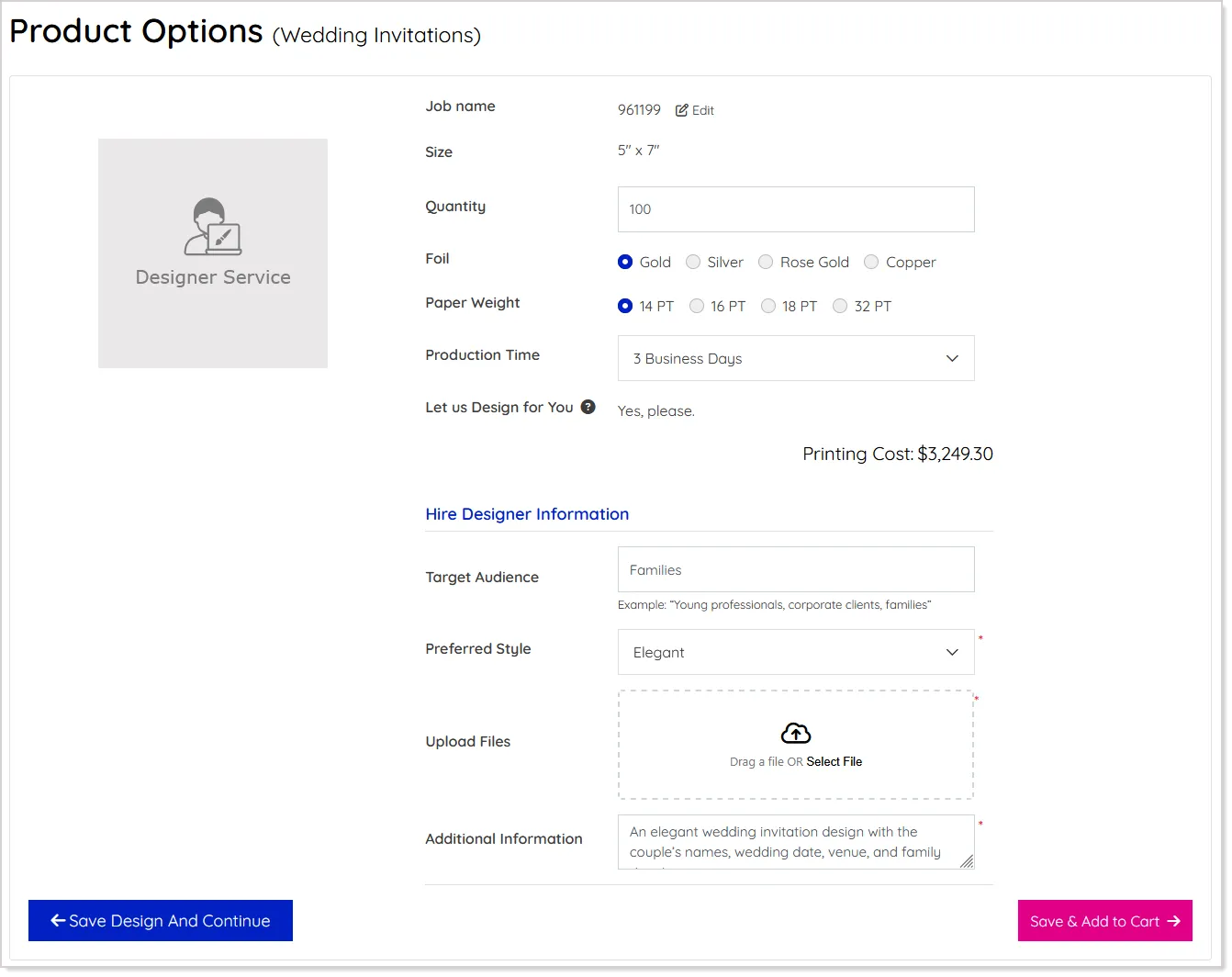
The position of the Hire Designer form fields on the Additional Info page is now automatically aligned with the Additional Info page layout, ensuring a cleaner and more consistent product presentation:
Hire a Designer Fields in the Offline Order
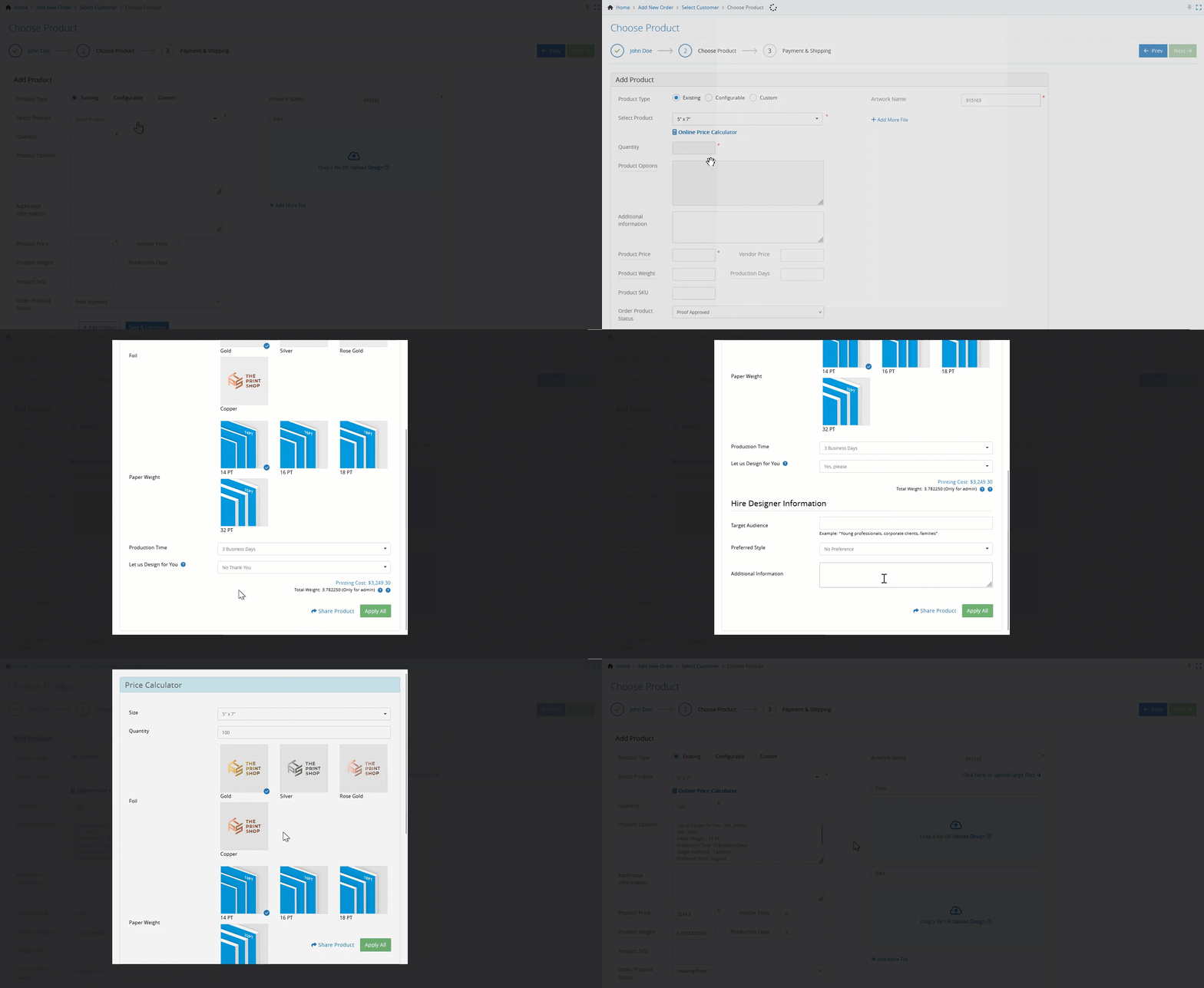
The Hire Designer form fields are now fully supported when placing offline orders and when adding new products via Modify Order.
When Hire Designer is selected, the relevant form fields appear directly in the Price Calculator, with validations and rules applied as expected, and the entered details are reflected in the product options summary for better clarity:
Update Hire Designer Options during Order Modification
Additionally, admins can now change the Hire Designer option during Modify Order to verify pricing with or without the service:
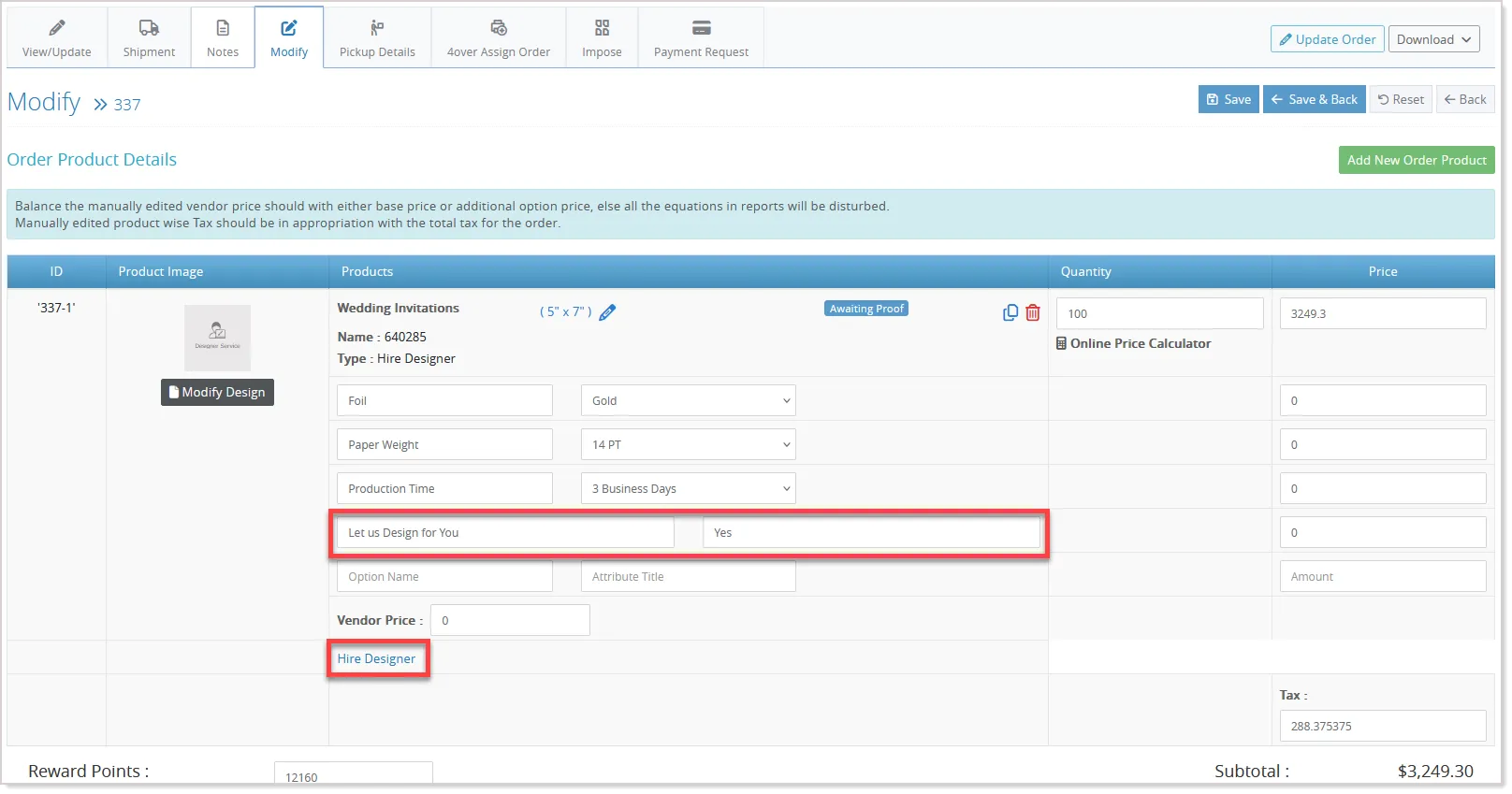
Updating this option automatically recalculates the product price in the Price Calculator, allowing Super Admins to preview updated pricing instantly and Store Admins to apply the changes directly, making price validation faster, more accurate, and more flexible.