Quote Section
Improved Quote Search & Filter
Customers can now find their quotes faster using the enhanced search and filter options available on the Quote Listing and My Account pages. By combining these filters, customers can quickly organize, track, and manage multiple quotes with ease, saving time and improving the overall experience:
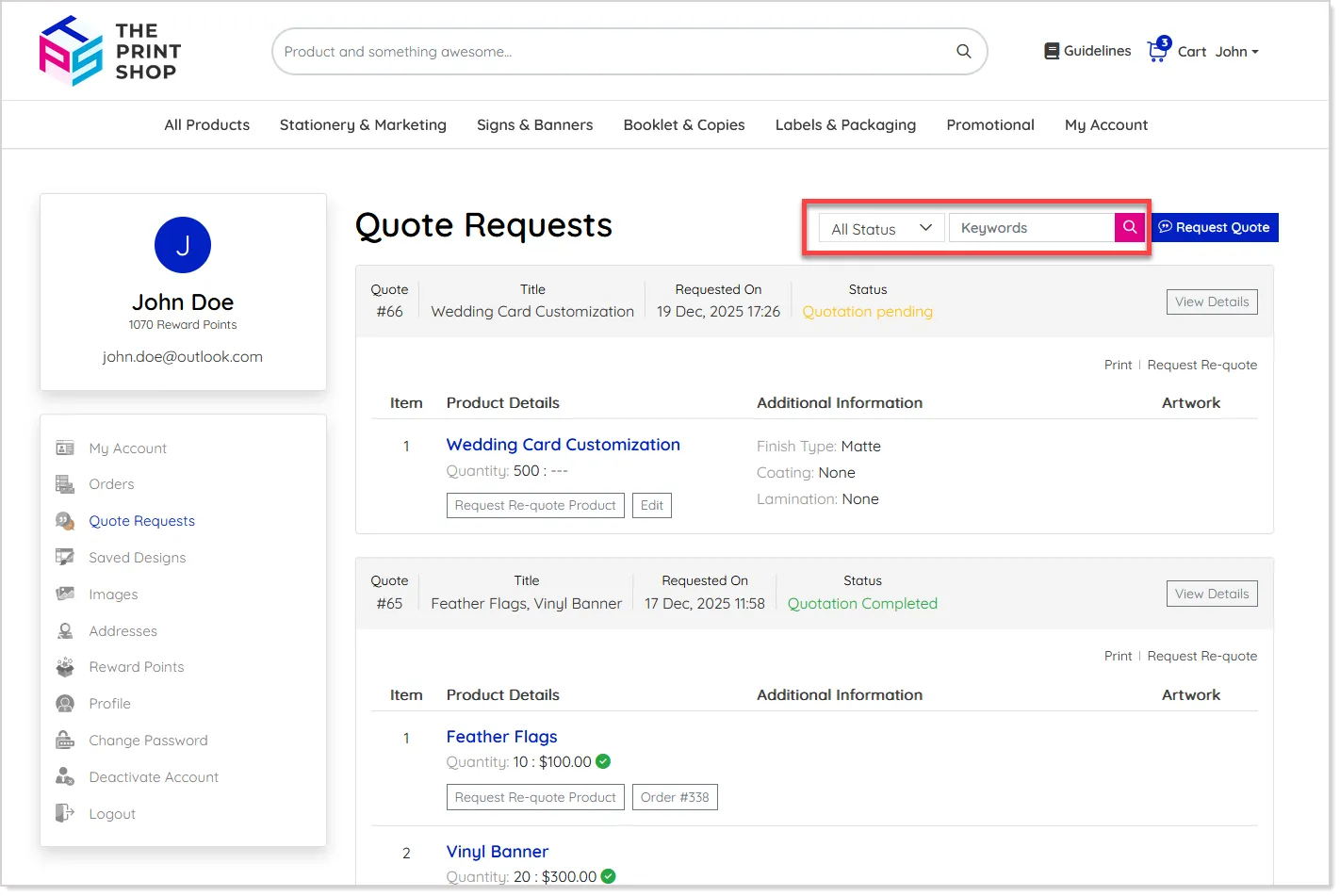
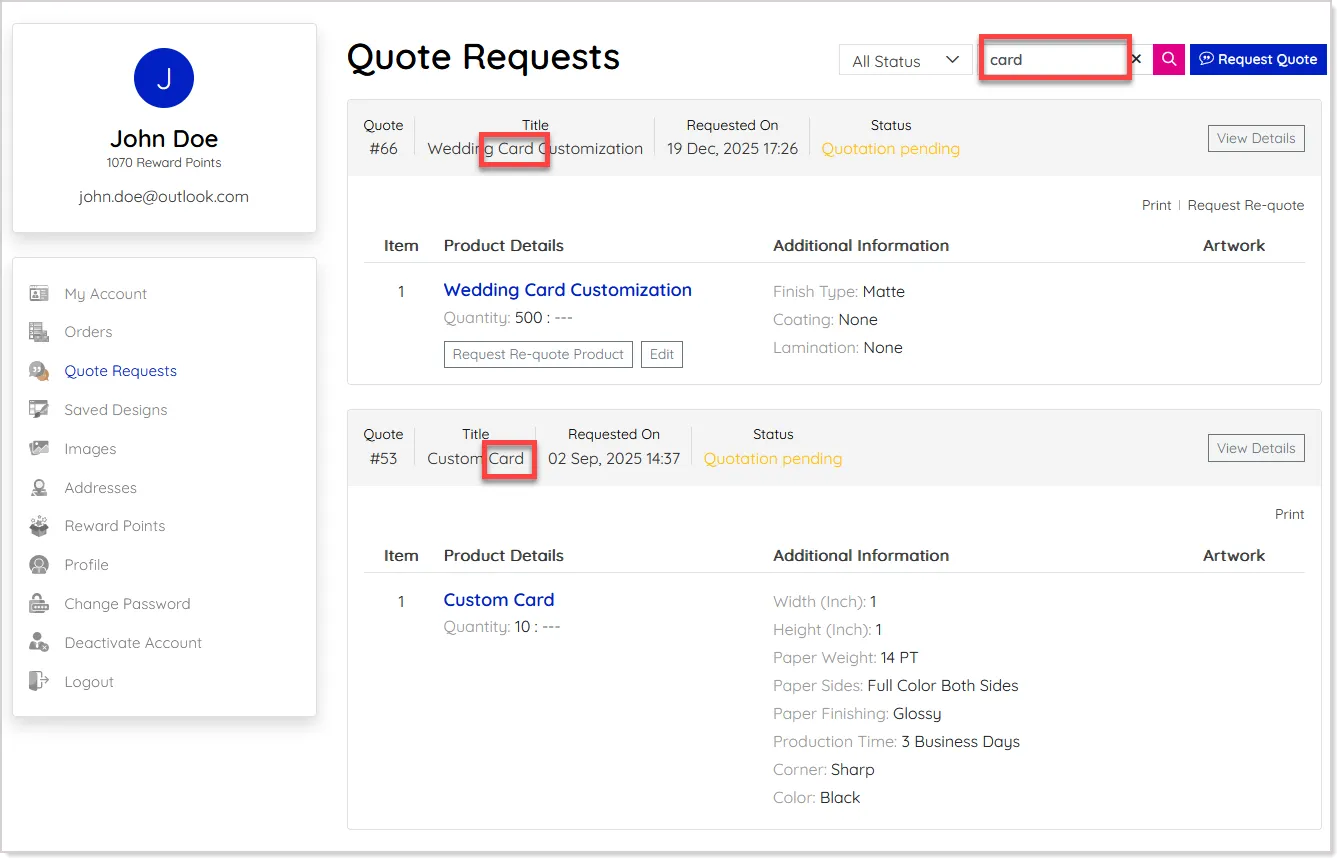
To search by Quote Title or Label, the customers can enter the relevant keyword in the search field to instantly narrow down matching quotes:
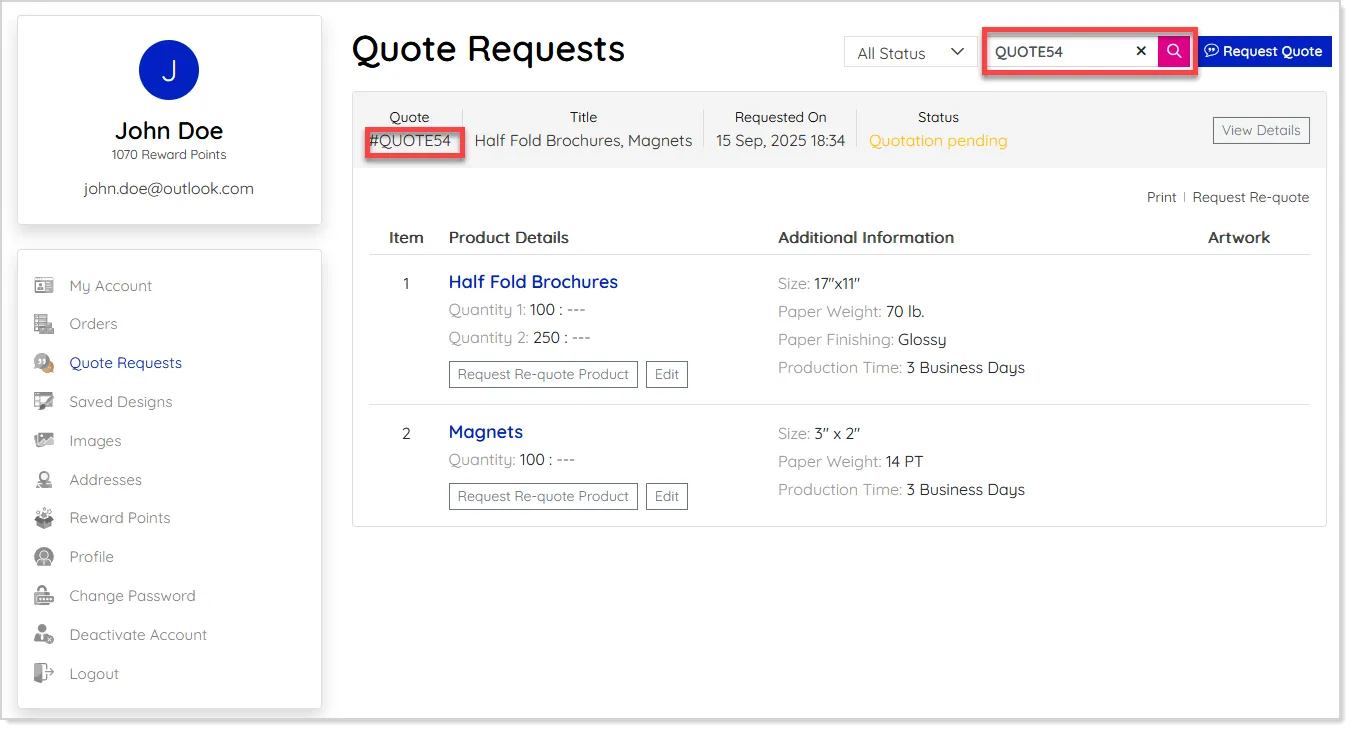
If they already know the Quote ID, they can enter it directly to locate the exact quote without browsing through the list:
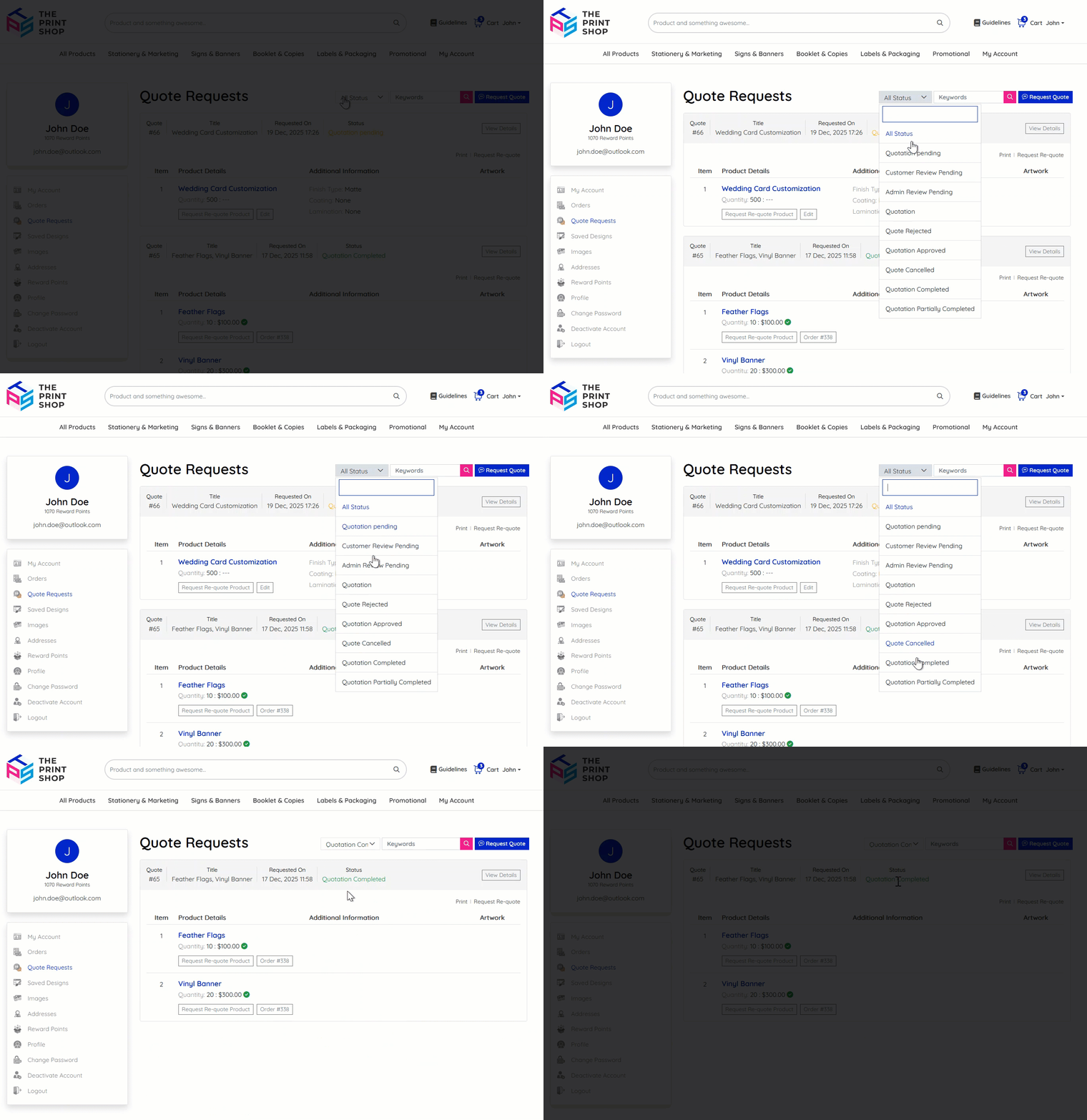
In addition, the Status filter can now be used to view quotes based on their current state, such as pending, approved, or converted, helping them to focus only on the quotes they need:
Modify Custom Size Product Dimensions
Admins can now update custom product sizes for quoted items directly from the Admin Panel, helping maintain accurate product specifications, reducing the risk of size-related errors, and ensuring smoother order fulfillment.
To do this, navigate to the Modify Order section for the "Request Quote" type order:
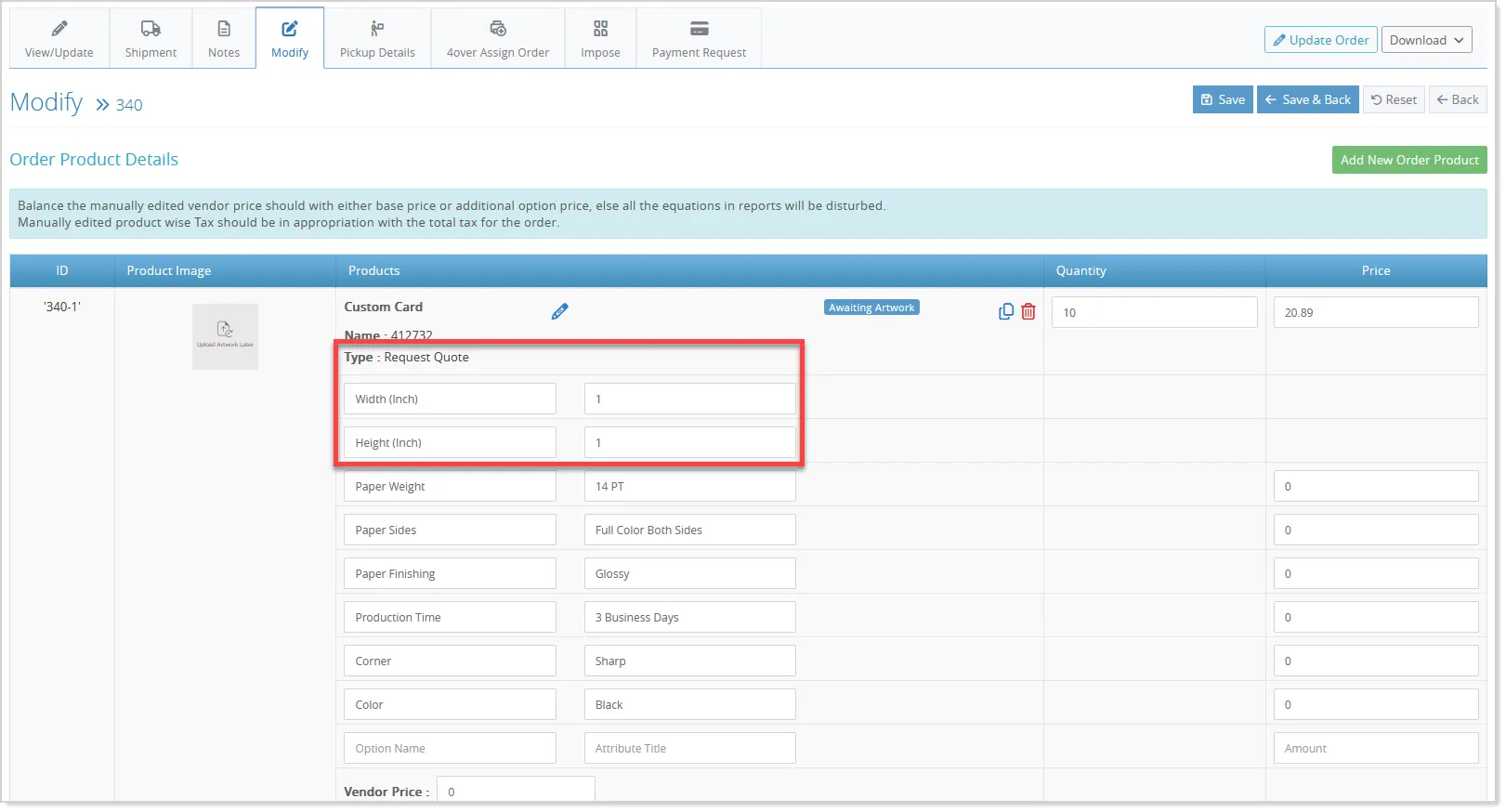
Here, you can edit the custom size values as needed and review the changes in real time. Once updated, save the changes to ensure the revised dimensions are applied to the quote.
Rejection & Cancellation Comments
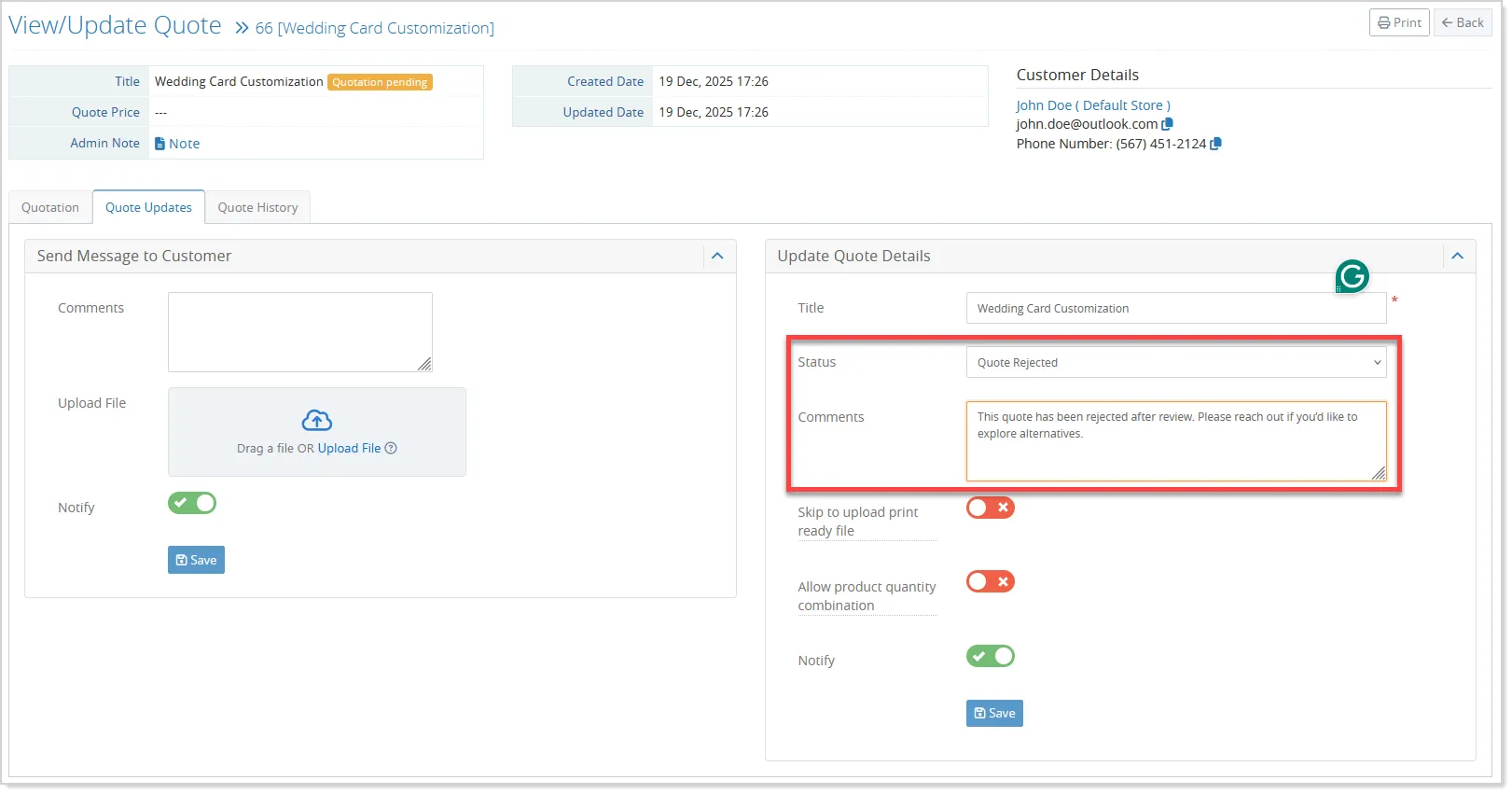
Admins can include rejection or cancellation comments while updating a quote’s status, ensuring clear customer communication and improved quote traceability:
Improved Tax Application for Quotes
When updating a quote using the Default Tax option, the system now automatically applies the product-specific tax, if configured. If no product-level tax is available, the global tax is applied as before. This enhancement applies only to existing product-based quotes.