Product Section
Advanced Folding Options with 3D Preview Support
The folding configuration has been enhanced to give you greater flexibility and precision when defining fold lines for products. You can now set up folds not only by count but also by exact positions using fixed measurements, making it easier to handle custom folding requirements.
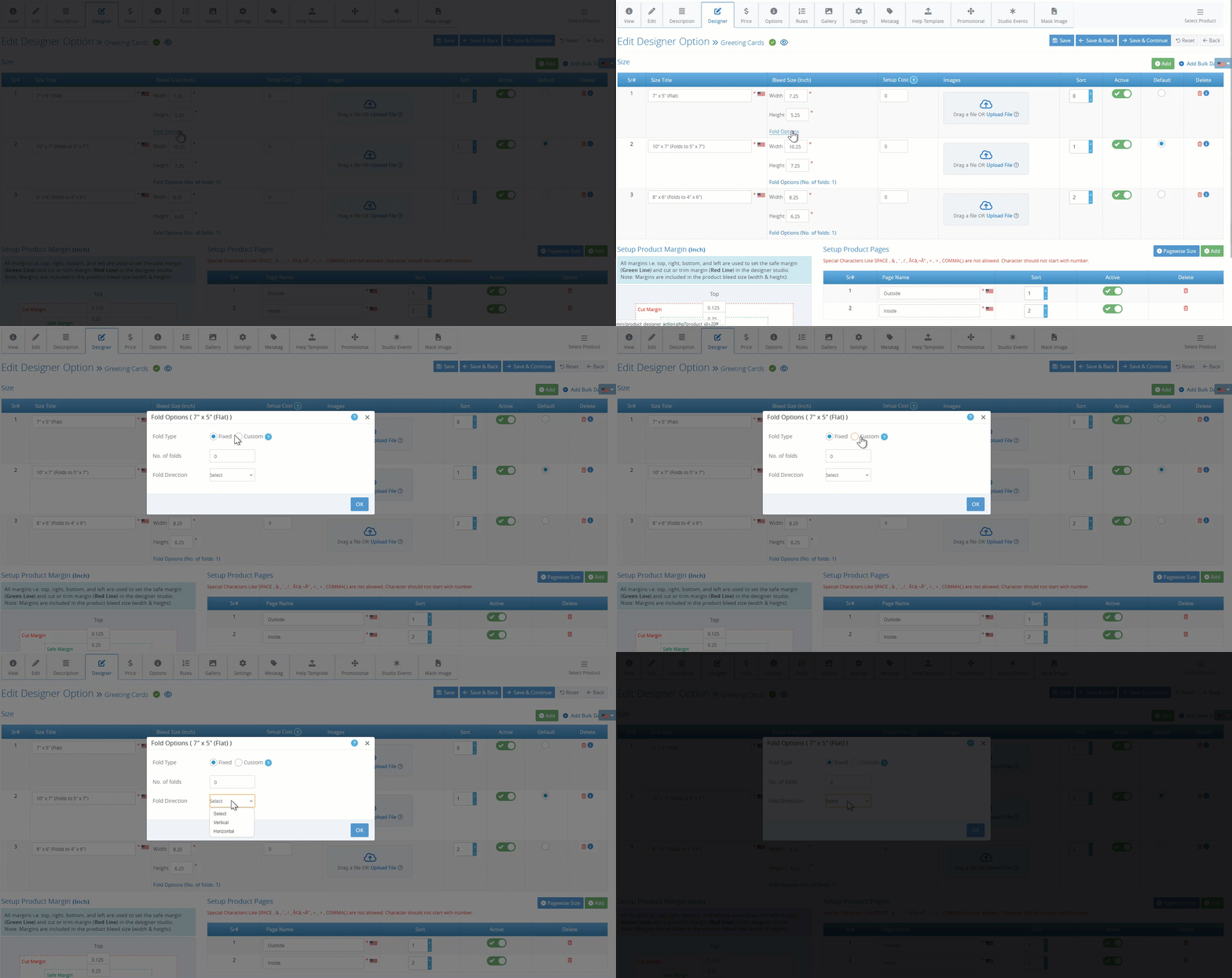
While the existing fixed fold behavior remains unchanged, where folds are evenly distributed based on the number of folds entered, you can now switch to a custom fold type to define advanced fold positions.
In Custom mode, you can enter numeric values to define fold lines at exact measurement points based on the product’s unit (such as inches or millimeters):
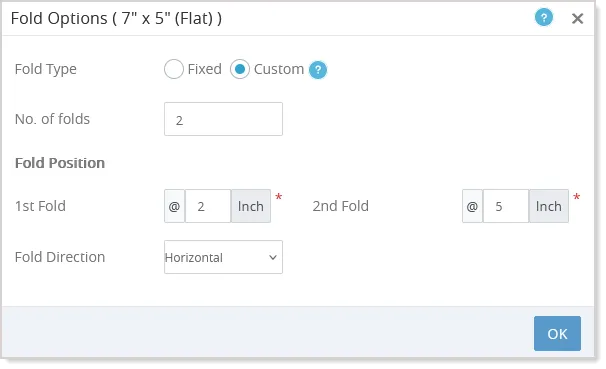
Orientation details, such as vertical or horizontal folds, are automatically handled within the fold configuration, ensuring consistent behavior across designs. All existing products continue to work seamlessly using the fixed mode by default, so no additional updates are required.
Once configured, the Designer Studio dynamically renders the fold lines in real time based on your settings, and the same configuration is respected in 3D previews, ensuring accurate visualization throughout the design and preview process.
Expanded File Upload Support for Document Prints
Customers can now upload a wider range of file types—such as JPG, JPEG, PNG, DOC, DOCX, PPT, and PPTX—for Document Print Products.
Customers can simply upload their file, and the system will automatically convert it into a print-ready PDF, allowing them to submit designs in their preferred format without any manual conversion steps.