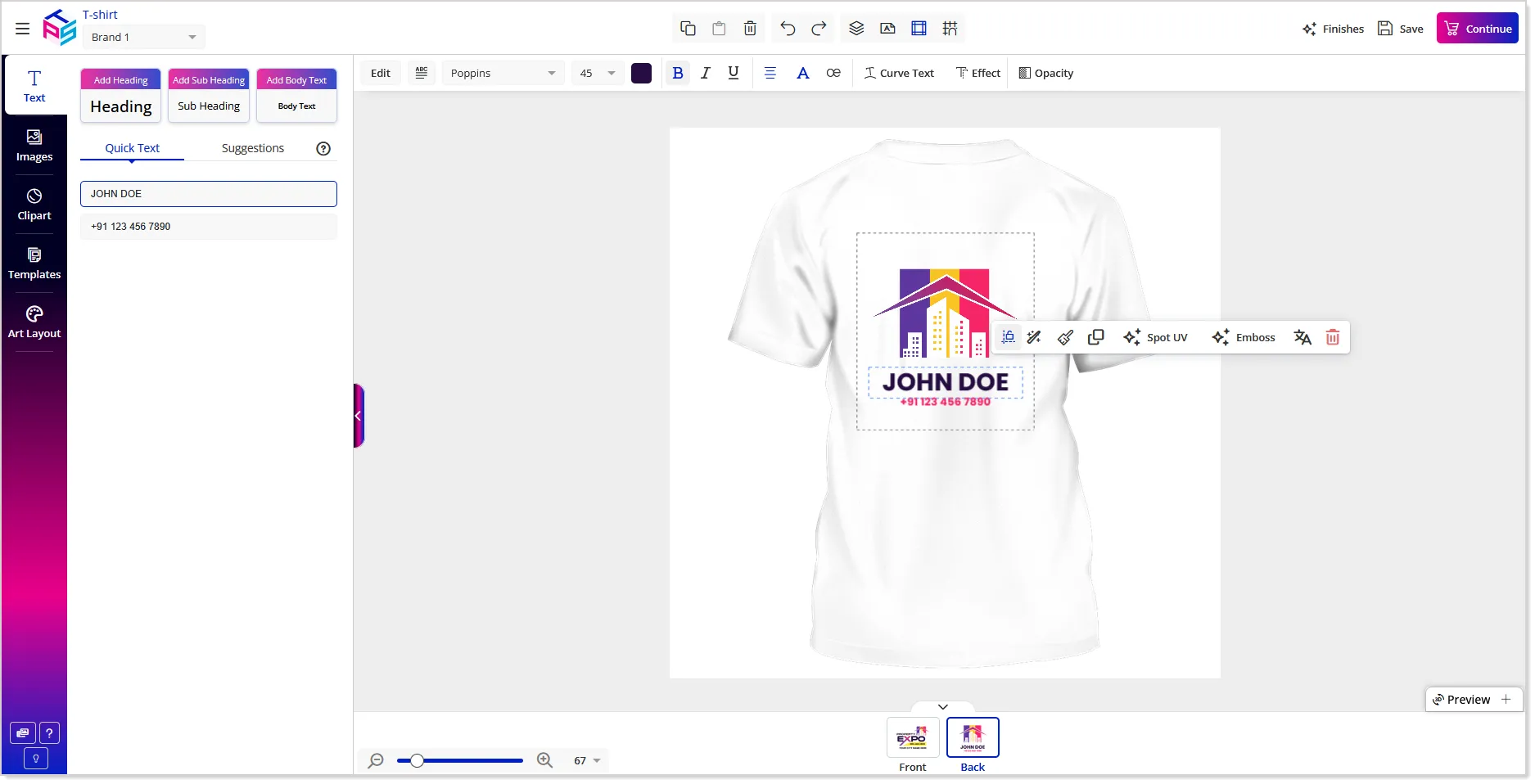
Designer Studio
AI Assistant & Text Translation Support for PDF Block Templates
We are extending the AI Assistant and Text Translation capabilities to PDF Block Templates within Block Studio. With AI-powered writing assistance, real-time translation, and image editing tools like background removal and enhancements are now available for the PDF blocks.
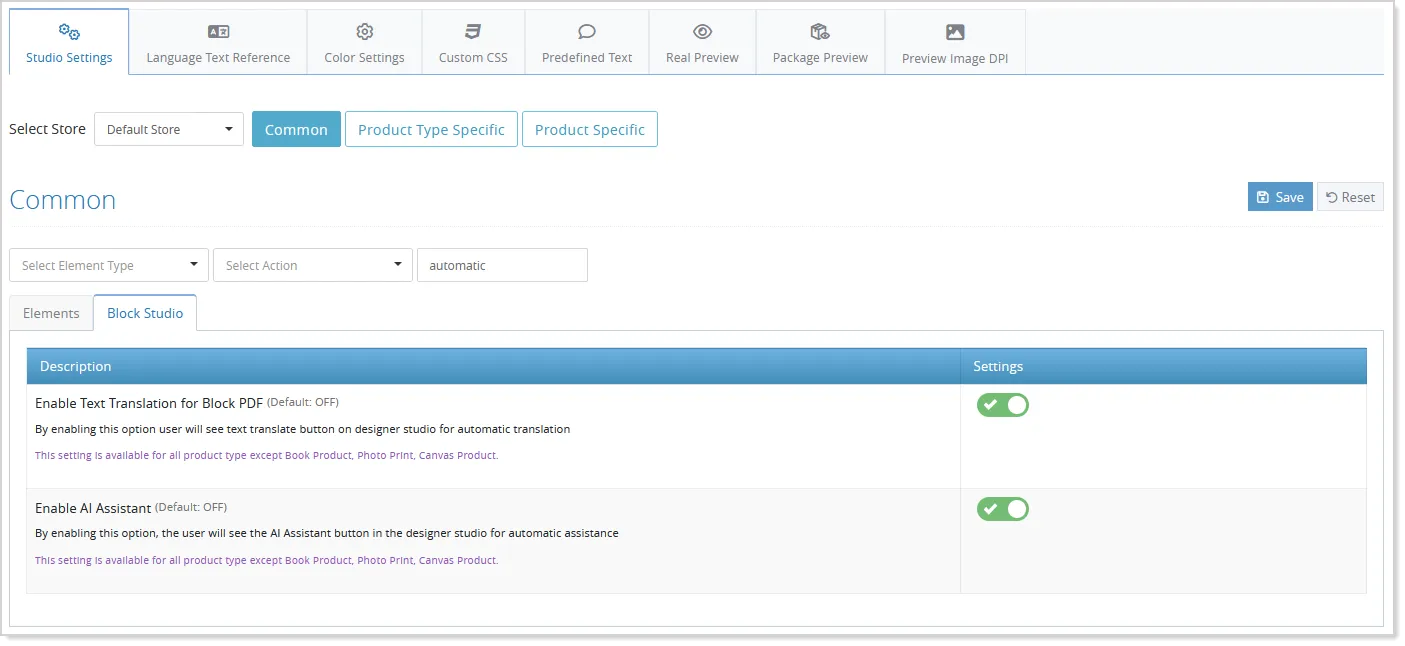
Admin can now offer the facility of using an AI assistant and AI-based translation to their customers in the Block Studio as well. These features can be activated from the Studio Settings of the admin panel:
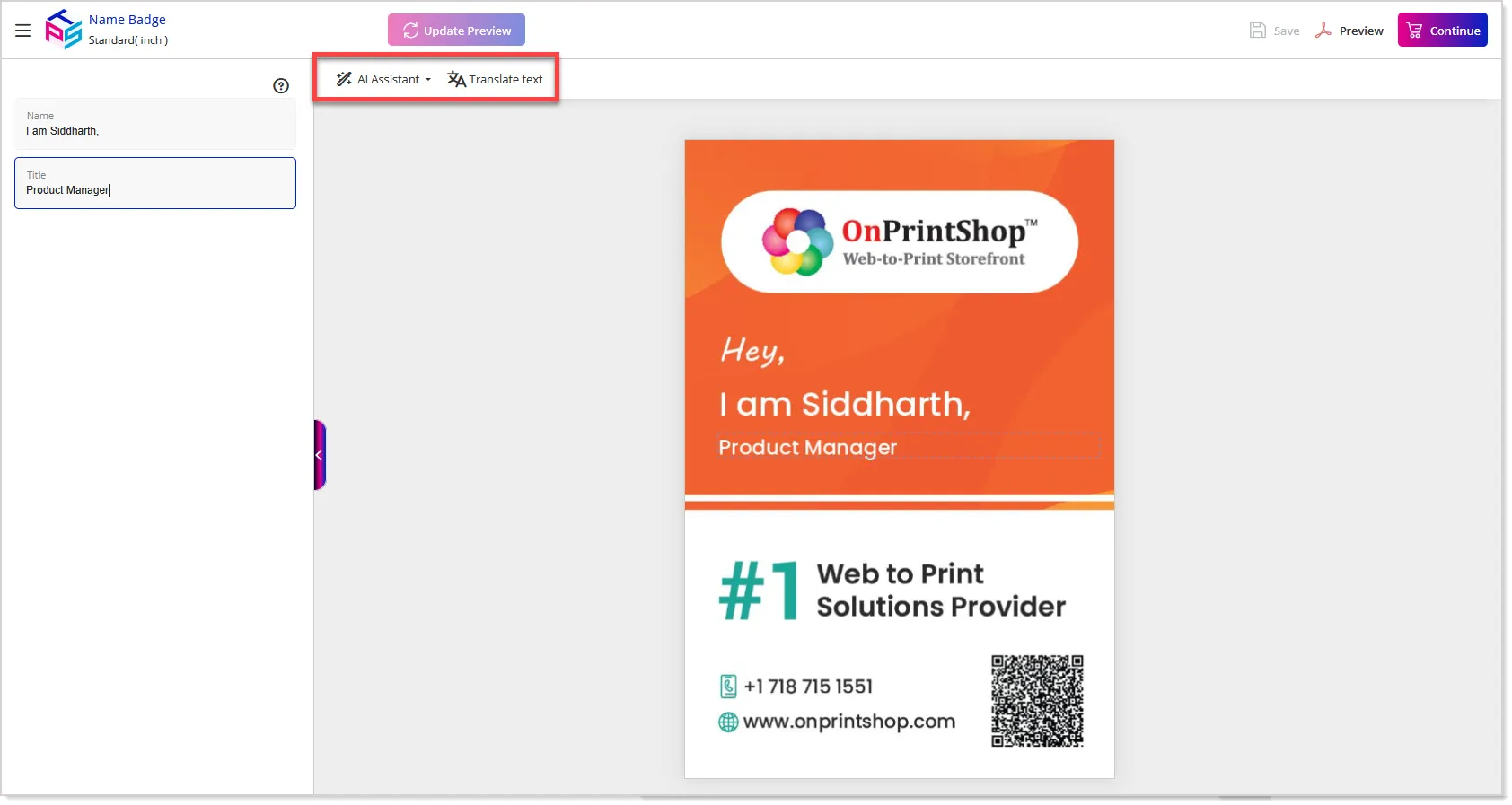
While designing their block templates, the customers will now have AI Assistant and Translate Text options available within the block studio:
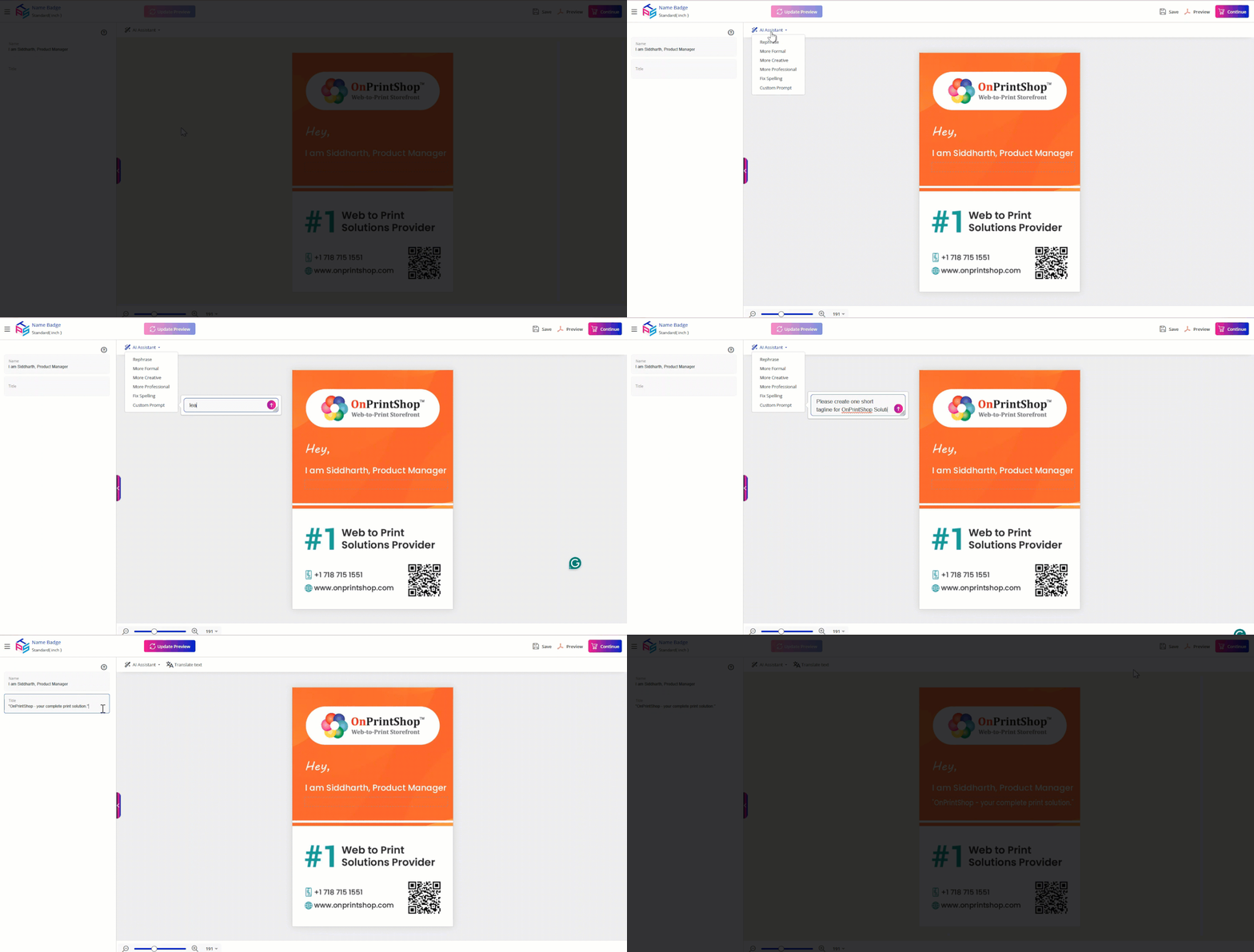
With the AI Assistant, customers can quickly create and refine content directly within the design flow, making personalization faster and easier. By entering a custom prompt, customers can generate new content instantly, or fine-tune existing text to better match their requirements without leaving the design screen:
Additionally, the Translate Text option allows customers to convert existing content into their preferred language with a single action. This removes the need to manually source translations, saving time and simplifying the design and order placement process while ensuring accurate, localized content:
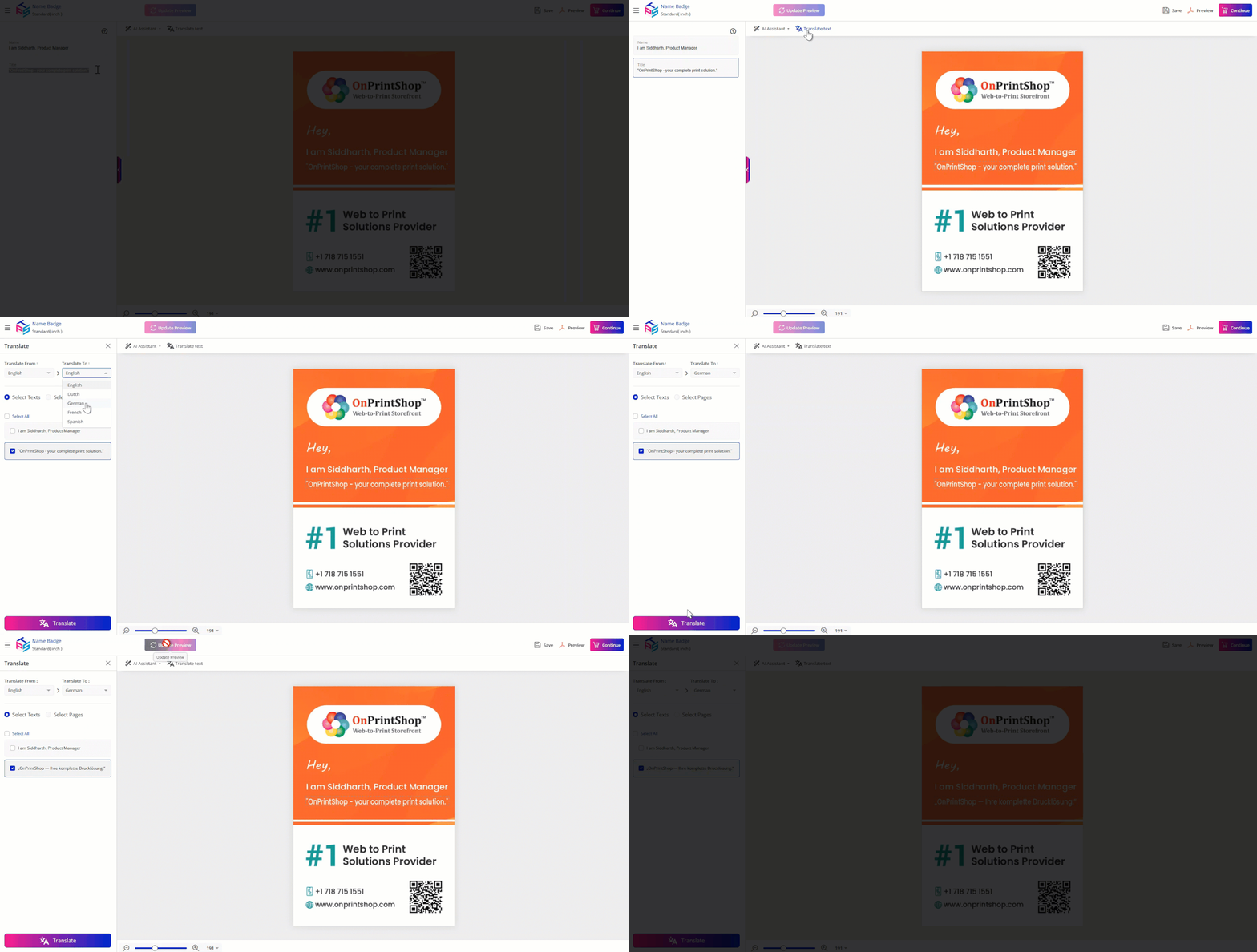
Image Cropping and Scaling Made Easier
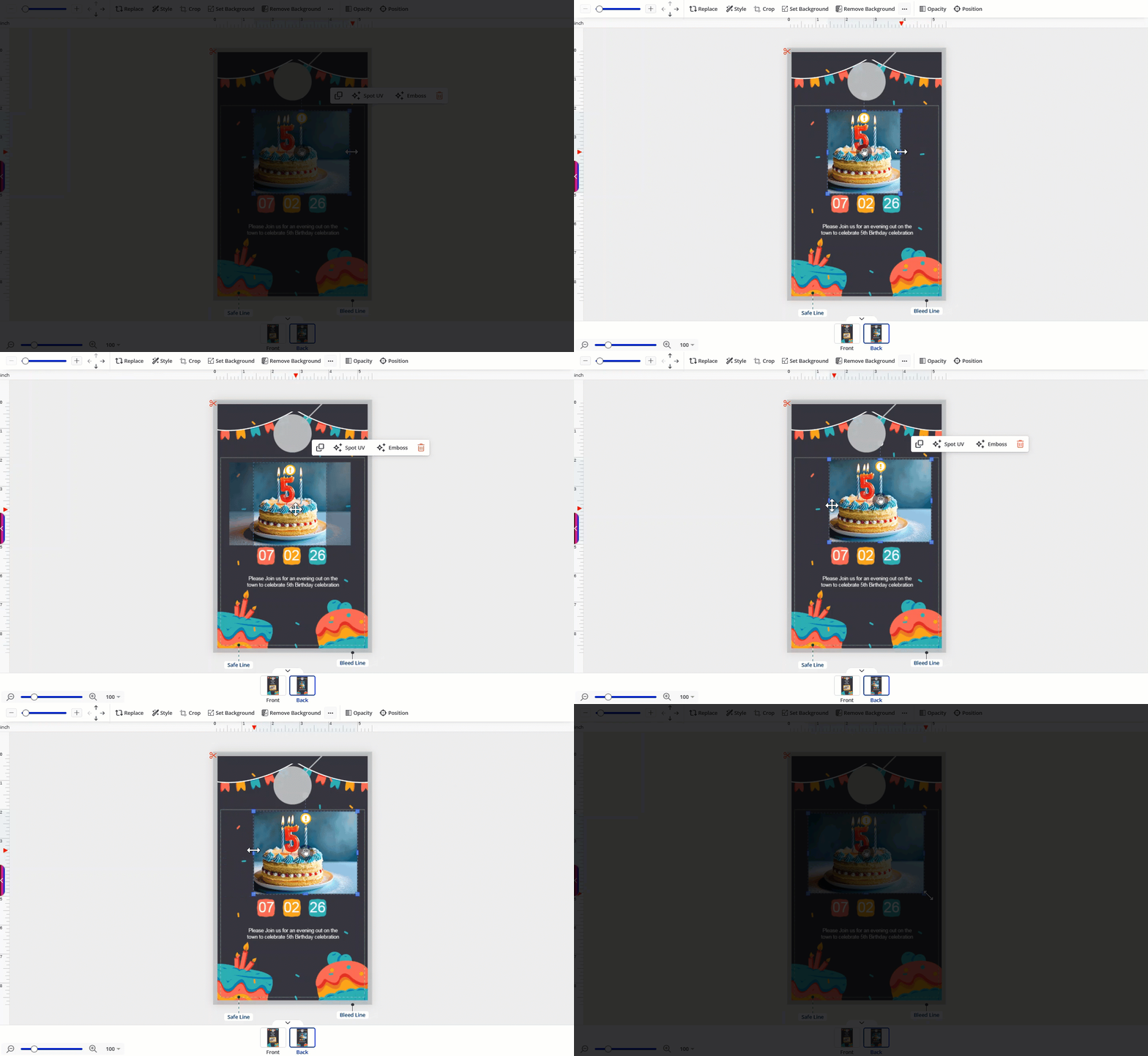
When designing a product in the Designer Studio, customers can now crop and scale images directly on the canvas for faster and easier adjustments. This on-canvas interaction will allow your customers to fine-tune image placement instantly, making the editing process more intuitive, seamless, and efficient while keeping their focus on the design.
In the studio, after placing an image on the canvas, they can simply select it to activate the bounding box and then use the middle handles to crop the image area as needed, and adjust the size at the same time without switching to any separate tools or panels:
Smarter Preview Models Based on Selected Option Combinations
OnPrintShop now introduces Option Combination–based model mapping, allowing admins to link specific 2D and 3D preview models with a precise combination of product options and sizes for more accurate visual representation.
With this enhancement, admins can create an Option Combination directly from the Model Assignment screen of the Real Preview section:
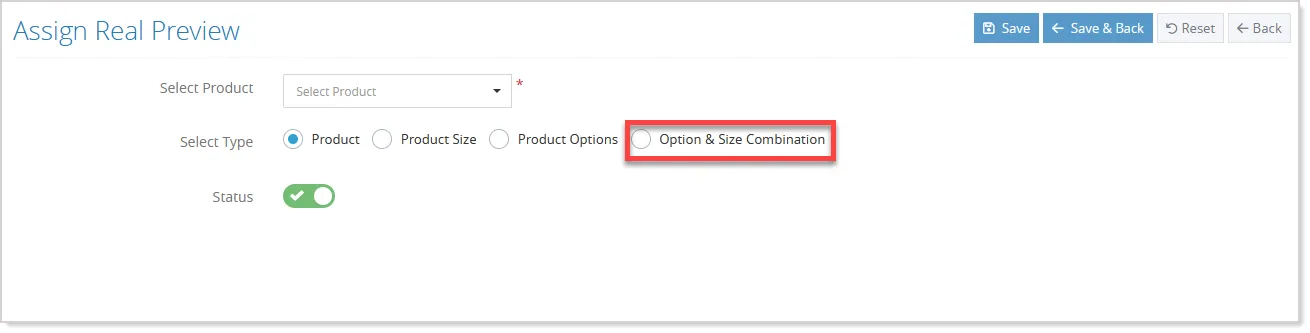
Once the Product and Option Combination feature is selected, the admin can select the relevant product sizes along with the desired options, such as color, material, or style:
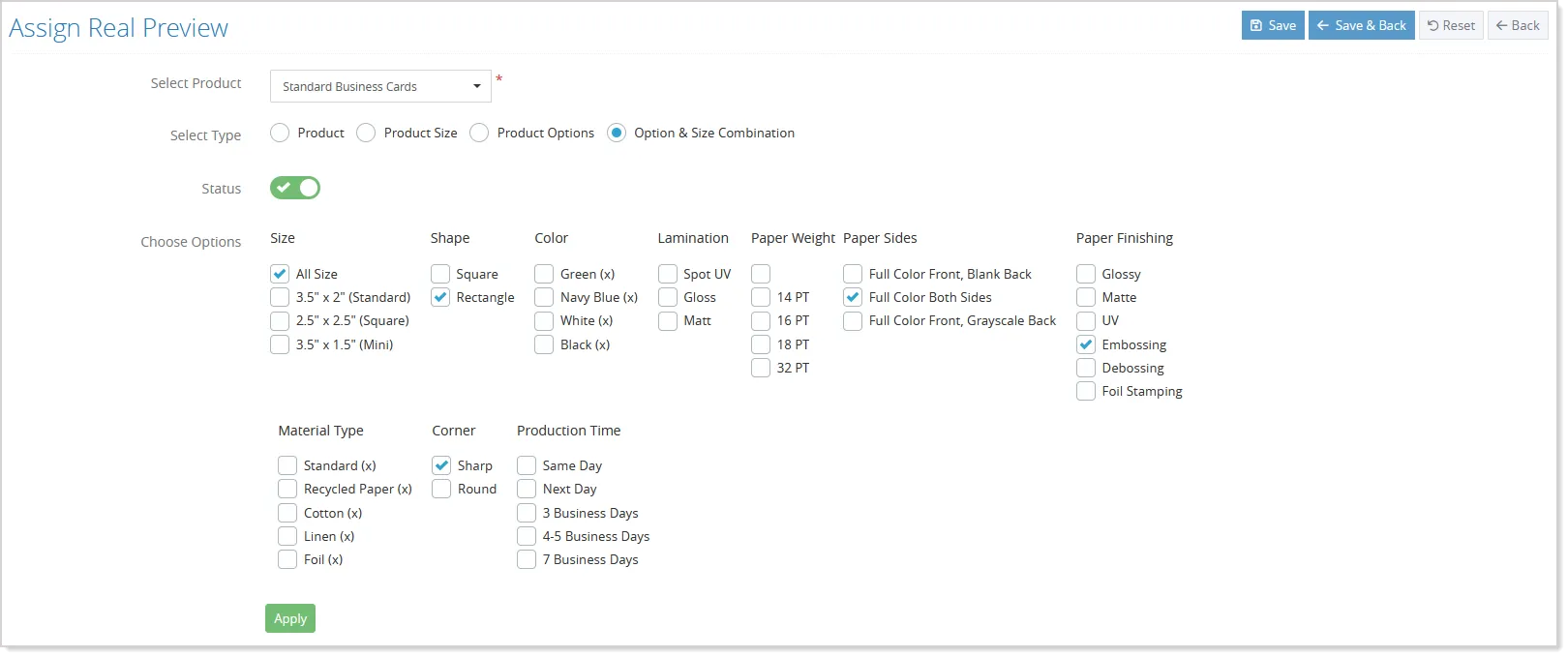
After selecting these parameters, the system automatically generates a matrix-style table. This table displays all selected size and option combinations, allowing the admin to assign the appropriate 2D and 3D models to each combination individually:
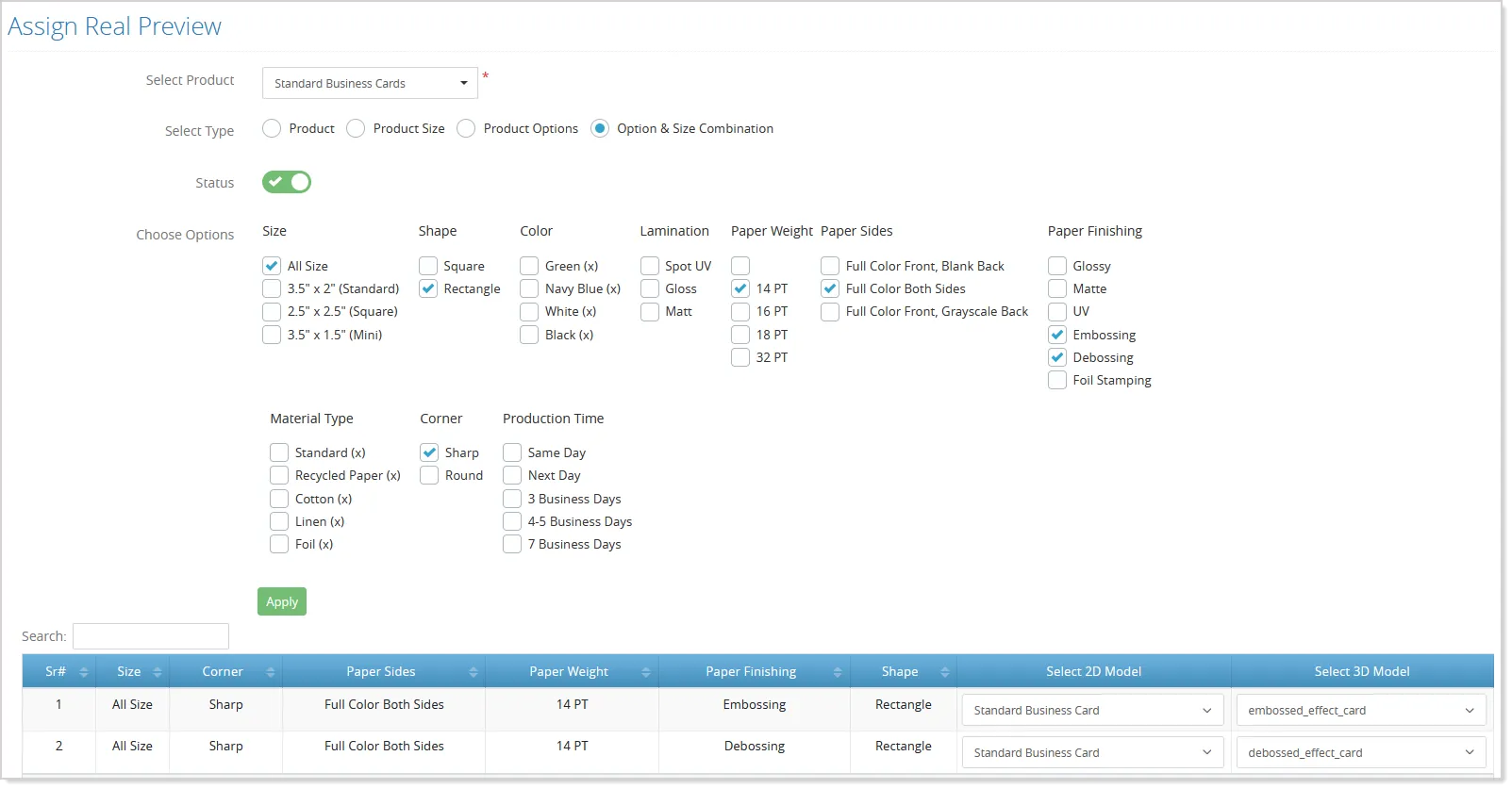
Admins can easily choose different models for different combinations, ensuring that every variation of the product has the correct visual preview. Once the configuration is saved, no additional setup is required.
On the storefront, when a customer selects a specific size and option combination, the system automatically displays the exact 2D or 3D model mapped to that combination.
This results in a more accurate, personalized, and realistic preview for customers, helping them better visualize the final product, improving confidence during purchase, and reducing mismatches between selection and preview.
Minor Enhancements
Enhanced Mask & Die Line Color Management
Die lines and masks now support Pantone spot colors in print-ready files for both package products and die-cut items, making them easier to identify during production. This enhancement minimizes color confusion, reduces printing errors, and helps ensure the final output accurately matches the intended design.
To enable these features in your store, you can connect with the OnPrintShop technical team.
Layered Foreground & Background Mask Support
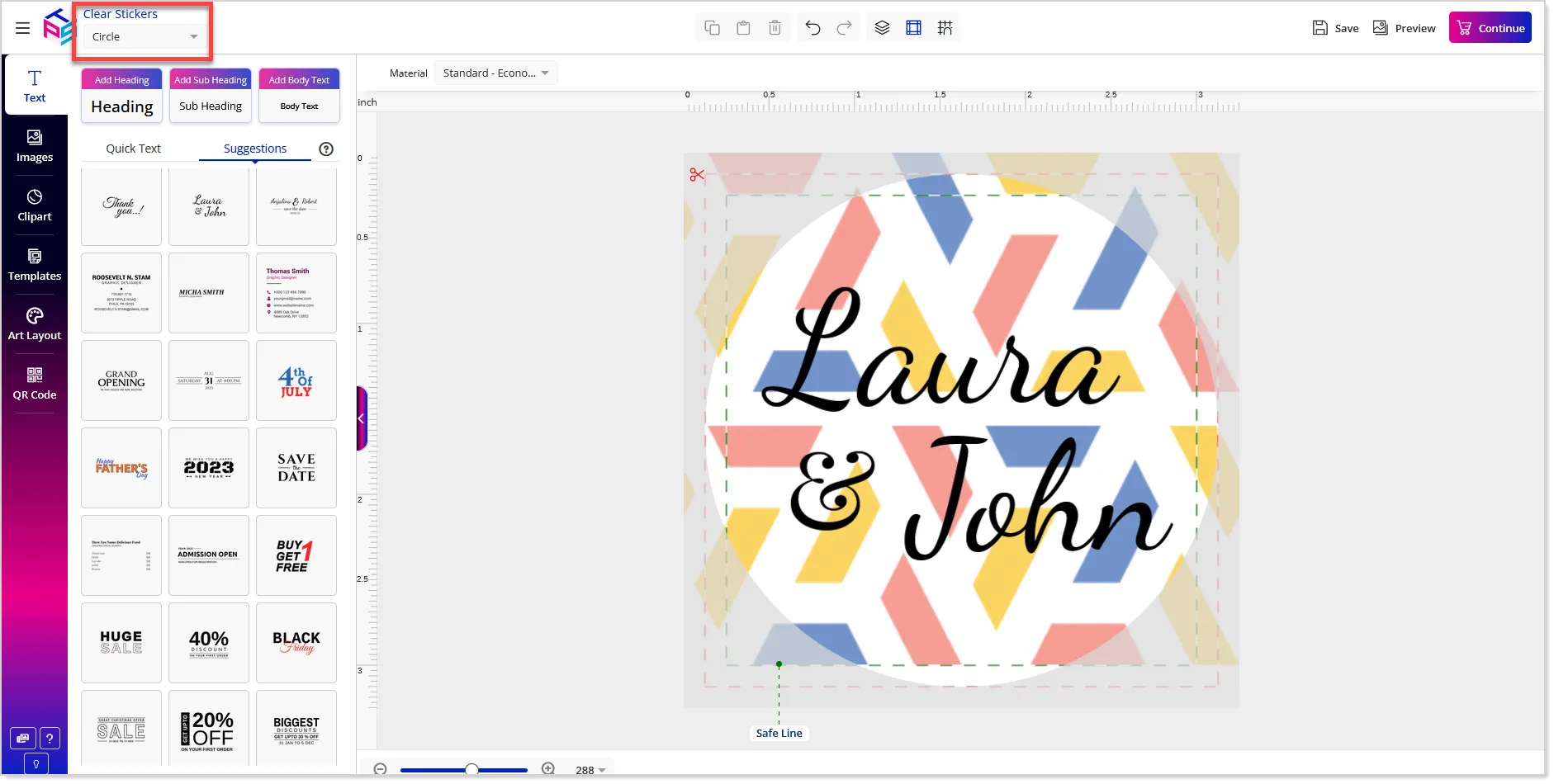
The Designer Studio now supports a more flexible and accurate way to manage and display foreground and background mask images together, improving how layered previews are created and shown to customers.
For example, sticker products can show the sticker shape as the foreground and a metallic or patterned layer as the background. Masks are also clearly displayed on the preview listing page, making management easier and improving the design experience.
Admins can upload foreground and background designer preview images simultaneously using a simple checkbox-based selection:
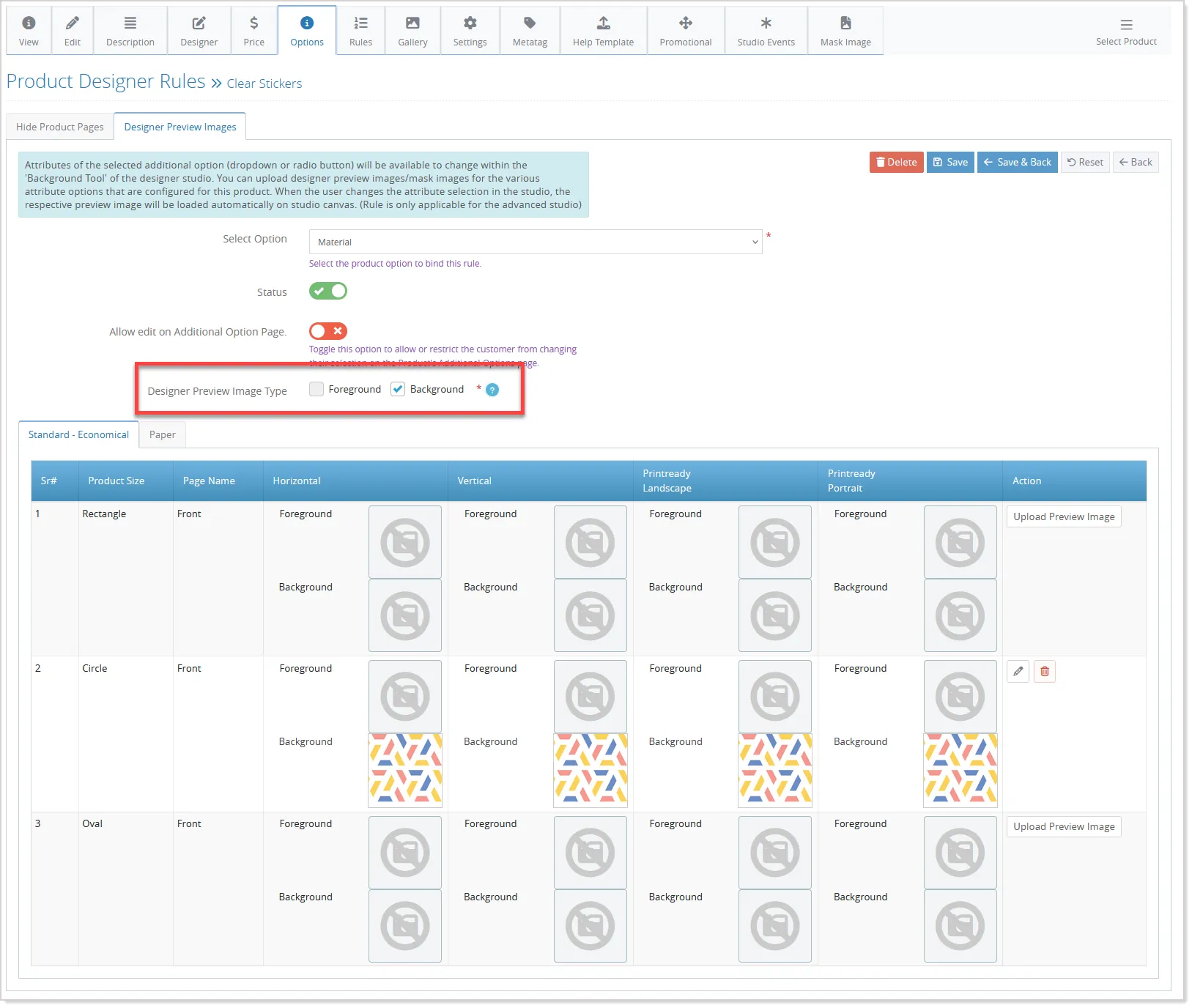
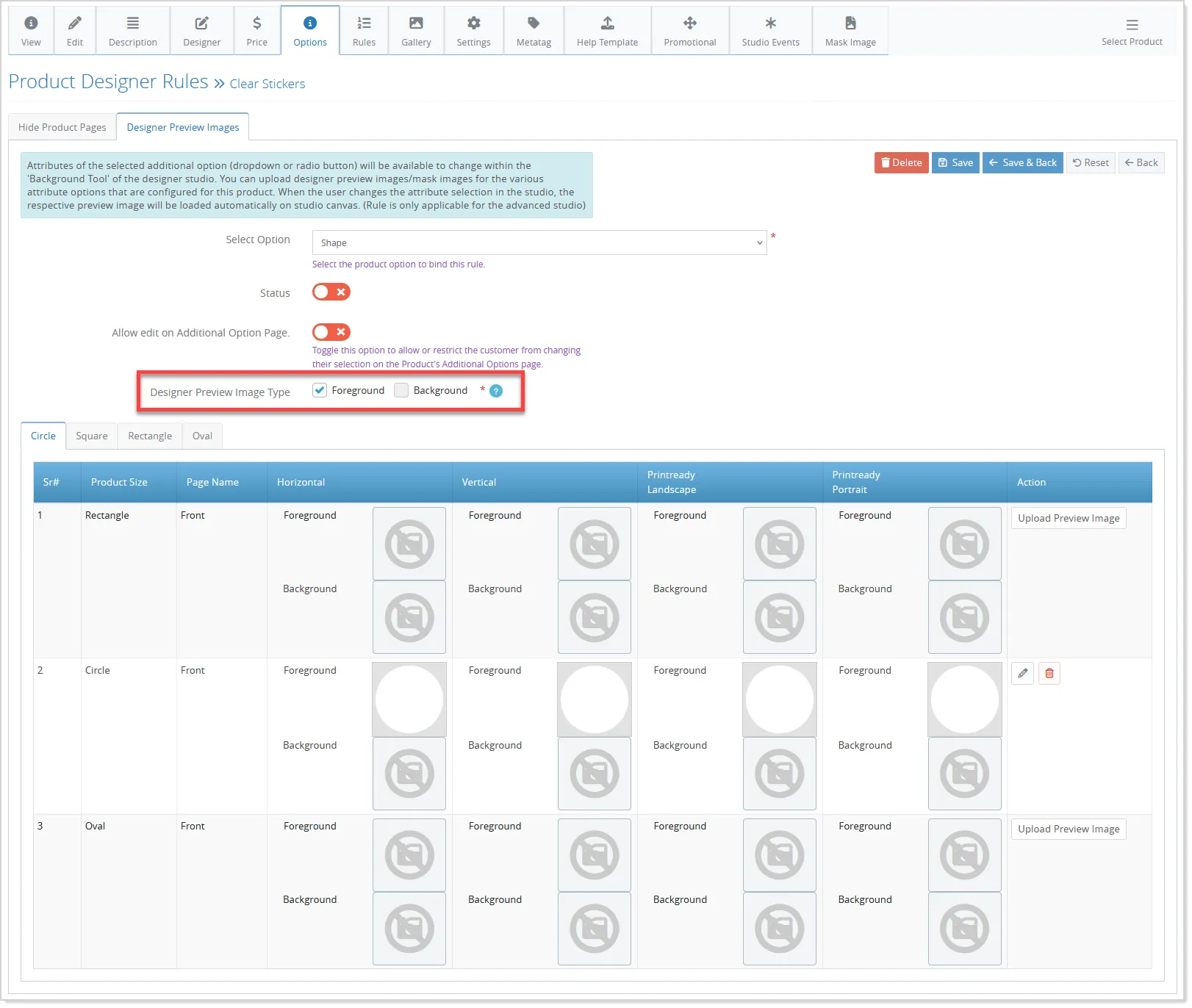
- When both mask types are selected, the upload interface clearly separates them into foreground and background tabs, ensuring each mask is stored and applied correctly.
- Admins can also enable or disable designer preview images for multiple options at once, making management easier.
In the storefront studio, mask images are displayed intelligently based on availability and option selection.
Use All Images from Multi-Page PDFs in Canvas
Customers can now upload multi-page PDFs and use images of all pages in the design canvas. Previously, only the first page was converted to an image. This enhancement ensures a consistent and intuitive experience when uploading and using PDFs, allowing designers to access and work with each page individually, while maintaining seamless print-ready file generation.
Import Multiple PDF Block Rules at Once
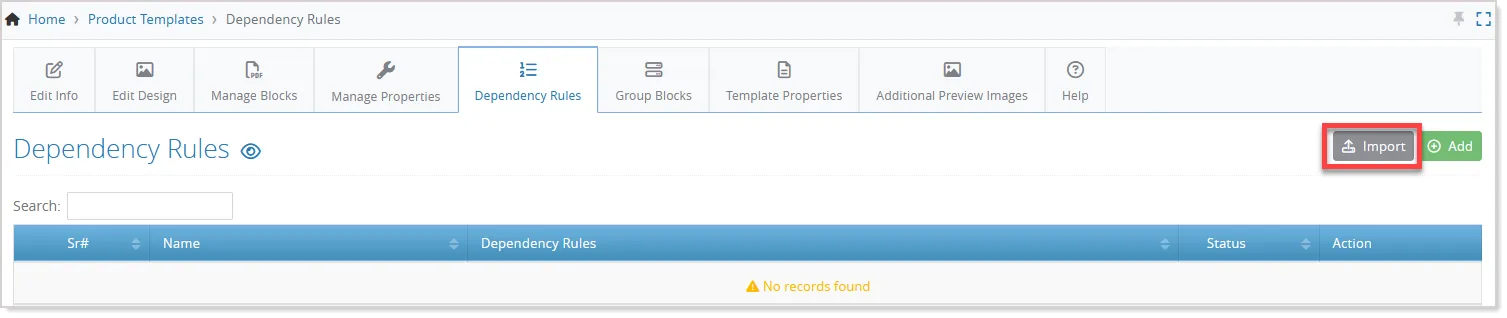
Admins can now import multiple dependency rules for PDF block templates at once using a structured Excel file. This eliminates the need to define rules individually, saving time and reducing errors.
For this, the Import button is now available in the Dependency Rules screen for the selected PDF Block Template:
Interactive 3D Product Preview in My Account
Customers can now view a 3D preview of their product in the My Account order listing page when proof-cycle is enabled. This allows customers to visualize their final product more accurately, improving confidence and reducing errors.
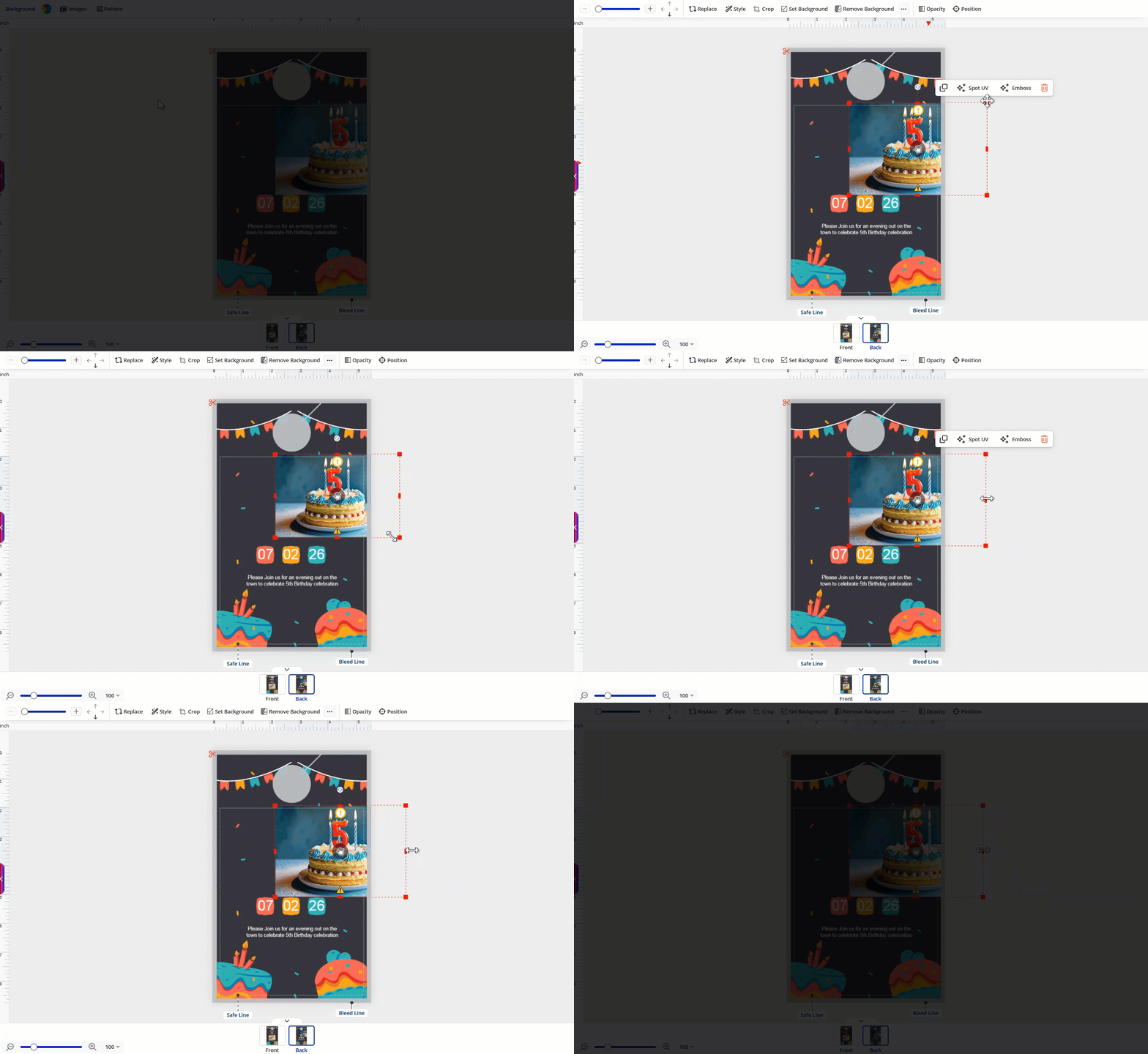
Persistent Object Controls Outside Canvas
Customers can now reposition and resize objects even when they extend beyond the canvas, as selection and control handles remain visible and accessible for easy adjustments:
Always-Visible Print Area for Promotional Products
The print-area border now stays visible for promotional products. Whenever an item is selected, customers can clearly see the safe printable area, helping them place content accurately and avoid design elements being cut off: