Storefront Enhancements
Preflight Information on the Upload Center
To help reduce production issues caused by low-quality or incorrect artwork files, a new Preflight Information enhancement has been introduced in the Upload Center. This feature allows customers to review important file-related information during the upload process itself, helping them identify potential issues before placing the order.
To start with, administrators can now create and manage multiple Preflight Profiles based on different production and print requirements. A dedicated Preflight Profiles option has been introduced on the Print Products listing page, allowing admins to configure file validation rules more efficiently for different product categories and workflows:
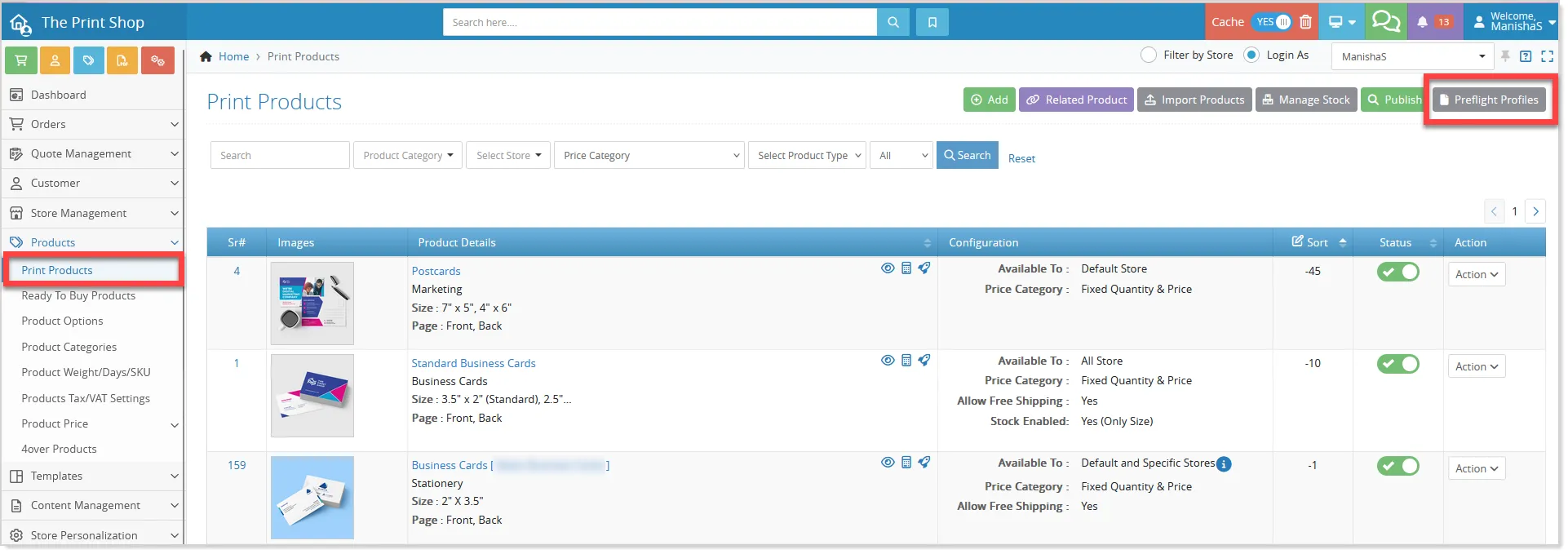
Within the Preflight Profiles section, admins can create a new profile using the Add button: a

On the Add Preflight Profiles page, the admin can specify which file properties to validate during the upload process. These validations help ensure that uploaded artwork files meet the required print standards before proceeding to production:
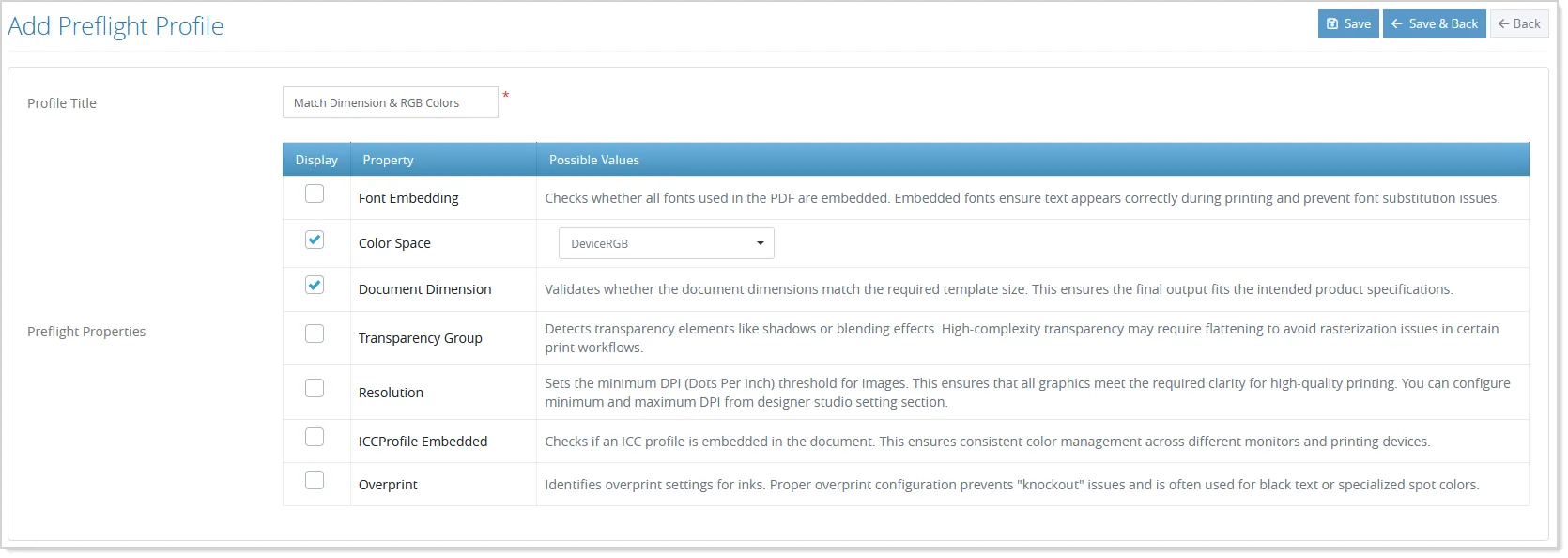
The available validations include checks for resolution or DPI, document dimensions, color space, font embedding, transparency groups, ICC profile embedding, and overprint settings. Each validation can be enabled or disabled individually, making it easier to configure different rules for different product types and workflows.
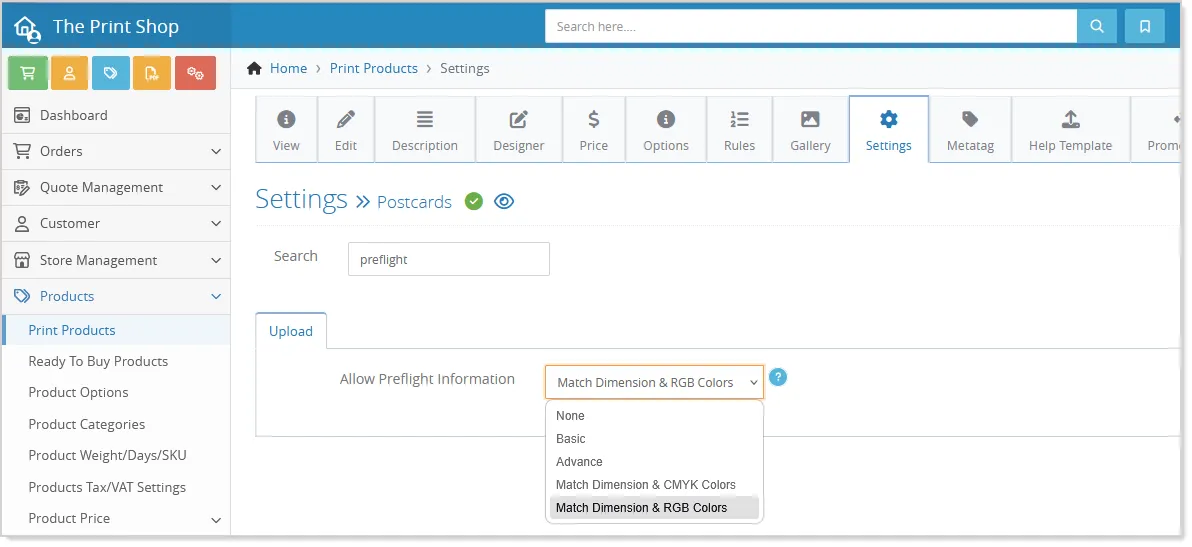
Once a profile is created, it can be assigned to specific products from the product settings section under the Upload tab. Admins simply need to enable the “Allow Preflight Information” setting and select the required preflight profile for that product:
On the storefront, when customers upload supported artwork files such as PDF, JPG, PNG, TIFF, AI, and other supported formats, the system automatically analyzes the file in the background. If preflight validation is enabled for that product, customers will see a File Info option within the Upload Center:
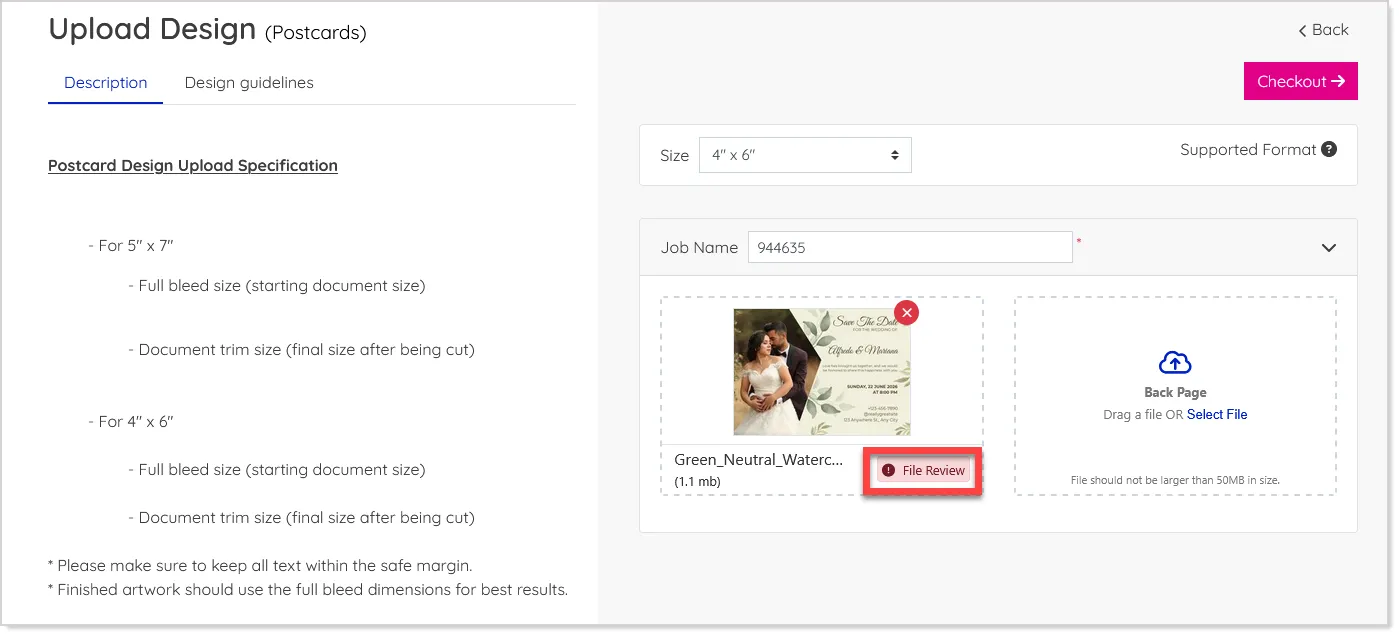
Preflight information is available only for standard upload flows and print-ready files. It does not apply to cloud uploads, quote artwork uploads, or additional option files.
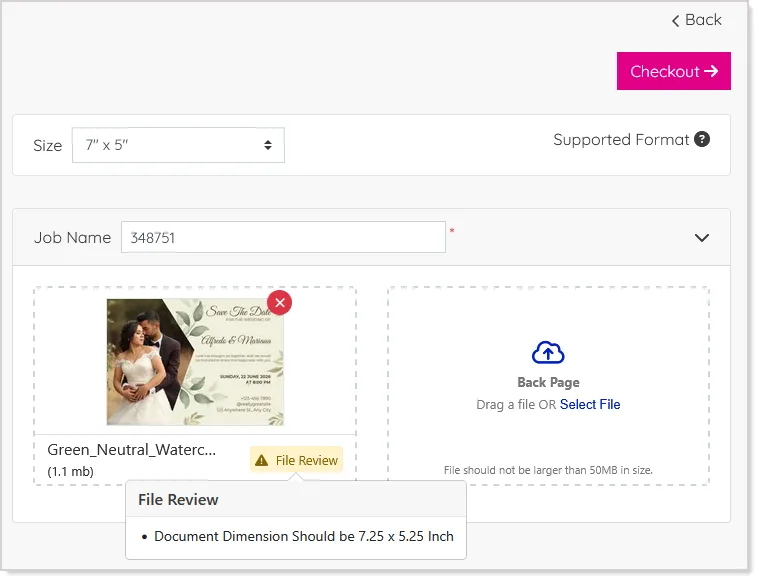
By opening the File Info, customers can view important warnings or recommendations related to their uploaded file in a simple and easy-to-understand format:
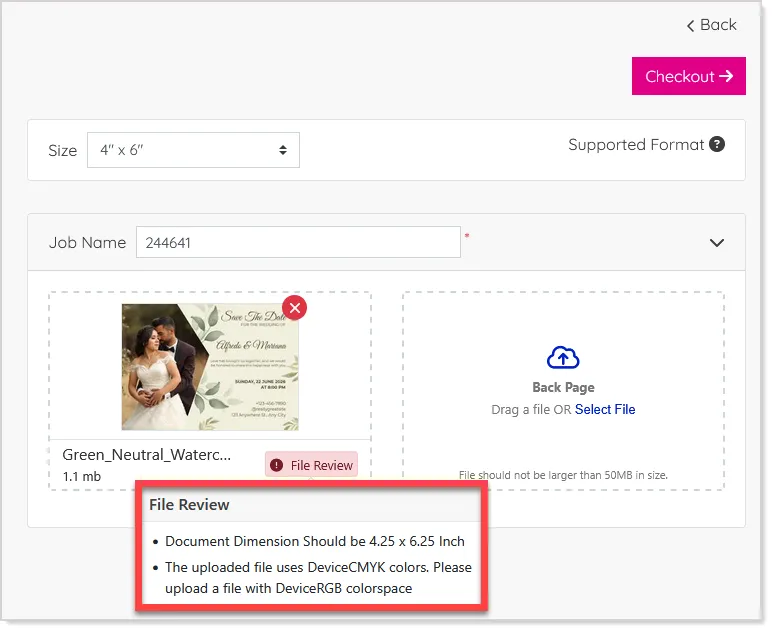
Instead of displaying complex technical details, the system provides user-friendly guidance that helps customers quickly understand what needs attention before proceeding further:
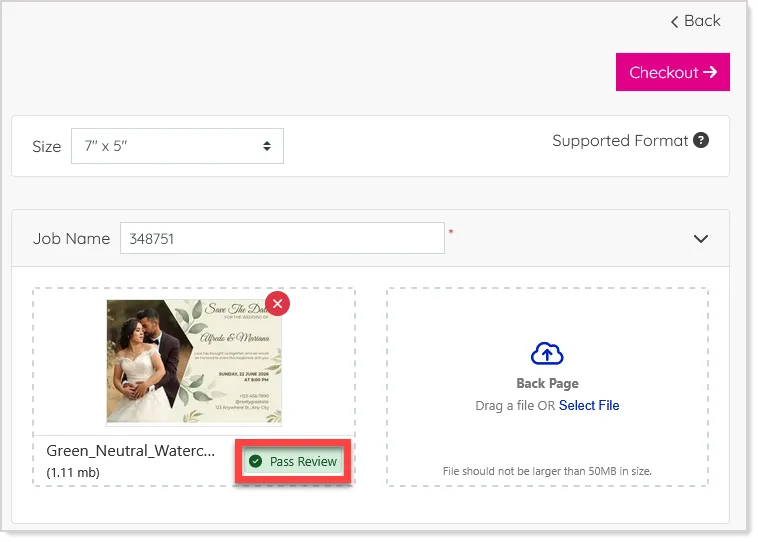
When the uploaded file matches the profiles assigned, the system shows a Pass Review tag:
Flexible OTP Login as Primary or Secondary Option
Managing customer login preferences is now more flexible with the introduction of configurable OTP-based authentication for B2C storefronts. This enhancement allows store owners to decide how OTP login is presented to users, instead of limiting it to a fixed secondary option alongside the standard Email and Password login.
With this update, admins can configure OTP login with the existing Enable OTP Login site configuration setting at the store level with three options: enabling it as a secondary login method, setting it as the primary login option, or disabling it entirely.
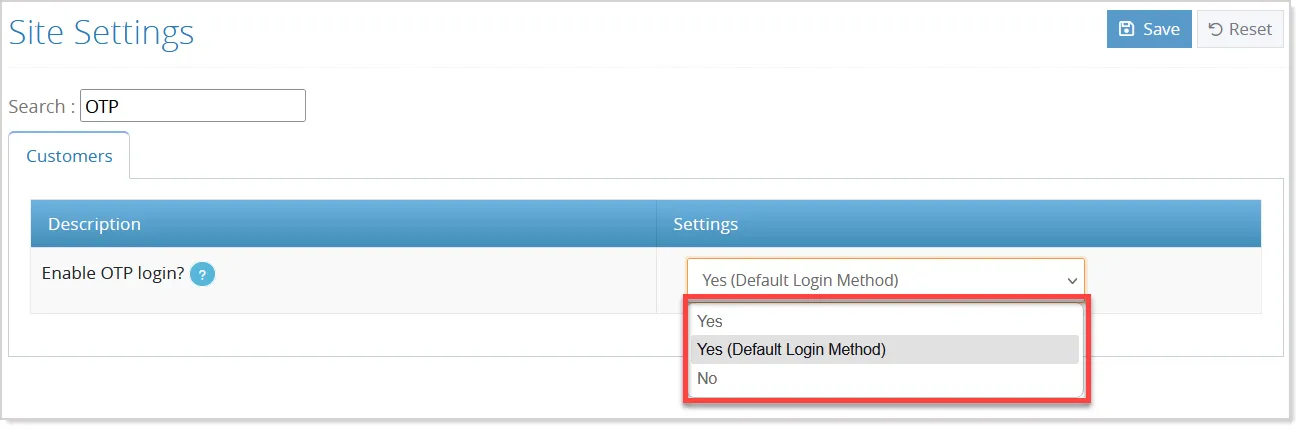
- When enabled as a secondary option (Yes), the default login remains Email and Password, with OTP available as an alternative:
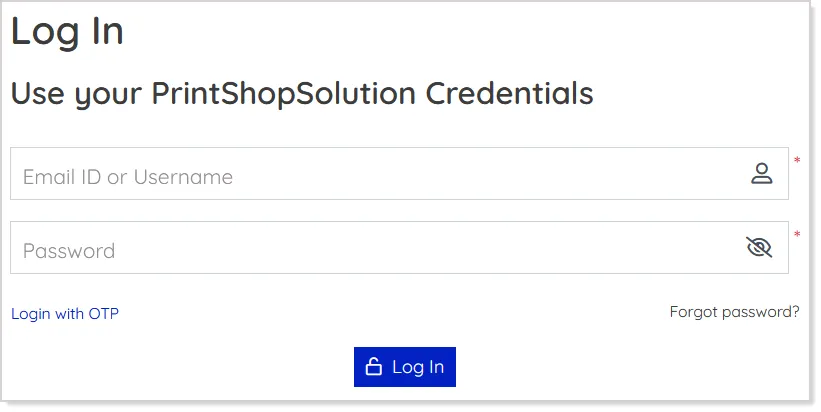
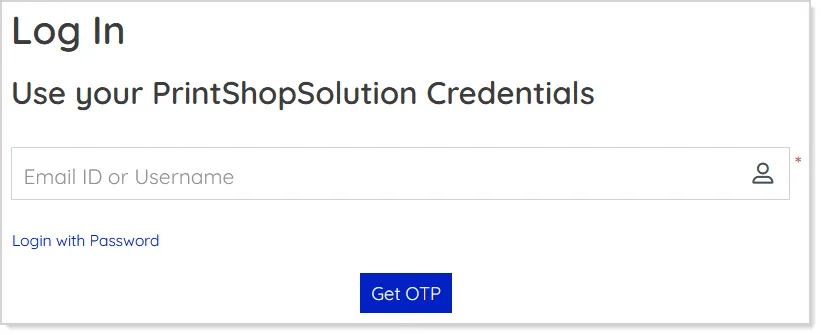
- If set as Yes(Default Login Method) - Primary option, OTP login is displayed by default on page load, while password login continues to be available as a fallback:
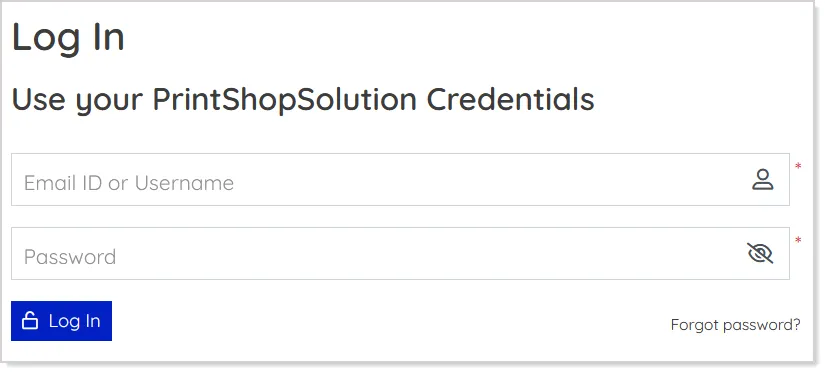
- When disabled, only the standard Email and Password login is shown:
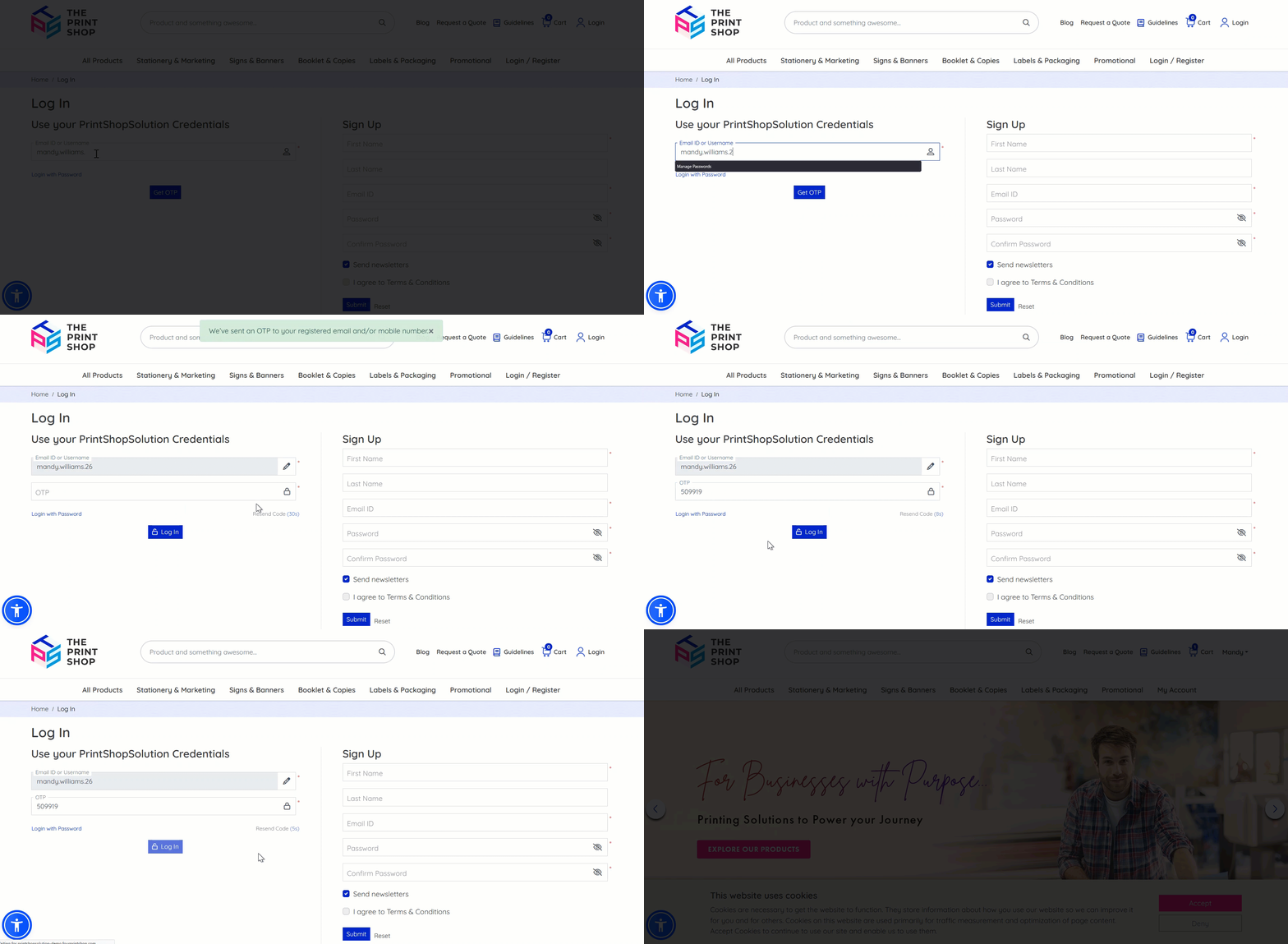
The OTP login flow allows users to enter their email or username, receive a one-time password via email or SMS (if configured), and log in after successful validation:
The existing password-based login and customer registration workflows remain unchanged, ensuring a smooth transition without impacting current user behavior.
This enhancement provides greater flexibility and control over authentication methods, enabling store owners to tailor the login experience while maintaining security and convenience for end users.
Minor Enhancements
Intelligent Store Recommendation by Location
The system can now automatically detect a visitor’s country and suggest a more relevant regional store when available. If a customer lands on a store that does not match their country, a pop-up may appear recommending a suitable store for their region:
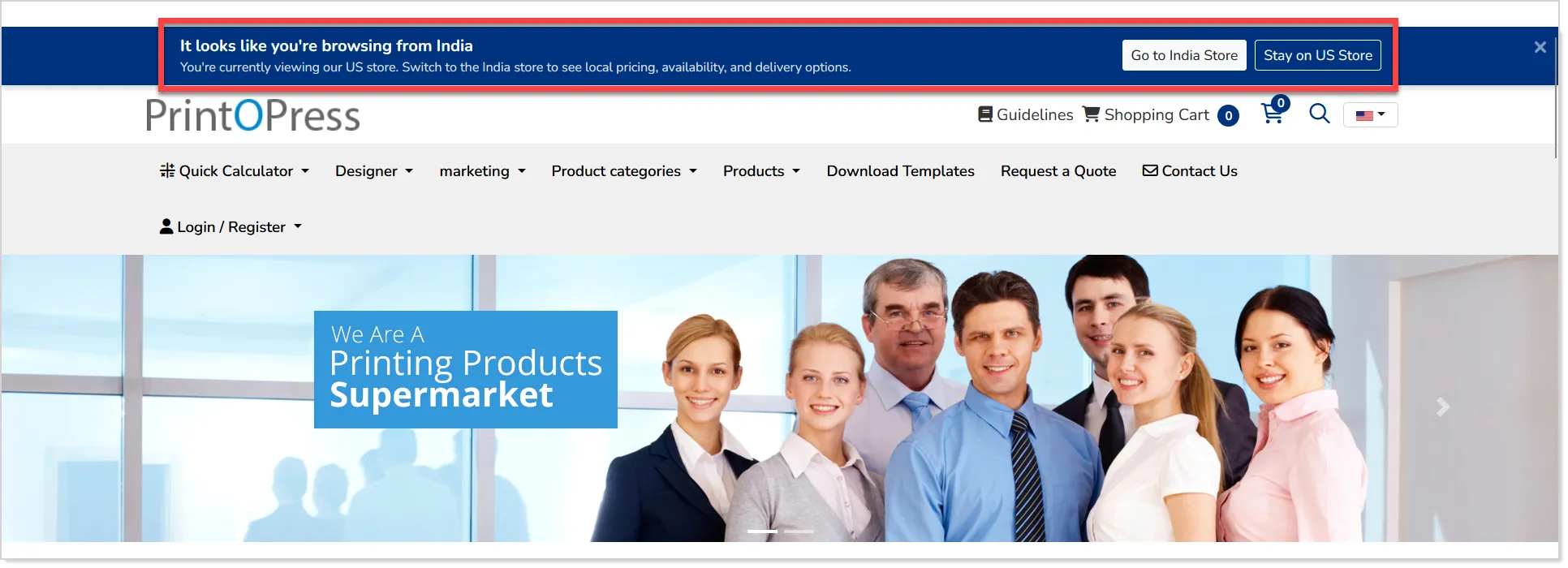
Customers can choose to switch to the suggested store or continue browsing the current one without any forced redirection.
Please note:
- This is applicable only for public-facing stores, including the main store, reseller stores, and franchisee stores.
- The suggestion pop-up will not appear for logged-in users or private/B2B stores.
The pop-up includes simple options such as visiting the suggested store, staying on the current store, or closing the pop-up. Once dismissed, the pop-up will not appear again for 30 days, ensuring a smooth browsing experience.
Administrators can fully manage the pop-up content through CMS, including multilingual messaging, button labels, and descriptions, allowing the store experience to remain consistent across different regions and languages.
Blog Scheduling and Author Details in CMS
The CMS blog functionality has been enhanced with support for scheduled publishing and author information display.
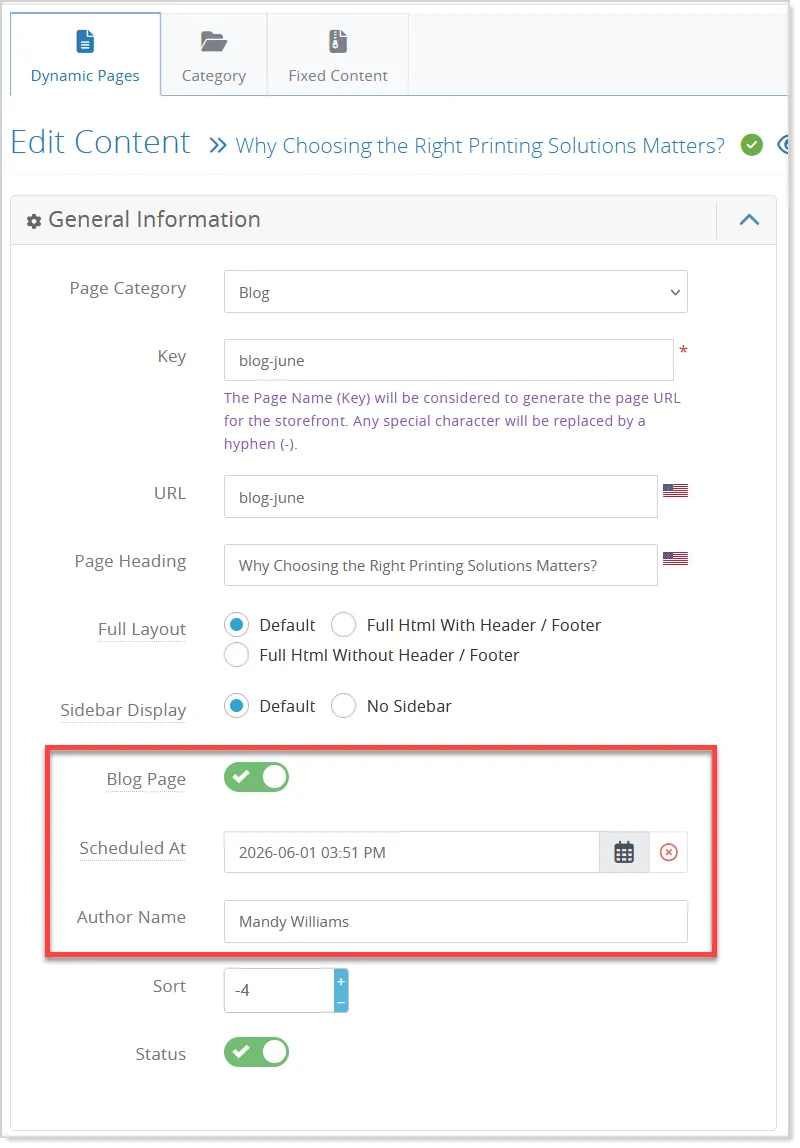
When a CMS page is marked as a blog, additional options become available to configure a future publish date and time, along with the author's name:
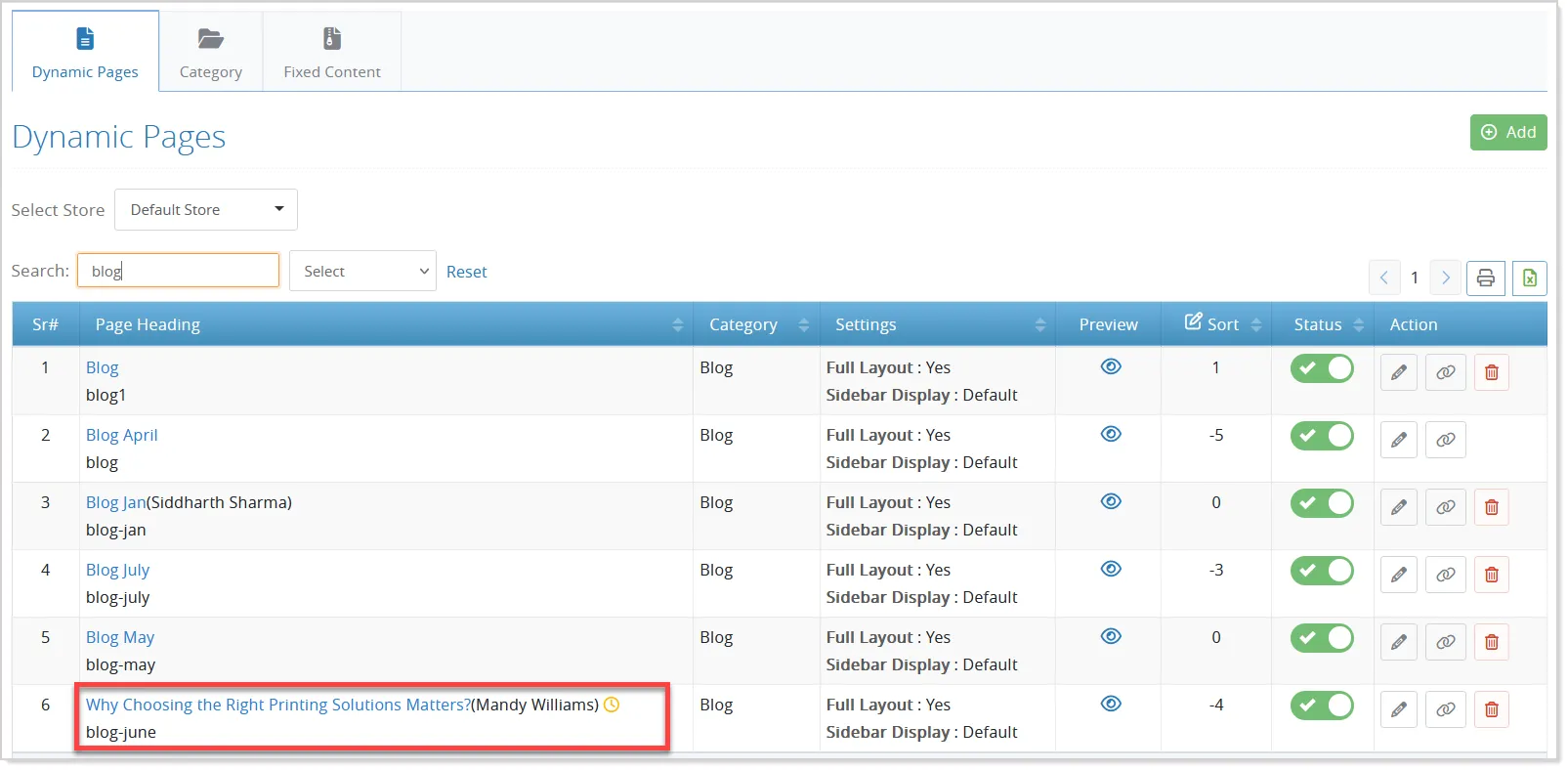
On the admin listing page, scheduled blogs are indicated with a clock icon, while author information is displayed alongside the blog title for better visibility:
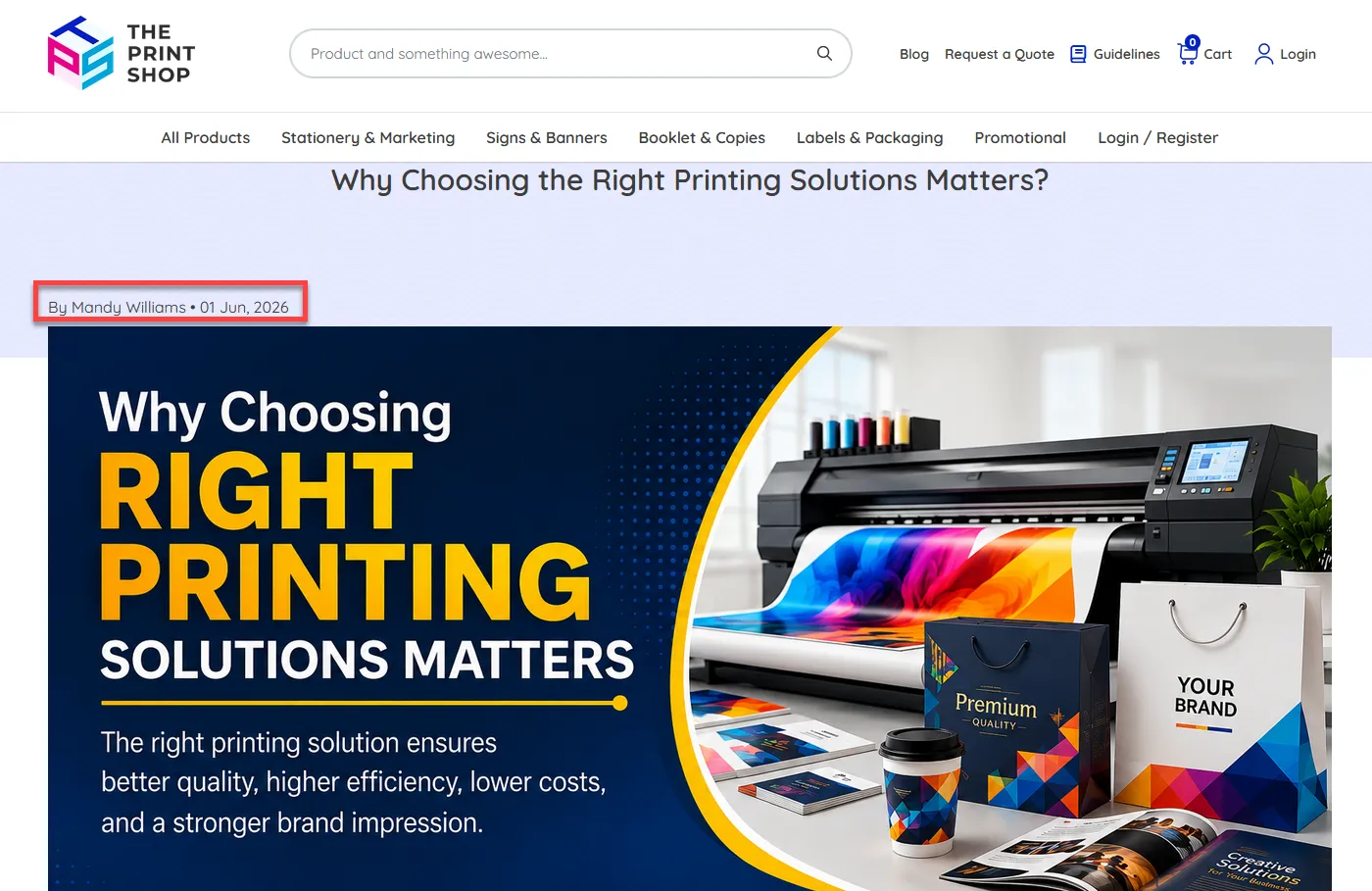
On the storefront, the blog publish date and author name will be displayed below the blog title:
Tax-Aligned Pricing in Price List Table
The Price List Table now follows the store’s tax display settings, ensuring consistent pricing across the product page. Depending on the configuration, prices are displayed either with or without tax.
When the “Yes, With Toggle” option is enabled, users can switch between tax-inclusive and exclusive prices using the “Incl. Tax” toggle:
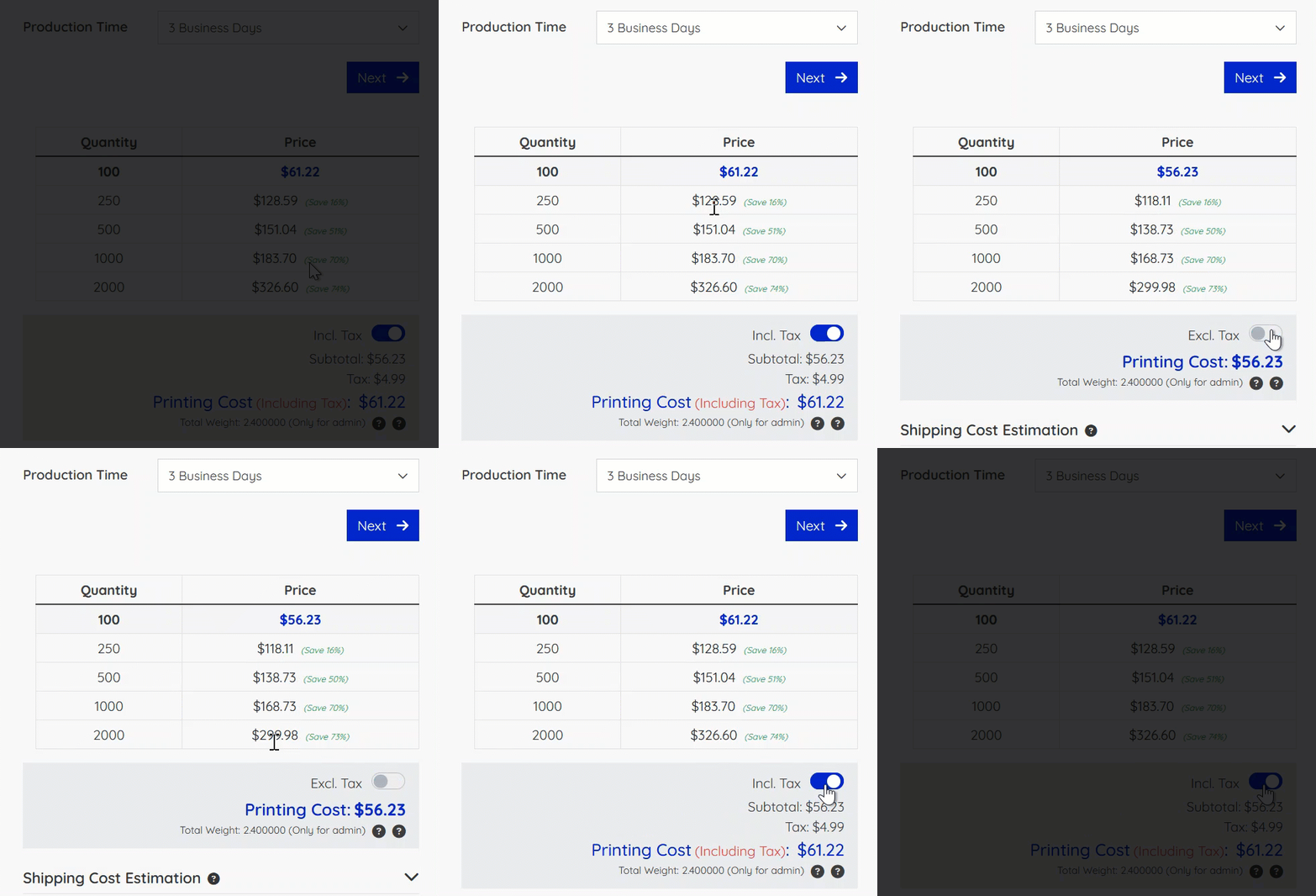
This update ensures that the price list behaves in line with the Price Calculator, providing clearer and more consistent pricing for customers.