Order Section
Streamlined Secure Order Review & Approval
Secure order access capabilities have been introduced to allow customers to review and interact with orders directly from email links without requiring login authentication.
Customers can securely access order details, track orders, download invoices, add comments, and review order updates through protected links shared via order-related emails:
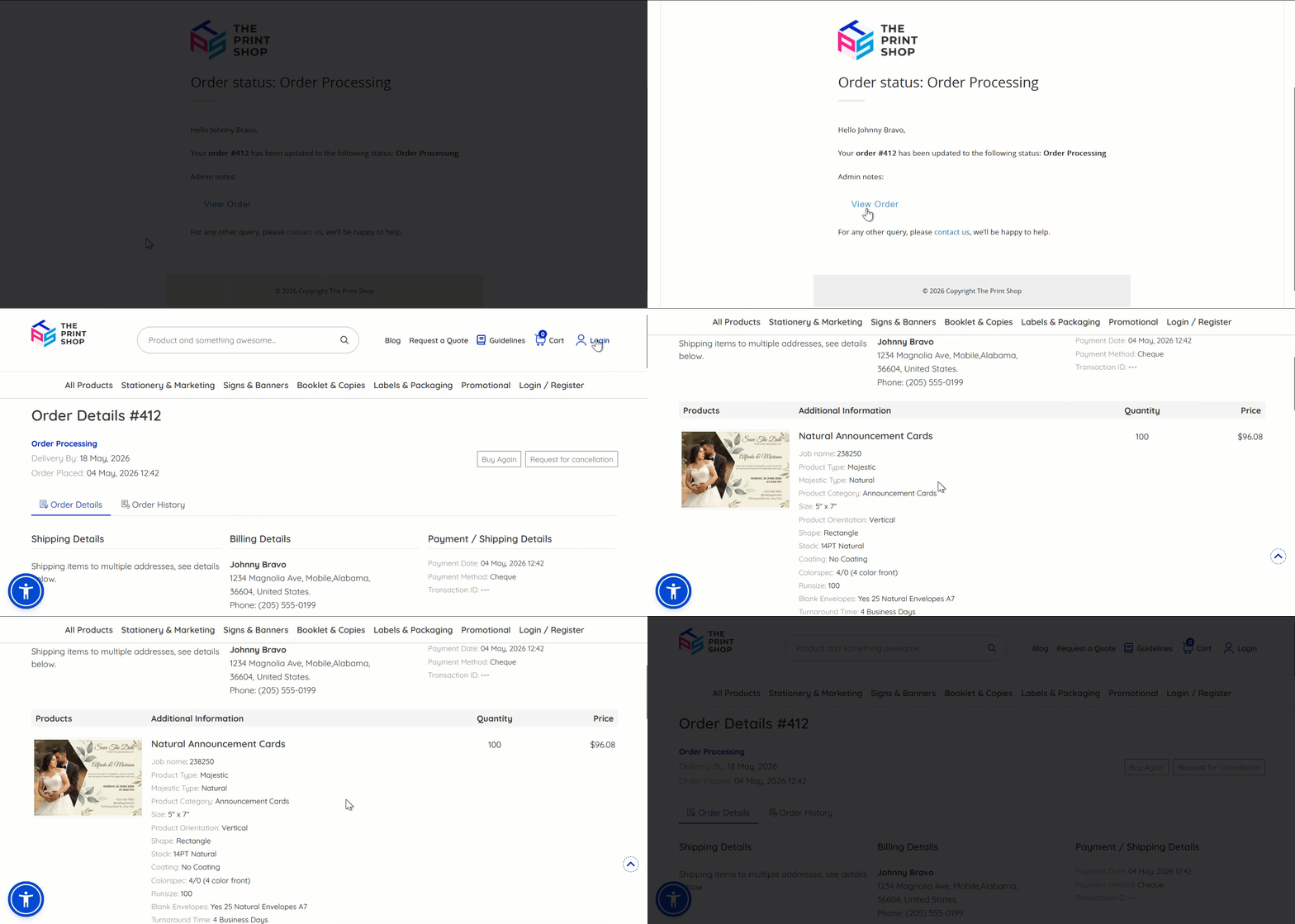
The proof approval workflow has also been streamlined by allowing customers to approve or reject artwork proofs directly from secure links, creating a faster and more convenient approval experience for both registered and guest customers.
For private stores, the order approval flow now supports secure approval access for super approvers, level-based approvers, partial approvers, and external approvers.
Approvers can review, approve, reject, and, based on their assigned role, modify orders directly from secure approval links shared through email notifications.
Different access levels are automatically managed according to the workflow stage and approver permissions, ensuring only relevant actions are available to each user. Expired links can also be reissued through a new secure link request option, helping maintain both accessibility and controlled access throughout the order lifecycle.
Associate Products in Offline Orders
We’ve enhanced the offline order workflow by introducing support for associated products, allowing admins to include related products along with the main product within a single order. Previously, while associated products could be configured at the product level, admins were not able to add or manage them during offline order creation, limiting flexibility and requiring manual workarounds.
With this update, associated products are now automatically displayed within the Price Calculator when adding a product to an offline order:
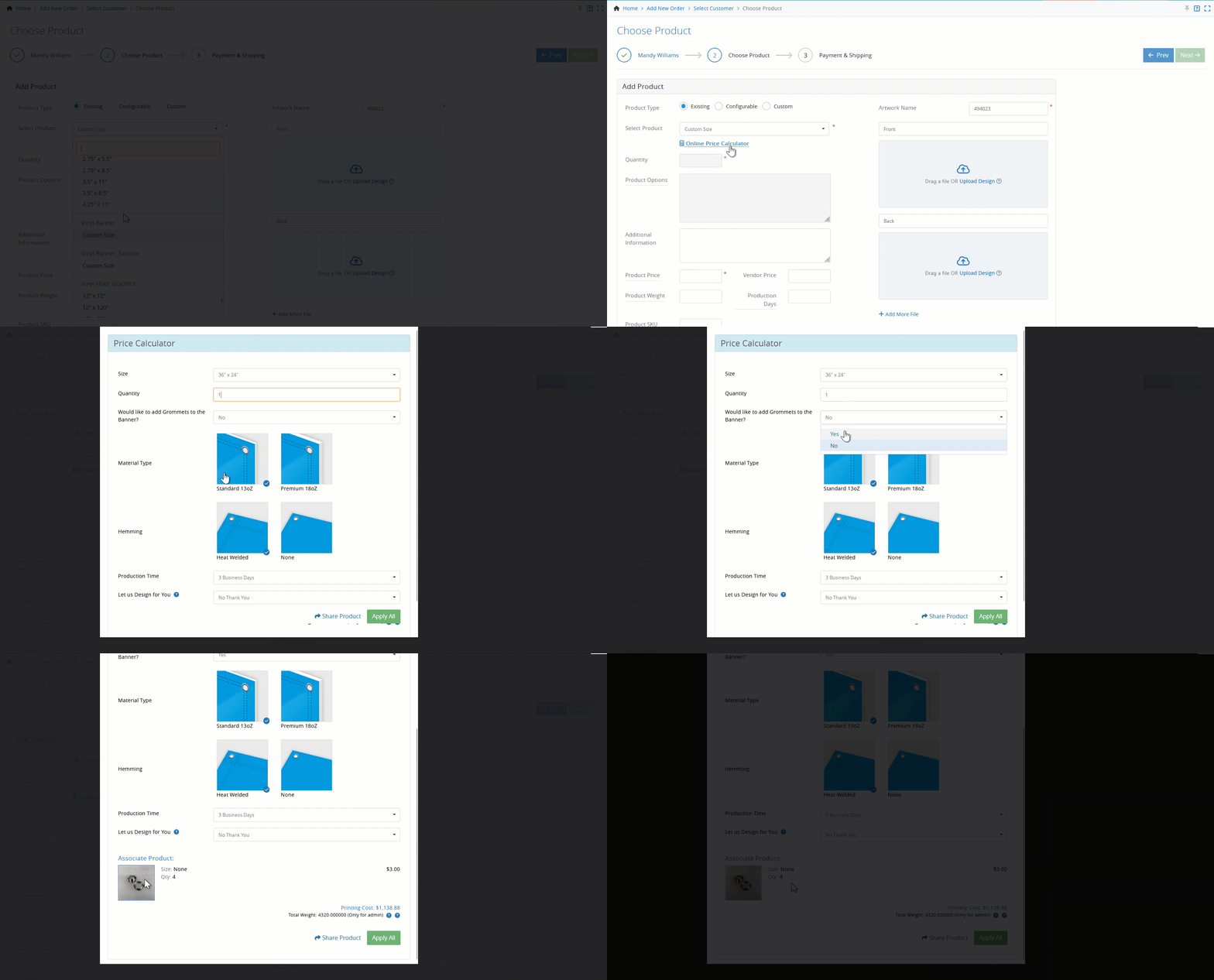
Admins can conveniently select or deselect associated products using a checkbox, giving them full control to choose whether the item should be included along with the main product:
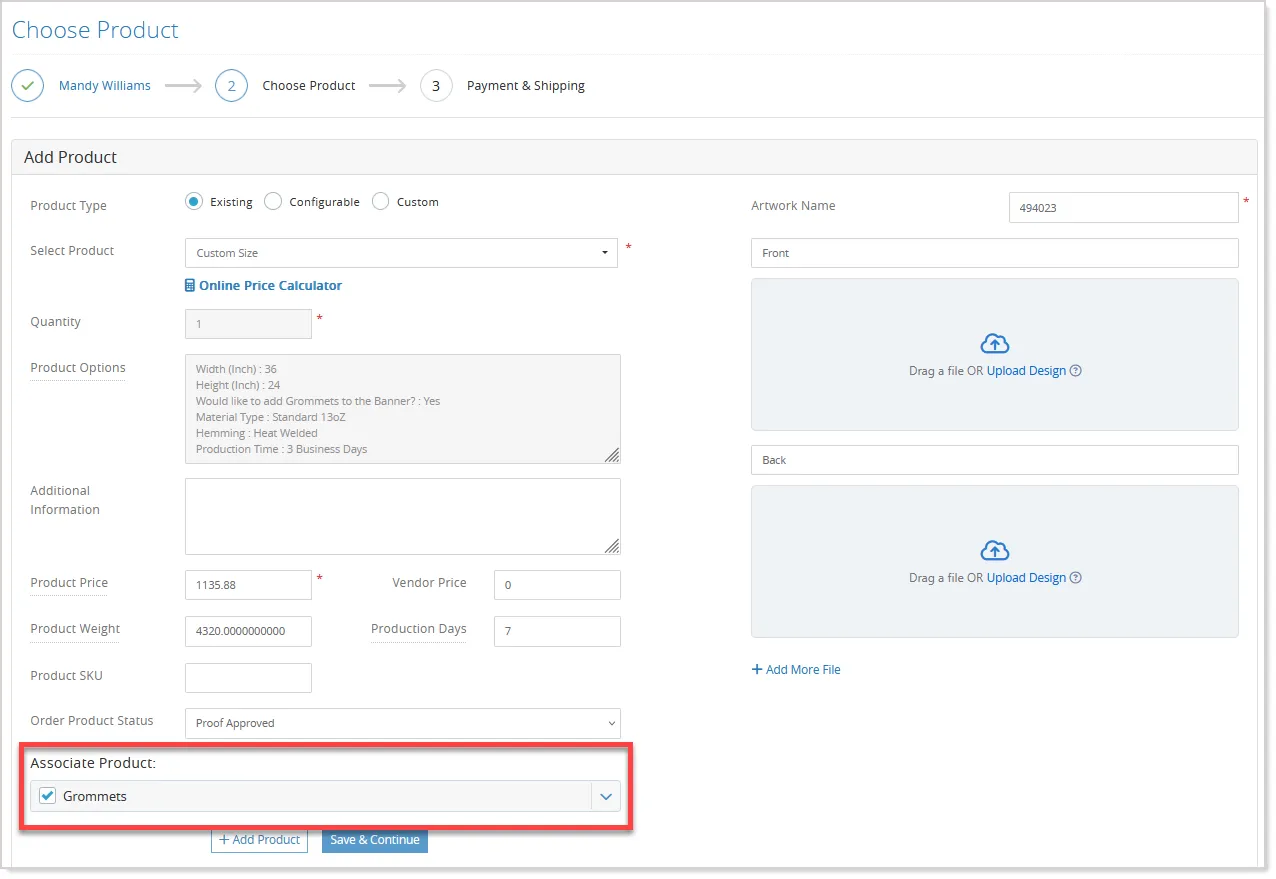
The system pre-populates key details for associated products, such as product price, vendor price, production days, and product weight, with default values:
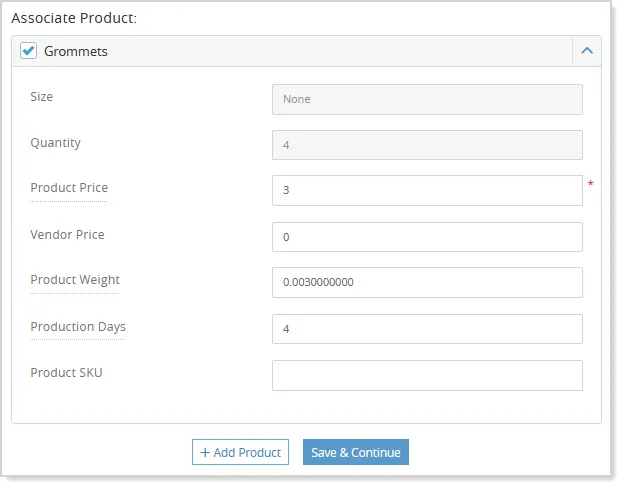
Admins can modify these fields as needed, while critical attributes like product name, size, and quantity remain fixed to maintain consistency.
If the Price Calculator is reopened and the Apply All option is selected, all manually updated values are reset to their default configuration, ensuring data consistency and easy recalibration.
Associated products are also clearly displayed across the workflow, including during product selection and within the shopping cart, where they appear grouped under the main product for better visibility and organization:
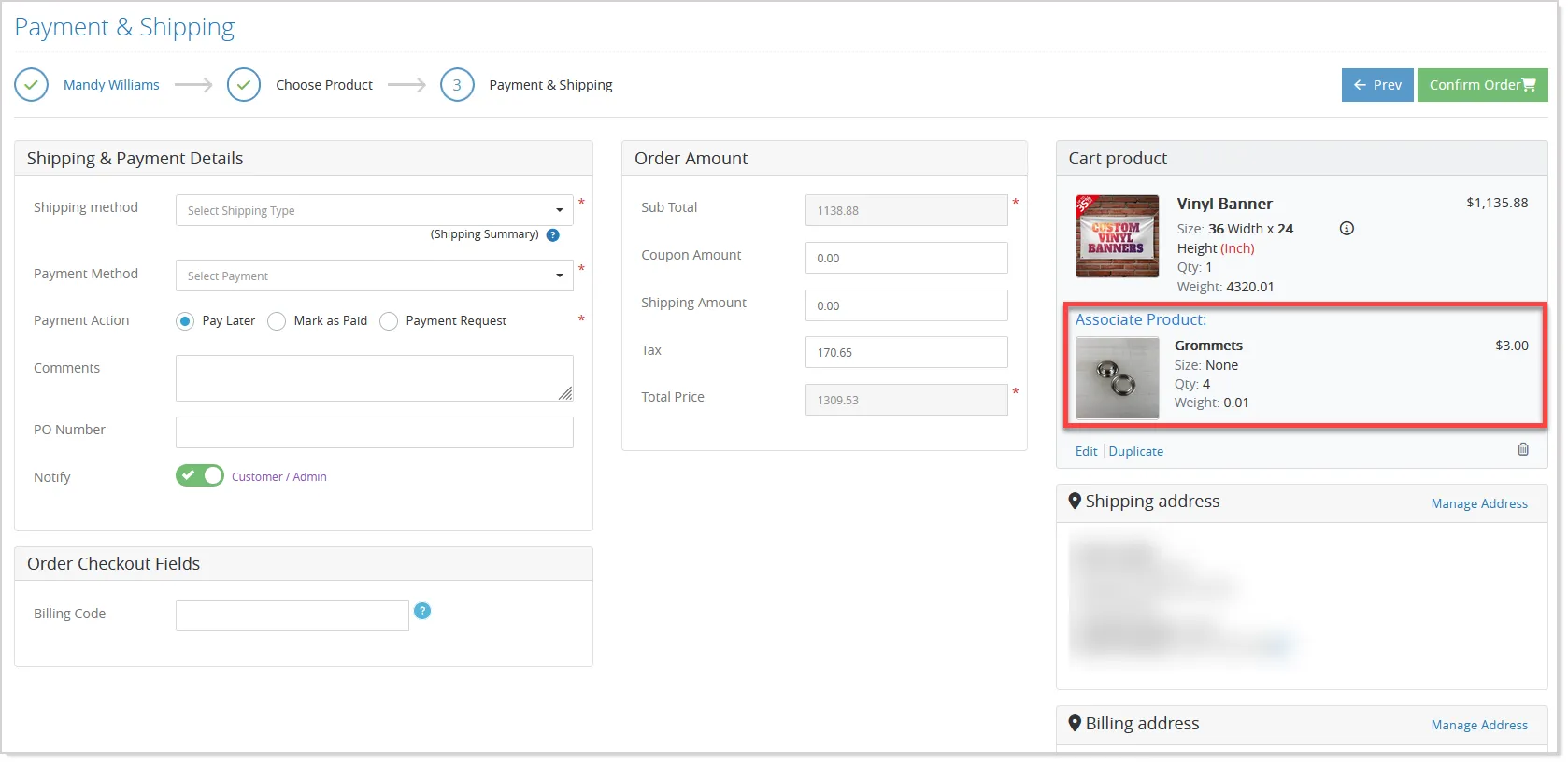
Admins can remove associated products at any stage before finalizing the order, and the total price is dynamically updated based on the selected items.
This enhancement streamlines the process of managing bundled or dependent products in offline orders, reducing manual effort and enabling a more accurate, efficient, and flexible order creation experience.
Improved Readability and Formatting for Order Notes
We’ve enhanced the Order Notes feature to ensure that notes entered by admins are displayed exactly as intended, preserving their original structure. Previously, formatting such as line breaks could be lost, making multi-line notes harder to read.
With this update, order notes now retain line breaks and appear in a clear, pointwise format wherever they are displayed.
The system stores notes without altering the input and ensures consistent visibility across the workflow. Any HTML or script content is safely handled and shown as plain text.
This enhancement improves clarity, reduces misinterpretation, and ensures a more seamless order management experience.
Tracking & User Group Details on Order Listings
Tracking Number and User Group information is now available directly on the Order Listing and Workflow Admin Listing pages, helping admins access important shipment and customer details faster without opening individual orders.
- Tracking details are displayed through an information icon alongside the shipping method whenever shipment tracking is available:

- User Group information helps teams quickly identify customer categories during order processing:
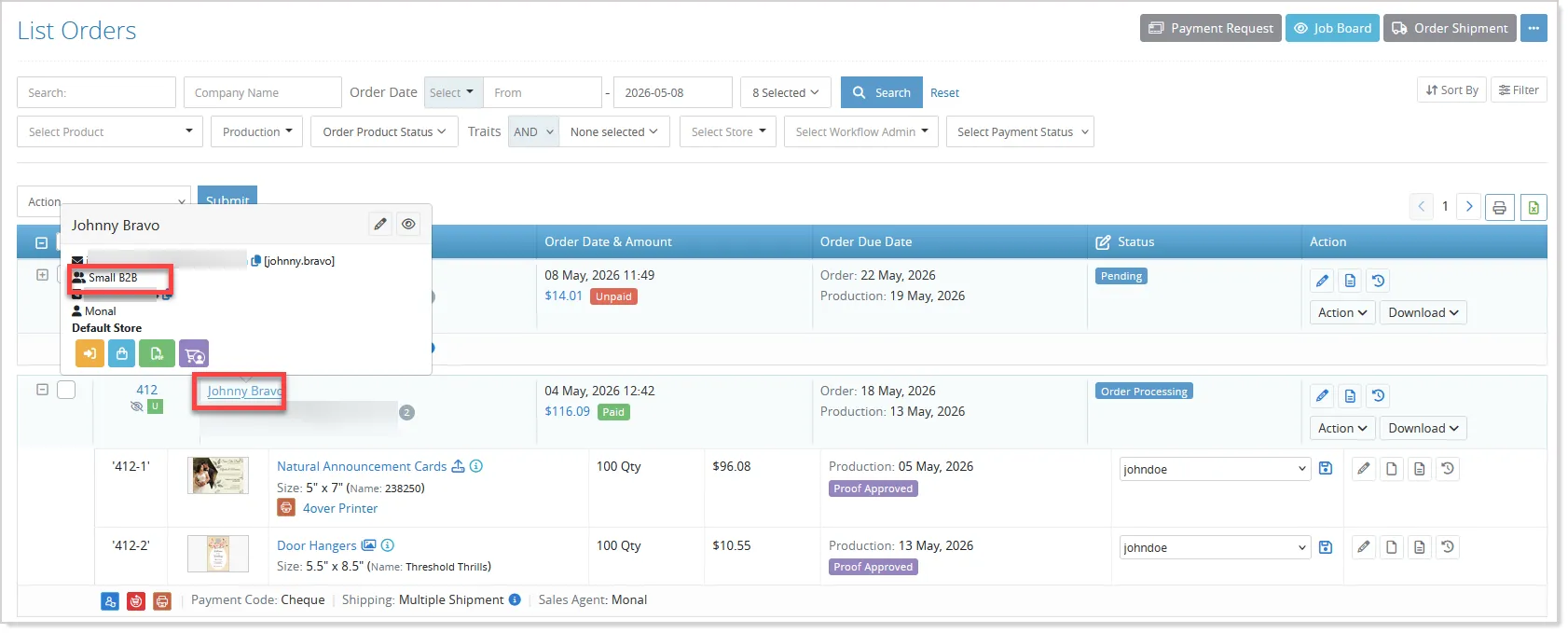
Workflow admins can also view customer details through a dedicated user information pop-up for improved visibility and streamlined order management operations.