B2B/Private Store
Store-Specific Page Layouts for B2B Stores
B2B stores can now deliver a more tailored storefront experience with support for store-specific product page layouts. Previously, page layouts were not fully adaptable per store, limiting the ability to customize how product information was presented across different B2B setups.
With this enhancement, admins can configure page layouts based on individual stores from the Product Page Layout screen, including support for B2B stores and options like All Public/Private Stores:
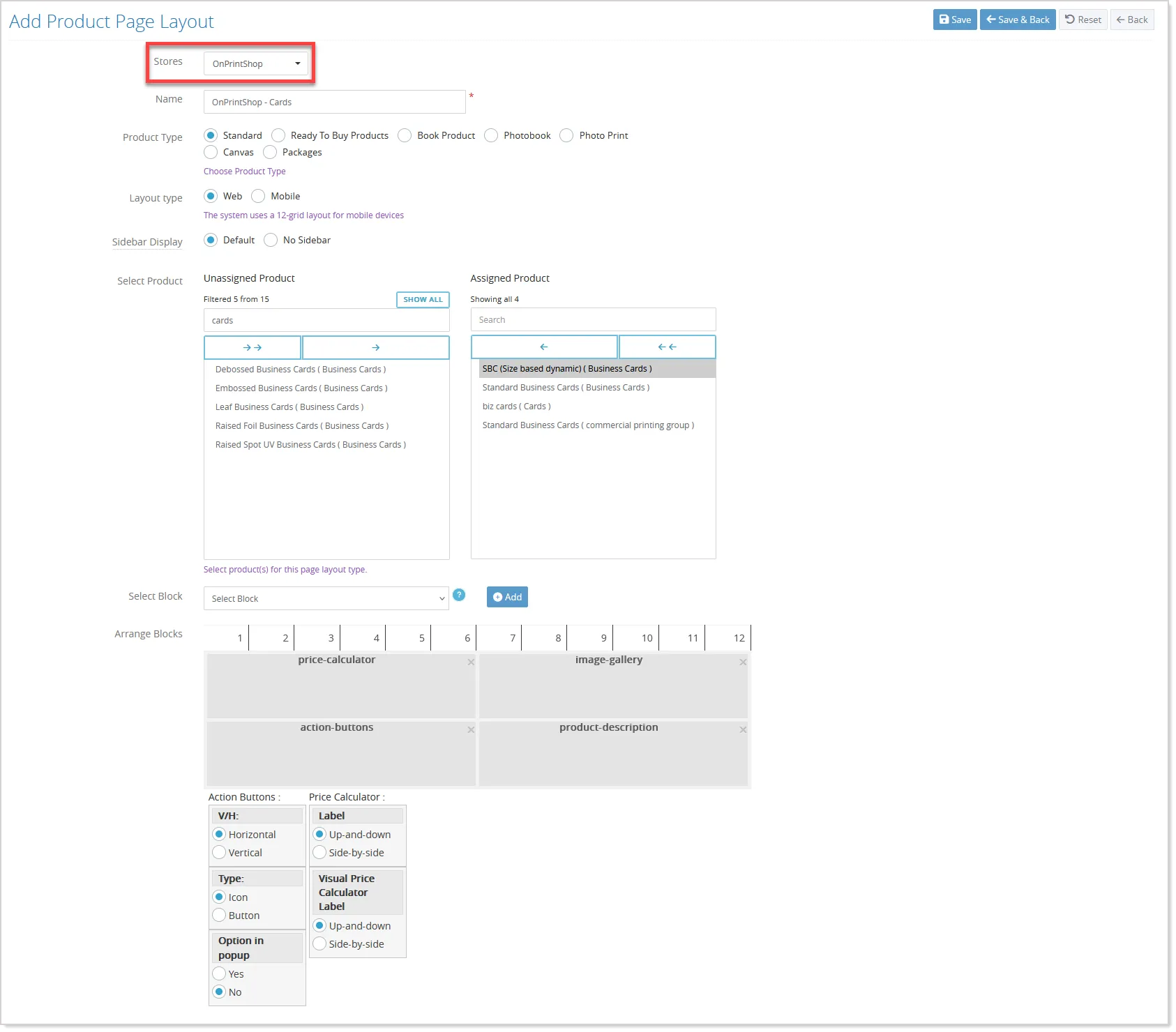
The system dynamically loads products and layouts based on the selected store, both in configuration and listing views, making it easier to manage and apply layouts across multiple store types.
On the storefront, product information pages now follow a defined hierarchy to determine which layout should be applied:
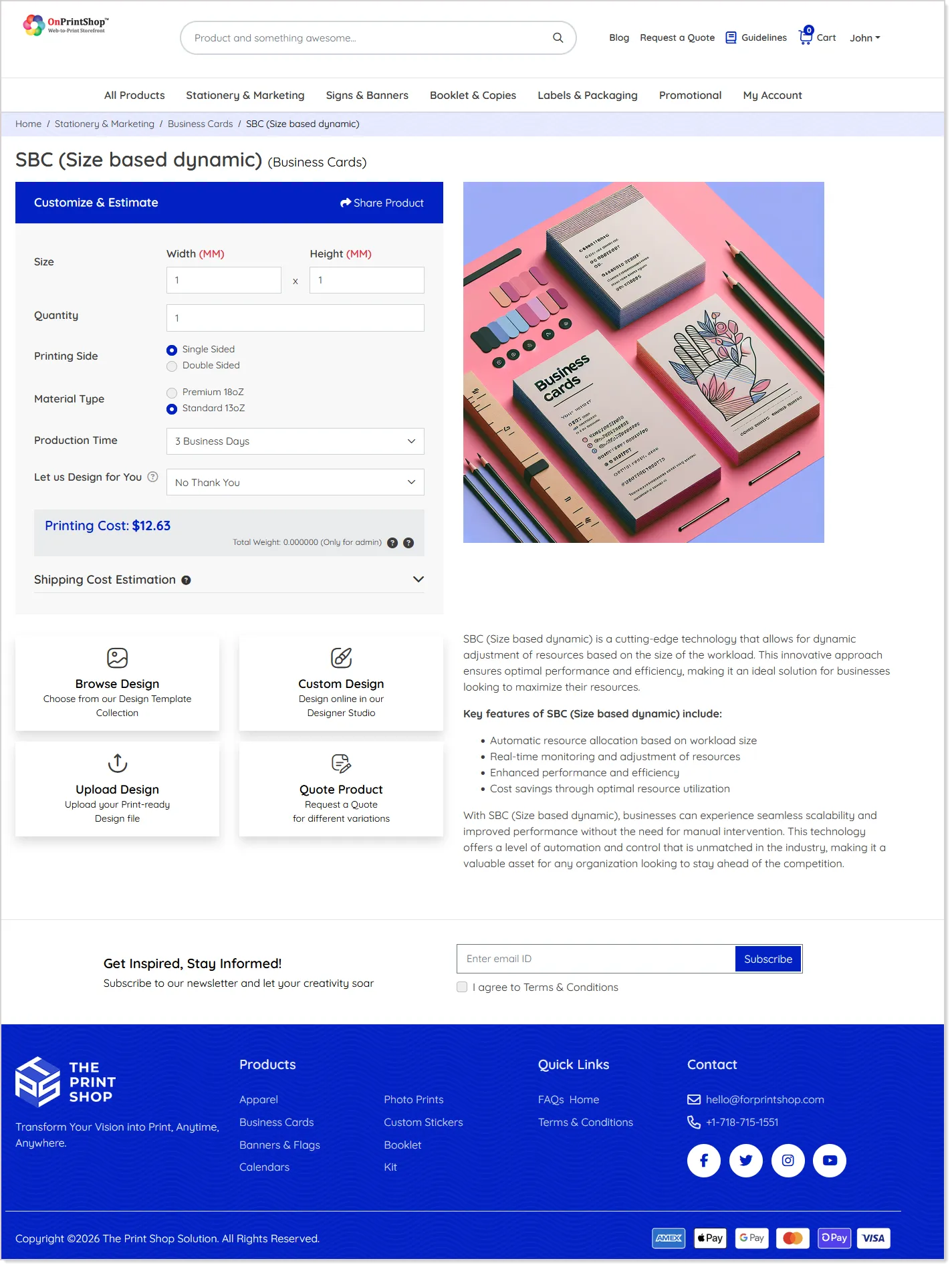
Depending on the store type, the system prioritizes store-specific layouts, followed by public or private store-level layouts, parent store layouts (where applicable), and finally global layouts.
This enhancement enables greater flexibility in managing storefront presentation, ensuring that each B2B store can maintain a consistent and customized product display experience.
Flexible Shipping Recipient Details for B2B Orders
Managing B2B orders often involves placing orders on behalf of different individuals within the same company. While the shipping location usually remains unchanged, the recipient name and contact details may vary from order to order. With this enhancement, B2B users and admins can now easily update recipient information for corporate shipping addresses without changing the actual address details.
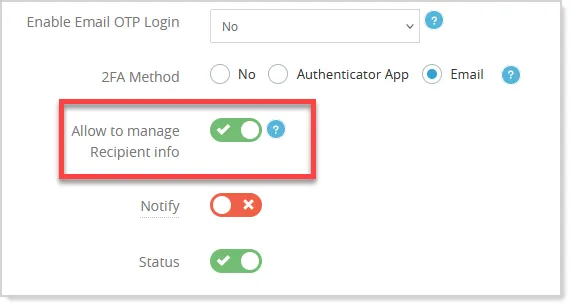
The "Allow to manage Recipient info" setting introduced on the Edit Store screen under the Settings section allows recipient details to be editable for corporate shipping addresses:
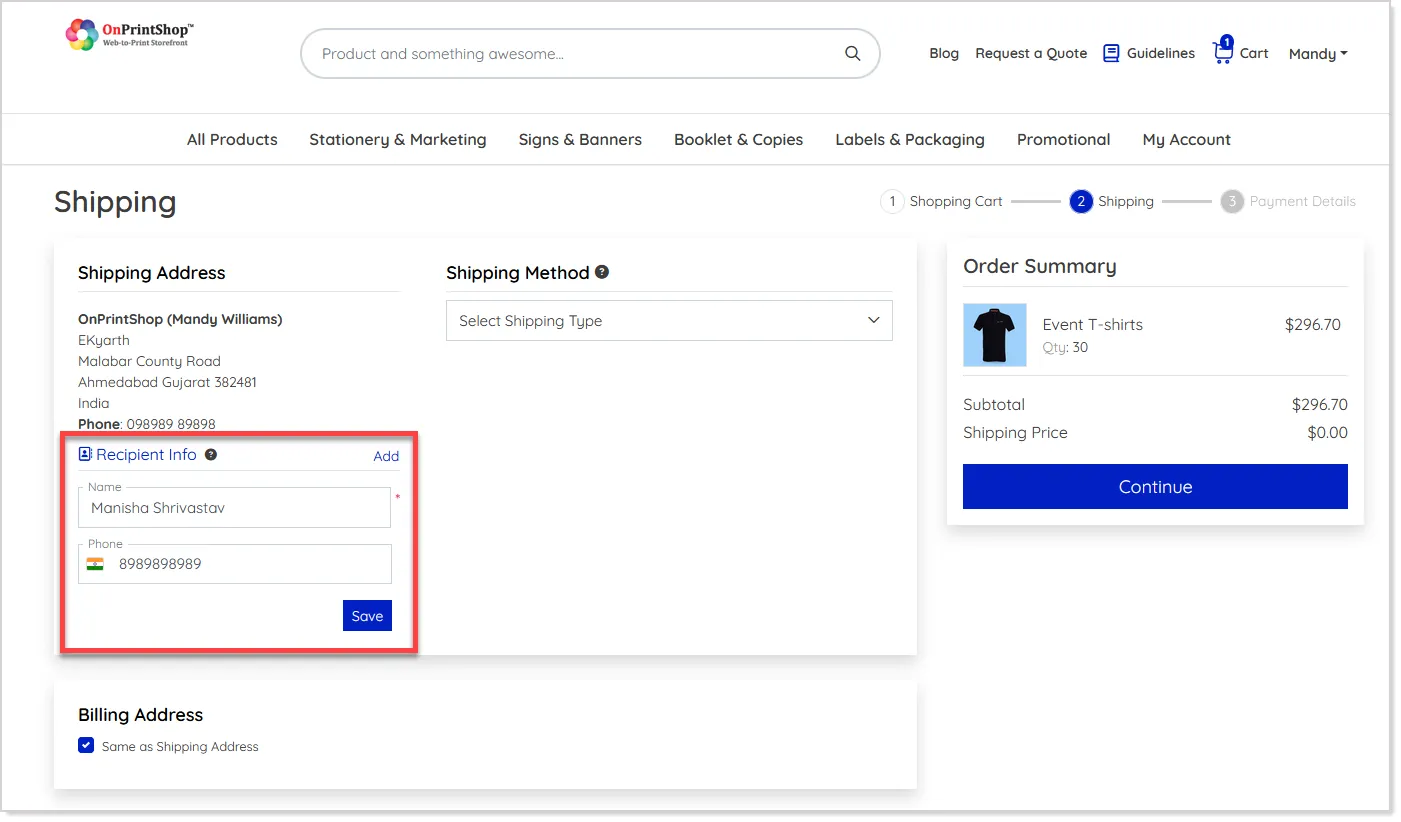
When enabled, users placing orders from the storefront can modify the recipient name and phone number while selecting a corporate shipping address:
Note: To use this feature, ensure that the Fix Shipping Address setting is enabled for the corresponding private store.
The rest of the address details remain unchanged, as set in the existing corporate address setup.
You can also use the same flexibility when placing offline orders from the admin panel, which makes it easier for teams handling bulk or assisted orders:
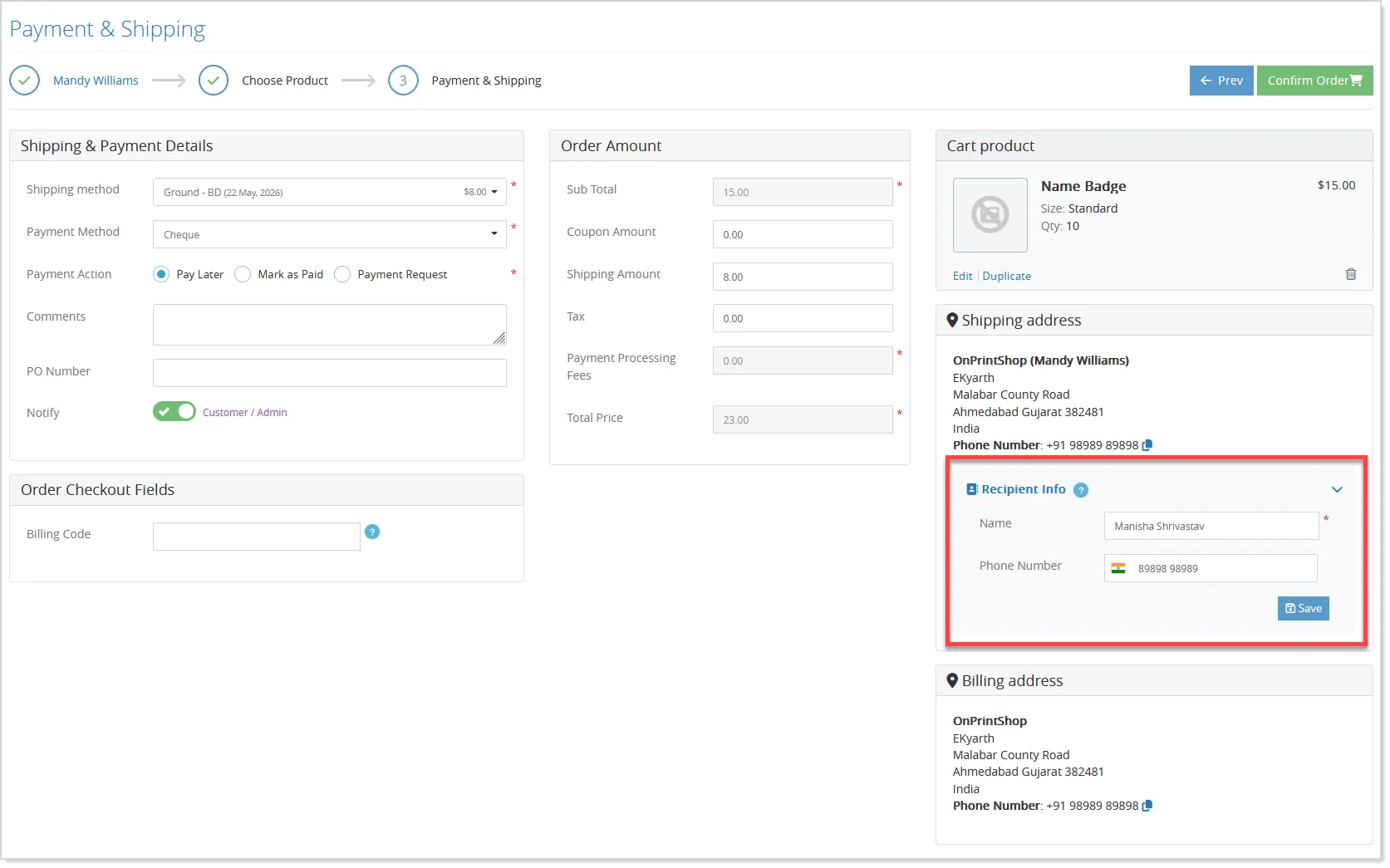
The updated recipient details are automatically saved with the order and reflected across order processing, email notifications, invoices, and shipping labels.
Store-Wise Email Template Branding
Managing multiple stores often requires maintaining unique branding for each store while keeping email communication consistent and professional. This enhancement introduces dedicated store-wise branding support, allowing each store to maintain its own email template branding without impacting other stores or default configurations.
With this update, branding elements such as logos, theme colors, and styling can now be managed independently for each store while keeping the original template structure intact using the Email Template Branding icon:
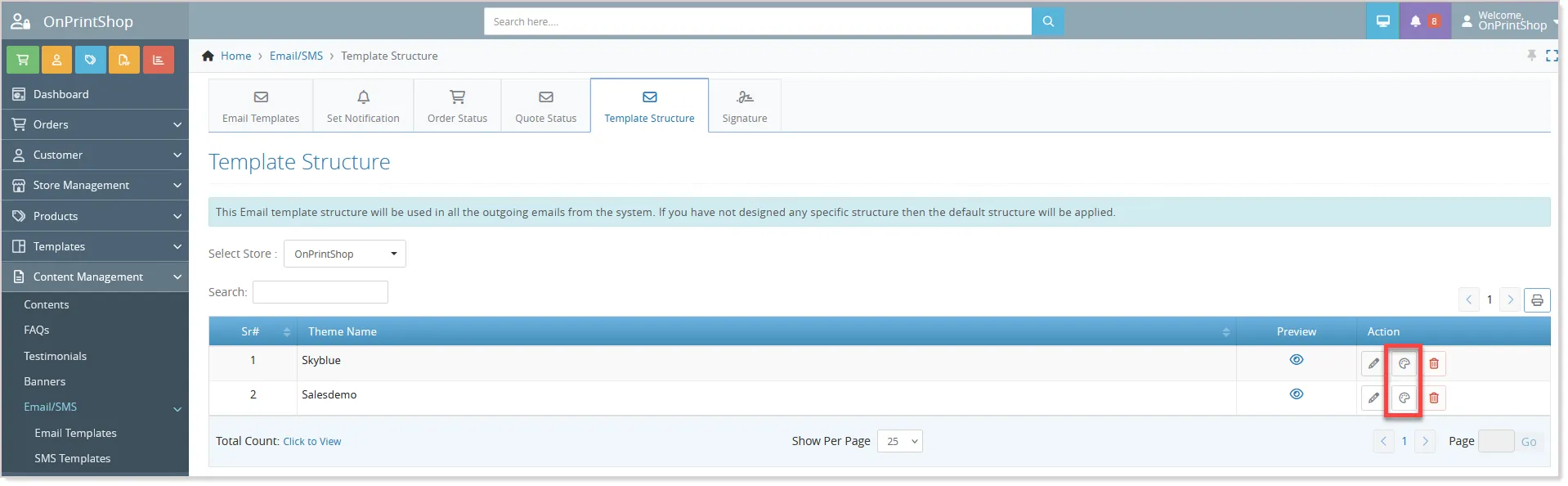
The system now follows a smarter hierarchical branding approach. When an email template is loaded, the system first checks for private store branding, then parent store branding, and finally falls back to the default store branding if no custom configuration is available.
This enhancement also improves template duplication behavior. If a private store duplicates a template from its parent store, the system now correctly loads the parent store structure instead of falling back to the default store template.
Store Wise Promotional Message Settings
Store administrators can now manage Promotional Messages more flexibly with a dedicated configuration section under Content Settings.
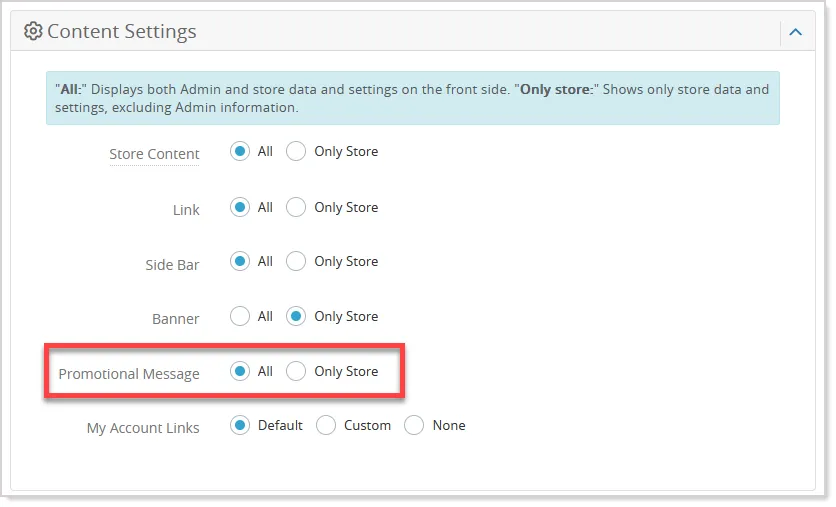
This enhancement allows promotional messages to be controlled independently from other content modules such as CMS, FAQ, and Testimonials, making store-level customization easier and more organized.
This provides greater flexibility for managing targeted campaigns, localized offers, and custom messaging experiences for different stores without affecting shared content configurations.
B2B Login Security with CAPTCHA Protection
We have extended the existing login security and CAPTCHA protection system to B2B private stores as well, helping businesses strengthen account security against unauthorized access and repeated login attempts.
The enhancement introduces automatic CAPTCHA verification after multiple failed login attempts, along with temporary account blocking to help prevent brute force attacks.
Extended Modify Order Access for Partial Approvers
Partial approvers can now be granted permission to modify orders as part of the order approval workflow. Earlier, partial approvers were limited to reviewing and approving or rejecting orders without access to order modification capabilities.
With this enhancement, admins can enable “Order Modify Permission” for partial approvers through Access role settings:
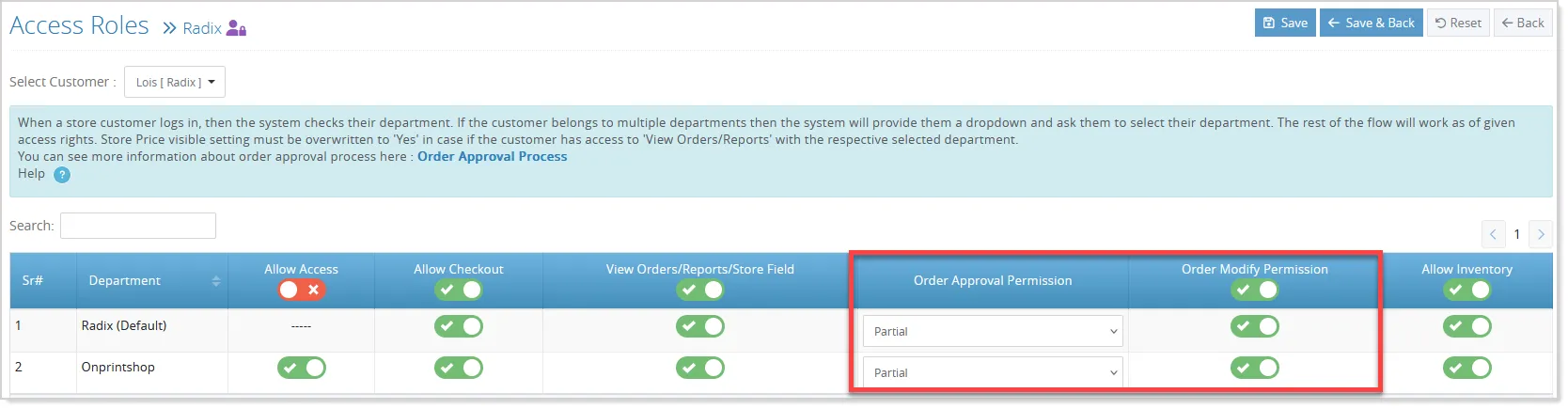
Once enabled, eligible partial approvers will be able to access Edit Order directly from the order details page:
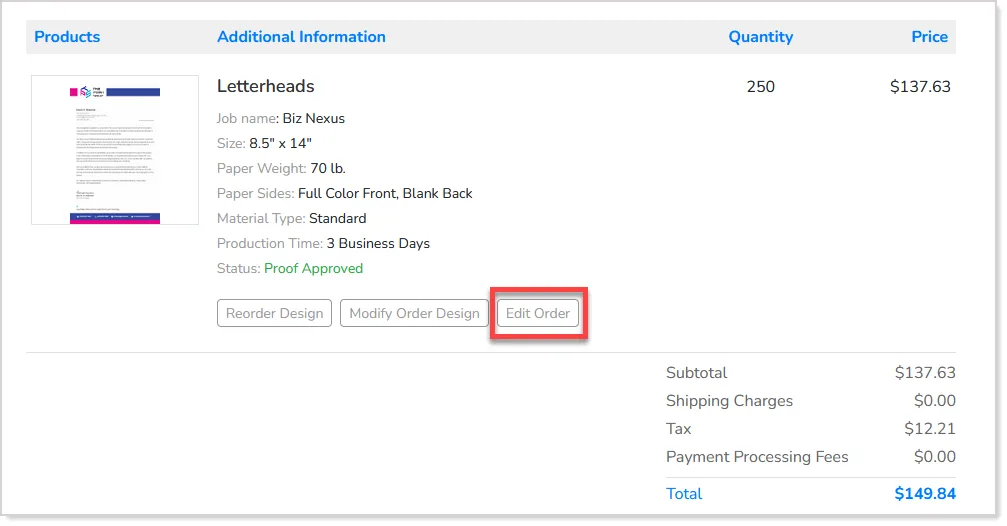
The enhancement also supports secure access links and allows partial approvers to perform actions such as viewing orders, approving or rejecting orders, adding comments, tracking orders, downloading invoices, and accessing print-ready files based on assigned permissions.